WEC8500/WEC8050 (APC) Operation Manual v10.1 384
©Samsung Electronics America
Configuration using Web UI
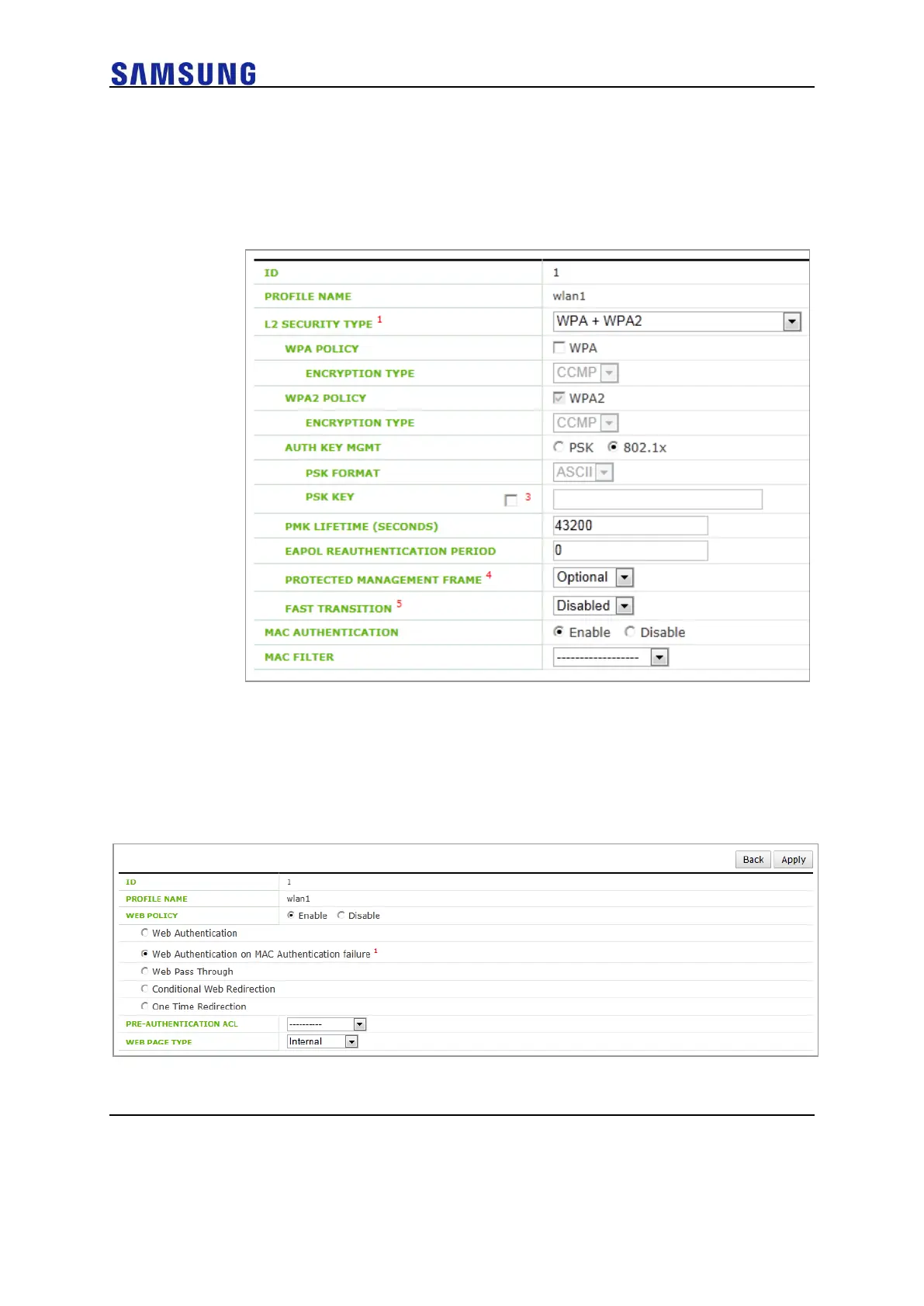
In the menu bar of <WEC Main window>, select <Configuration> and then select the
<WLANs> menu in the sub-menus. In the WLANs screen, select WLAN ID and
go to the <L2> of the <Security> tab.Enable <MAC AUTHENTICATION>.
Figure 259. WLAN Layer 2 Security Configuration Window
Go to the <L3> of the <Security> tab.
Enable <WEB POLICY> and select the Web Authentication on MAC Authentication
Failure
Next step, refer to Configures Web UI at 8.3.2 Web Authentication.
Figure 260. WLAN Web Policy Configuration Window



 To Next Page