WEC8500/WEC8050 (APC) Operation Manual v10.1 429
©Samsung Electronics America
Configuration using Web UI
In the menu bar of <WEC Main window>, select <Configuration> and then select the
<NTP> menu in the sub-menus.
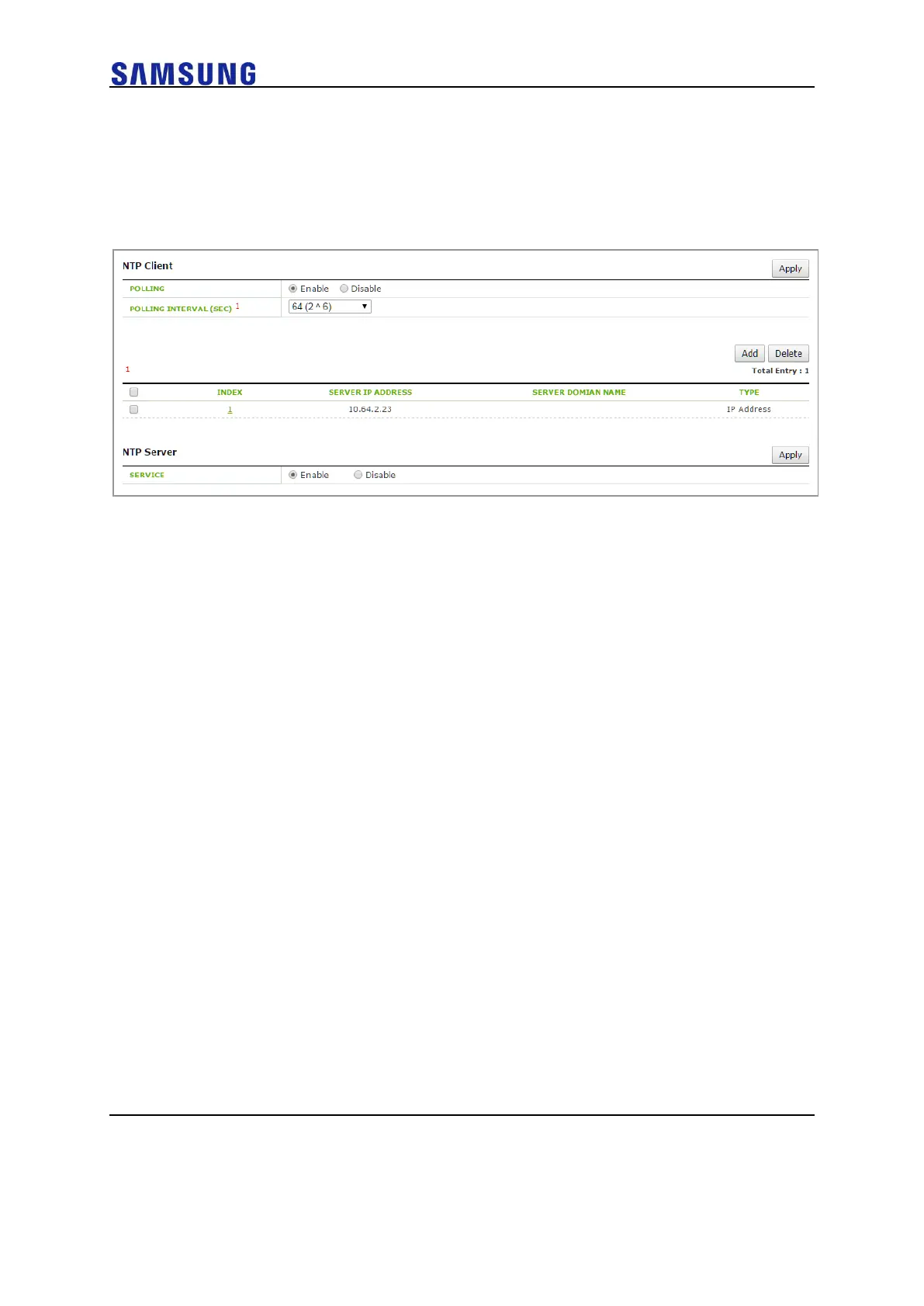
The NTP initial window is shown below.
Figure 296. NTP Client Configuration
The Enable/Disable of a NTP server can be performed using a radio box.
You can configure polling interval enable/disable of a NTP client and also configure the
polling interval during enabling. The range of polling interval is 16~131072.
Click the <Add> or <Delete> button to add or delete a NTP proxy server. Click the <Add>
button to configure a specific ‘Server IP’ or ‘Server DOMAIN NAME’ that will be used by a
NTP proxy.



 To Next Page