WEC8500/WEC8050 (APC) Operation Manual v10.1 40
©Samsung Electronics America
1 Step 1:
o Setup Firewall enable/disable.
o If there is no Firewall License, can’t set to enable.
2 Step 2:
o Setup Firewall Policy.
3 Step 3:
o Setup NAT Pool.
4 Display Setup result
o After finishing all setup, displays results.
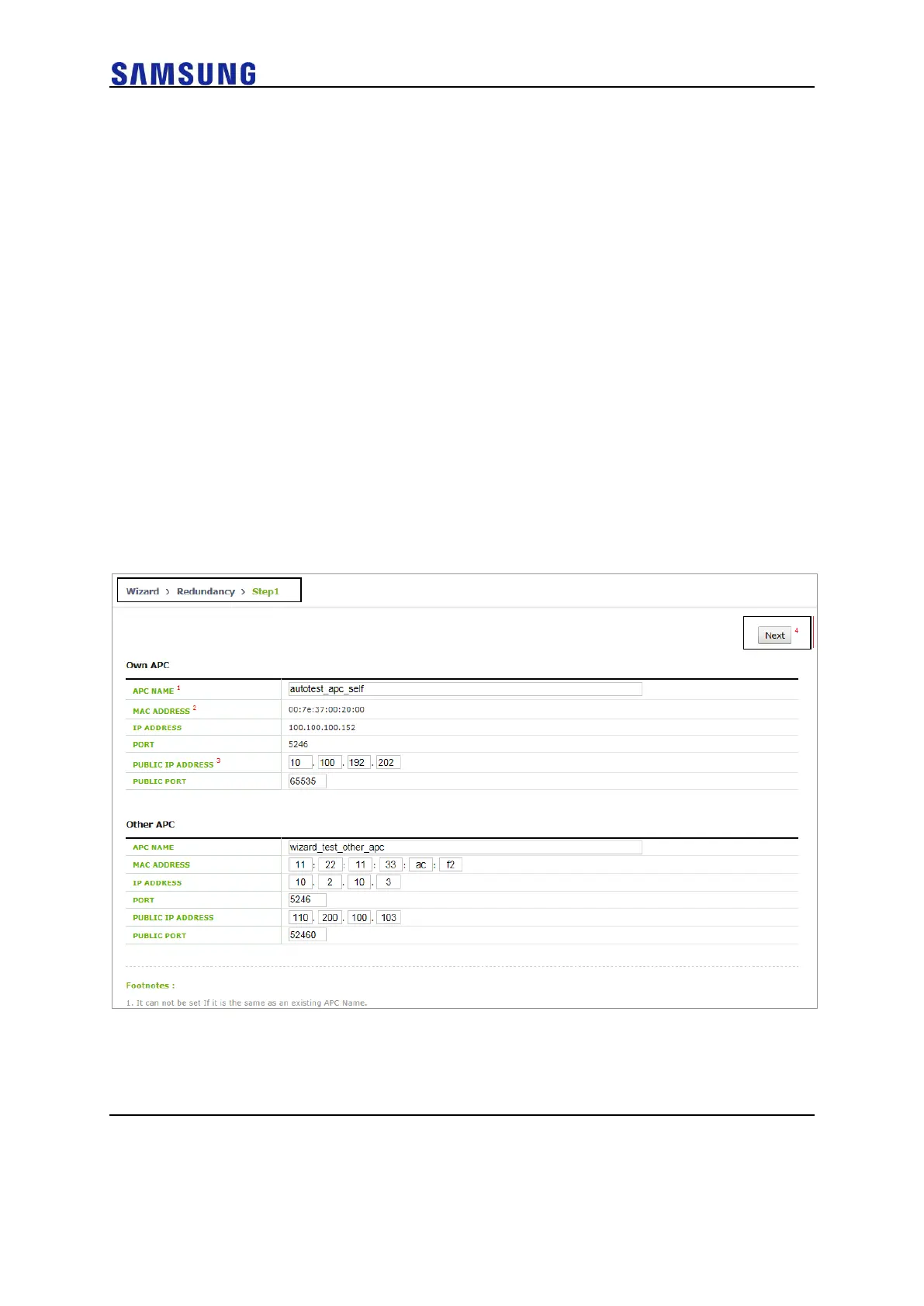
Redundancy Setup Wizard
In the menu bar of <WEC Main window>, select <Configuration> and then select
<Wizard> <Redundancy> menu in the sub menu.
For step 1, start WLAN Setup.
Description on the Screen
Figure 40. Redundancy Setup Wizard Step. 1



 To Next Page