WEC8500/WEC8050 (APC) Operation Manual v10.1 402
©Samsung Electronics America
Configuration using Web UI
In the menu bar of <WEC Main Window>, select <Configuration>, and then select
<Security> <AAA> <TACACS+> in the submenus.
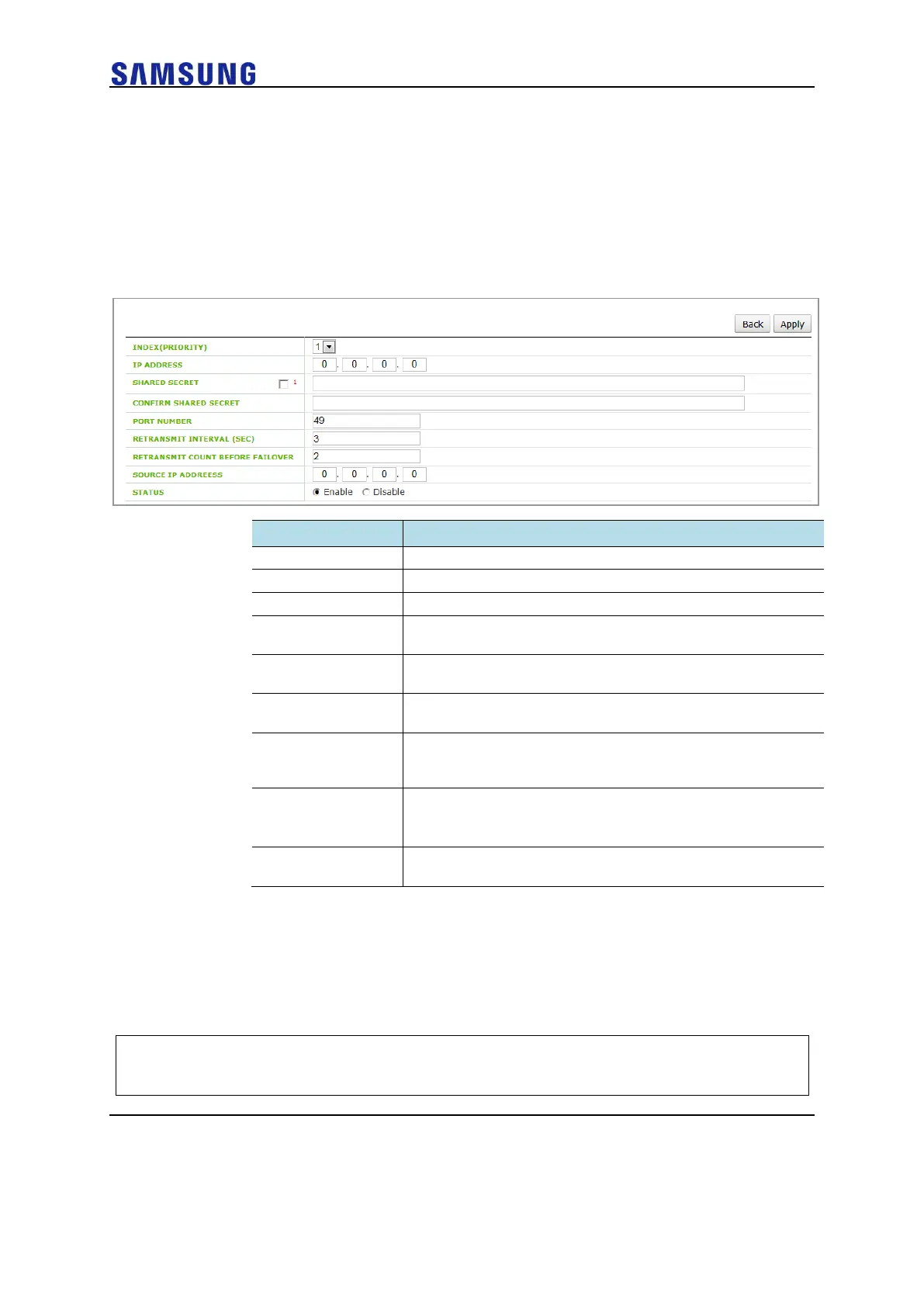
If you click the <Add> button in the TACACS+ initial window, you can add a TACACS+
server.
The server addition window is shown below.
Figure 272. TTACACS+ Server Configuration Window
ID that distinguishes TACACS+ server configurations
IP address of the TACACS+ server
Public key of the TACACS+ server
Re-enters the key for TACACS+ server communications for
confirmation
Communication port number of the TACACS+ server
(range: 1-65,535, default value: 49)
Retransmission interval for a TACACS+ message
(range: 1-5, default value: 2, unit: seconds)
RETRANSMIT
COUNT BEFORE
FAILOVER
Maximum message retransmission count before a TACACS+
server failover is attempted (range: 0-3, default value: 2)
Source IP address of the TACACS+ message
• Note: it must be one of the IP addresses configured in the W-EP
wireless LAN system.
Status indicating whether packets are transferred to the
TACACS+ server (default value: enable)
Configuring Authentication Type of Operator Account
The steps for configuring the authentication type of the operator account are as follows:
Configuration using CLI
1 Go to the configure mode of the CLI.
WEC8500# configure terminal
WEC8500/configure#



 To Next Page