WEC8500/WEC8050 (APC) Operation Manual v10.1 15
©Samsung Electronics America
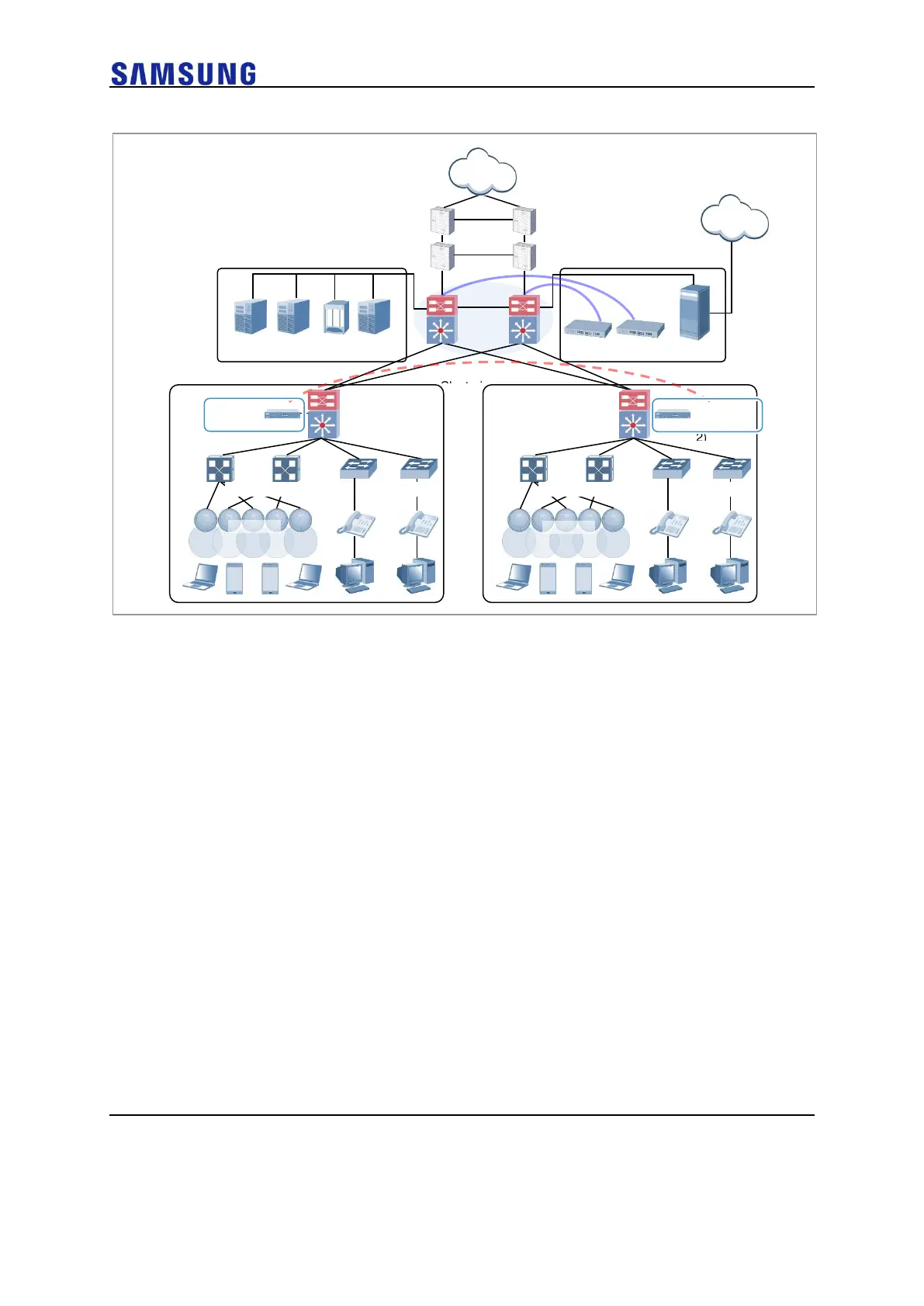
Figure 13. Example of W-EP Wireless LAN System Configuration for Distributed Clustering Service
Configuration of Centralized Clustering Service
In the centralized cluster configuration, all the WEC8500/WEC8050s in a site are installed
in the center. This is suitable when all the networks in a site are configured around the
backbone.
This option is suitable for a site where several buildings are close to each other or a large
building where a seamless handover service is required using one or more
WEC8500/WEC8050s.
Better performance can be obtained if there is a single backbone network and it is
preferable in terms of installation or maintenance because its service configuration is
simple.
An example of service configuration diagram is shown in the below figure.



 To Next Page