WEC8500/WEC8050 (APC) Operation Manual v10.1 173
©Samsung Electronics America
Configuring MAC Address
Configuration using CLI
To configure AP information, execute the command as follows:
1 Go to configure AP configuration mode of CLI.
WEC8500# configure terminal
WEC8500/configure# ap [ap profile name]
WEC8500/configure/ap ap_1#
If there exists the same AP when entering [ap profile name], you are
guided to the mode where operator can configure the AP. If there is no
same AP, the new AP information is created.
2 Register the MAC address of the AP.
o profile mac [MAC_ADDRESS]
3 To check the information of a configured AP, use the ‘show ap summary
config’ command.
Configuration using Web UI
In the menu bar of <WEC Main window>, select <Configuration> and then select the
<Access Points> menu in the sub-menus.
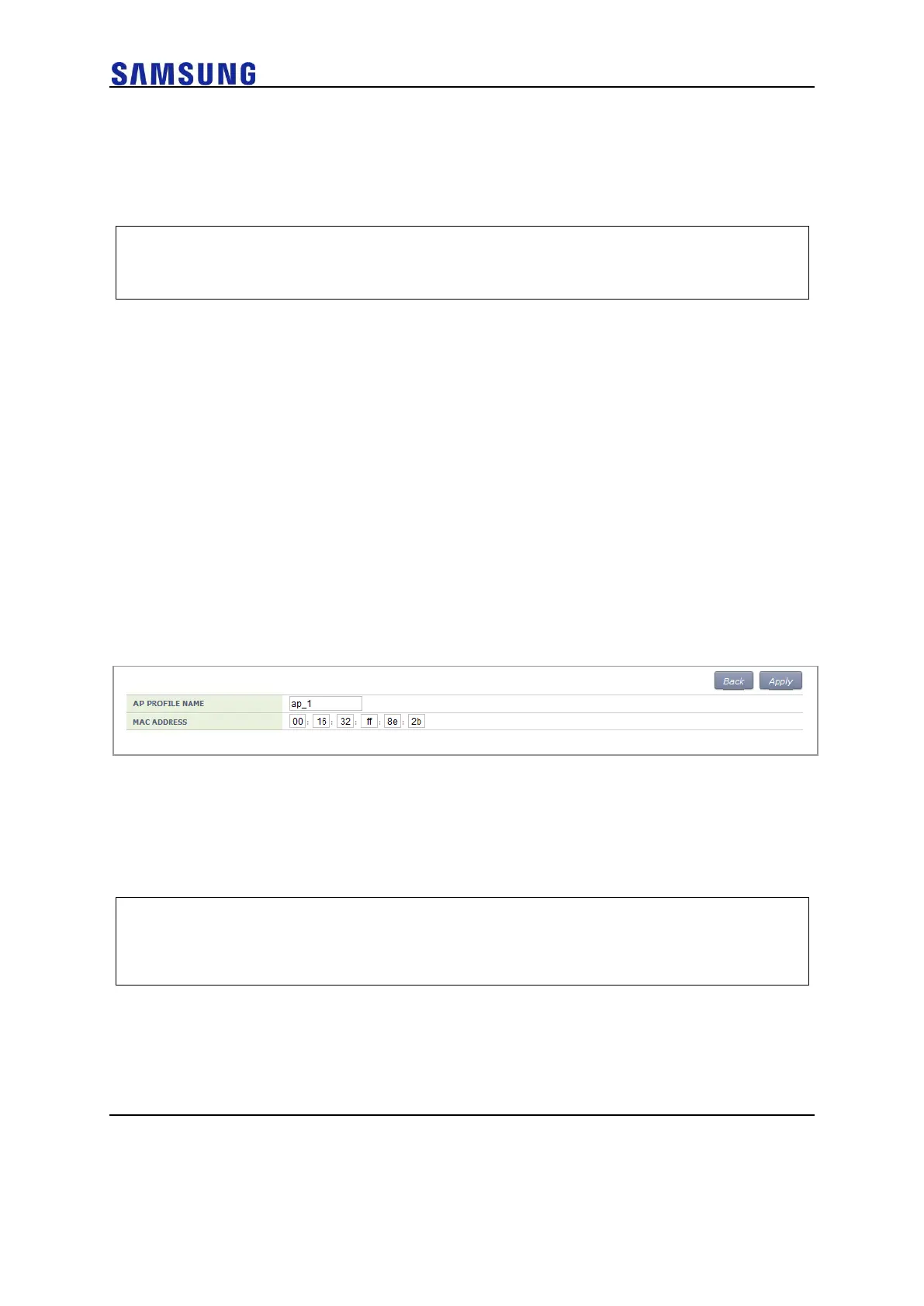
1 Click the <Add> button.
2 Set AP PROFILE NAME and MAC ADDRESS and click the <Apply>
button.
Figure 118. Adding Access Points
Configuring AP Profile
Configuration using CLI
To configure an AP profile configuration, execute the command as follows:
1 Go to configure AP configuration AP profile mode of CLI.
WEC8500# configure terminal
WEC8500/configure# ap ap_1
WEC8500/configure/ap ap_1# profile
WEC8500/configure/ap ap_1/profile#
2 Configure the profile of an AP using the below command:
o name [STRING]: Configures the name of an AP. If it is not entered,
the ‘AP_’ + ‘MAC address’ is used as a name.
For example, MAC address: f4:d9:fb:24:cb:a0
AP name: AP_f4d9fb24cba0



 To Next Page