WEC8500/WEC8050 (APC) Operation Manual v10.1 24
©Samsung Electronics America
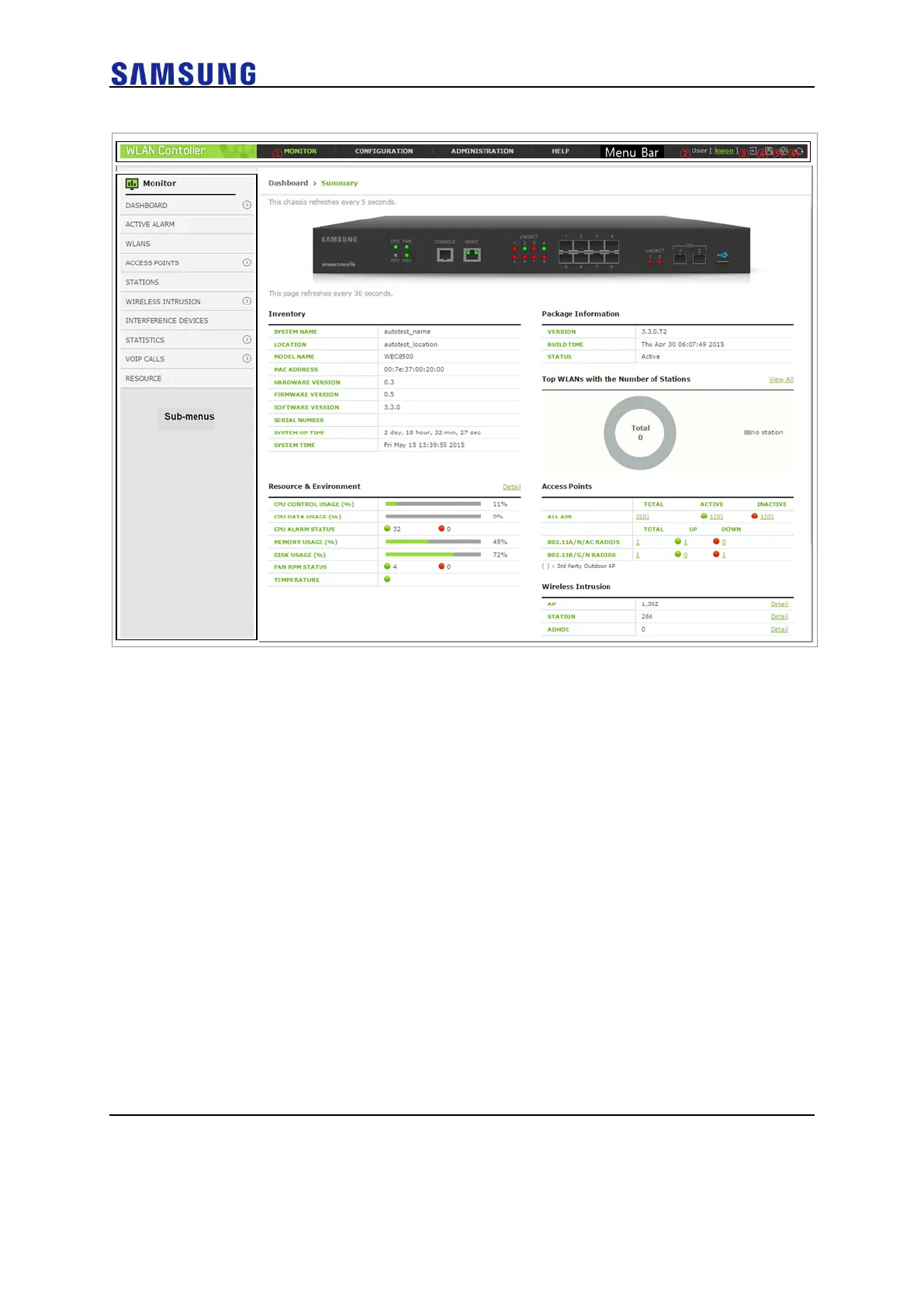
Figure 18. WEC Main Window
Menu Bar
The menu bar consists of the following items:
• ①: Provides detail configuration or retrieval function for each item.
When you select each item, lower menus in the sub-menus area are
displayed.
• ②: Displays a user login ID.
• ③: Logs out from the WEC.
• ④: Saves the current configuration information into the system.
• ⑤: Executes ping test.
• ⑥: Refreshes the screen.
Sub-menus
This provides the detail menus for Monitor, Configuration, Administration, or Help in the
menu bar.
Managing Operator Account
To add an operator account in Web UI, follow the below procedure:



 To Next Page