WEC8500/WEC8050 (APC) Operation Manual v10.1 398
©Samsung Electronics America
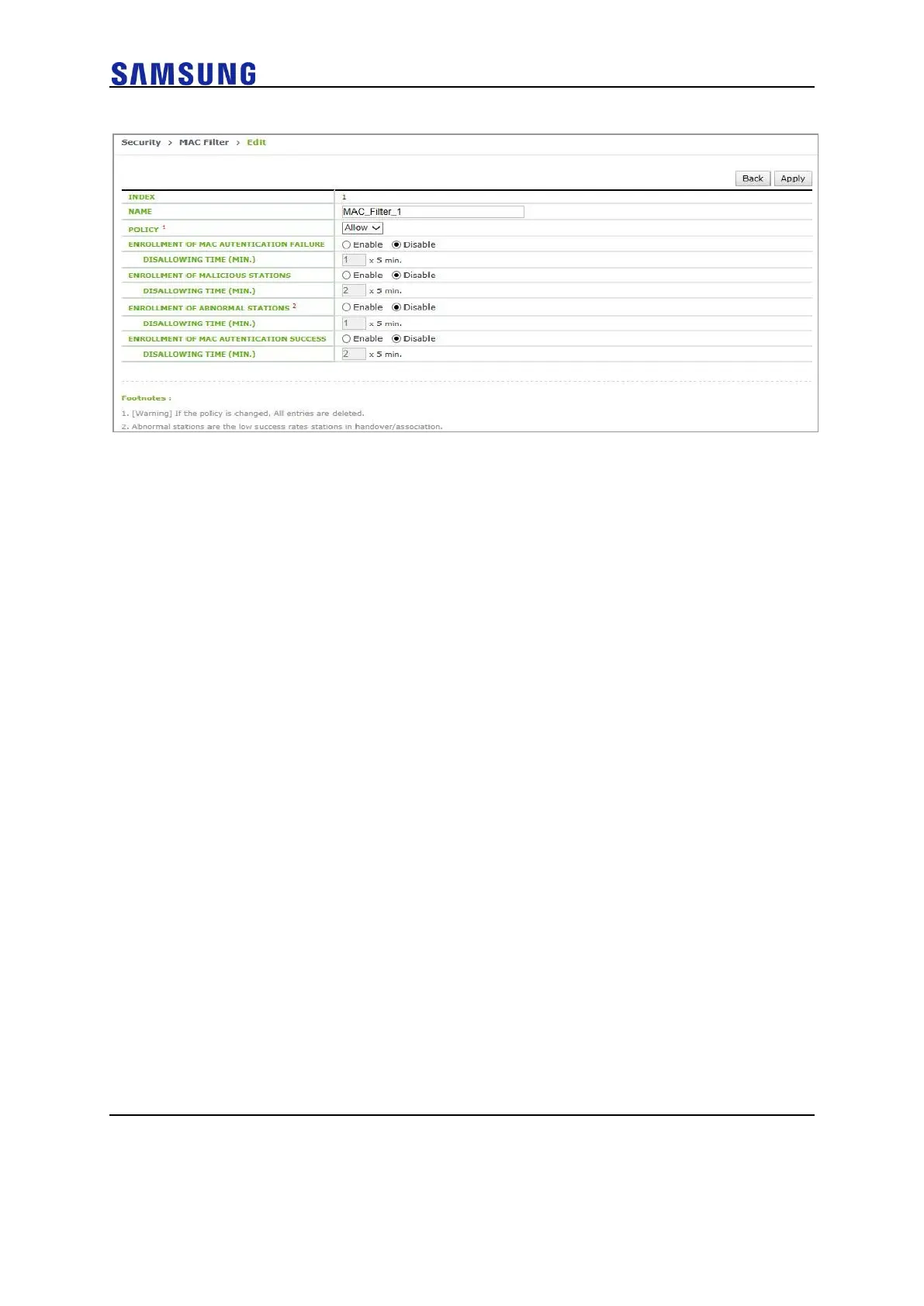
Figure 270. MAC Entry Configuration (2)
3 Select a WLAN for which the MAC filter will be applied. Check a MAC
FILTER ID to apply in the Security > L2 configuration screen.
To apply the configuration, click the <Apply> button.



 To Next Page