WEC8500/WEC8050 (APC) Operation Manual v10.1 33
©Samsung Electronics America
Remote AP Setup Wizard
In the menu bar of <WEC Main window>, select <Configuration> and then select
<Wizard> <Remote AP> menu in the sub menu.
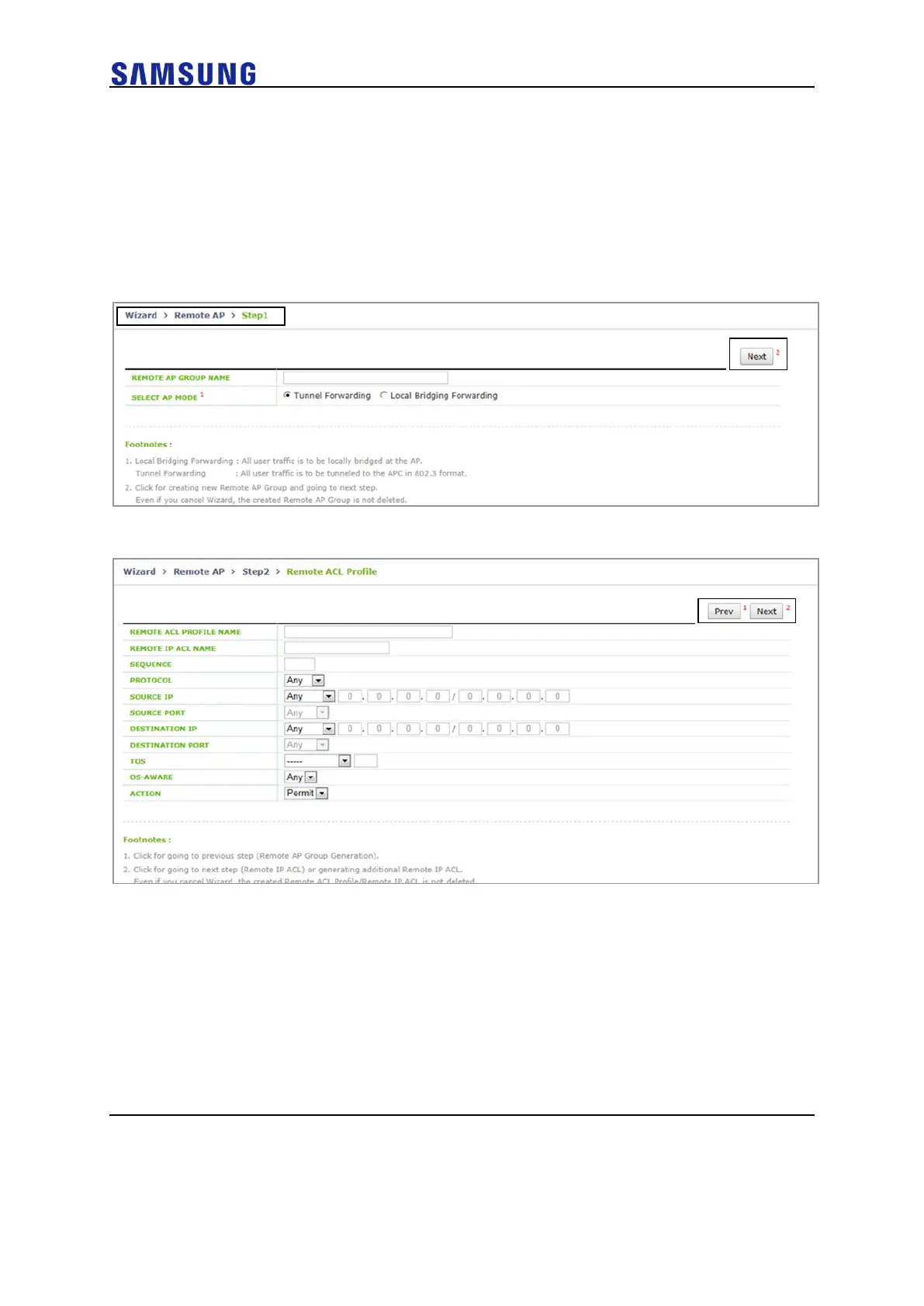
For step 1, start Remote AP Setup.
Description on the Screen
Figure 27. Remote AP Setup Wizard Step.1
Figure 28. Remote AP Setup Wizard Step.2-ACL Profile (when selecting Tunnel Forwarding)



 To Next Page