WEC8500/WEC8050 (APC) Operation Manual v10.1 213
©Samsung Electronics America
WEC8500# show wlan detail 1
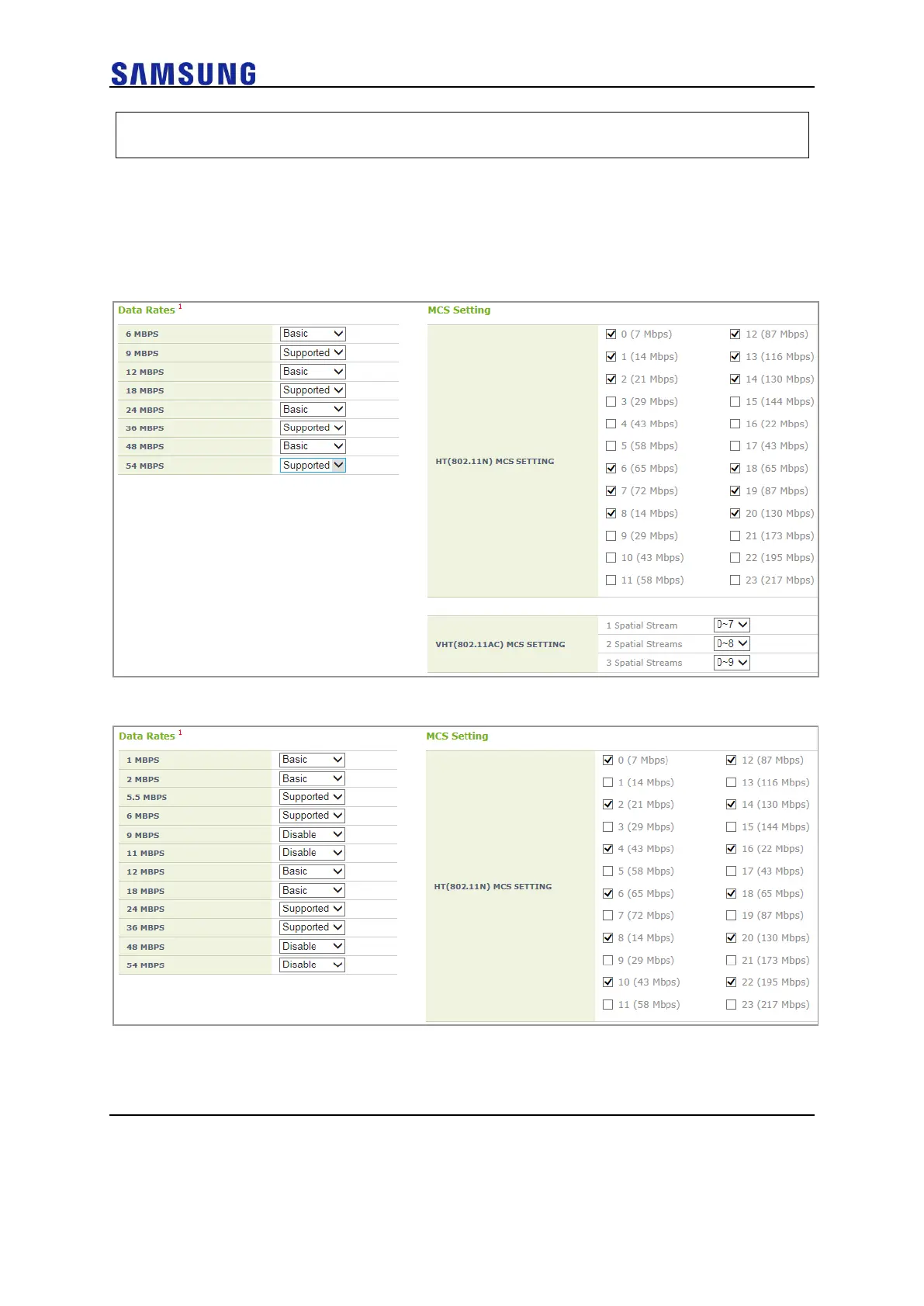
Configuration using Web UI
In the menu bar of <WEC Main window>, select <Configuration> and then select
the <WLANs> menu in the sub-menus. In the WLANs Screen, select WLAN ID to be
modified and move to <802.11a/n/ac> tab or <802.11b/g/n> tab as per band.
Figure 148. MCS per WLAN: 802.11a/n/ac Configuration Management Window
Figure 149. MCS per WLAN: 802.11b/g/n Configuration Management Window
IOT Configuration Management per WLAN
IOT Device Type and Discovery Mode cam be differently configured for each WLAN.



 To Next Page