WEC8500/WEC8050 (APC) Operation Manual v10.1 39
©Samsung Electronics America
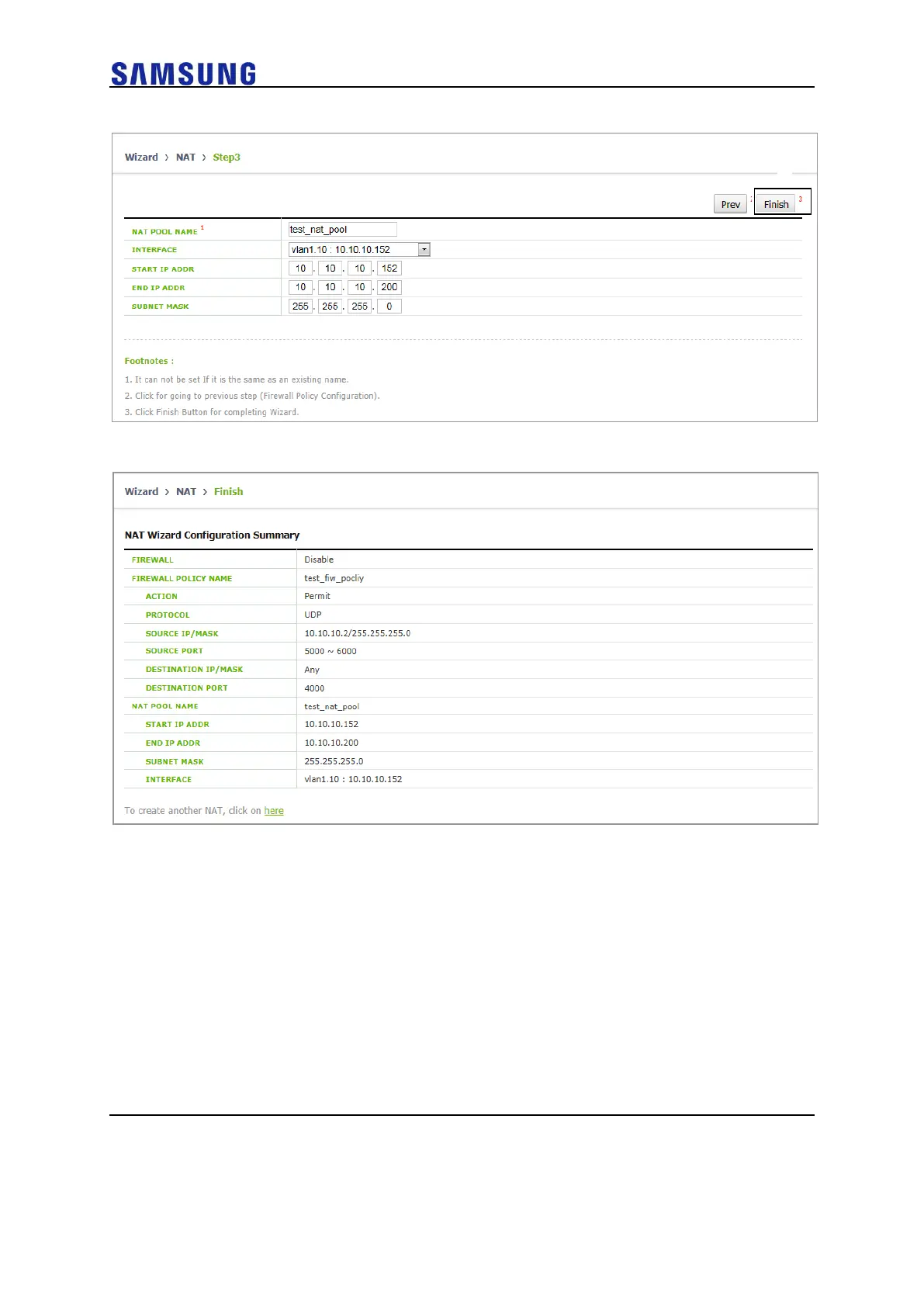
Figure 38. NAT Setup Wizard Step. 3
Figure 39. NAT Setup Wizard Result Screen
• ①: Located on the top of screen and displays current and total setup
step.
• ②: Next button to move next setup step, Prev button to move previous
setup step.
• ③: Finish button to finish setup and move to setup result screen.
• Result screen displays setup information. If setup another NAT, click a
link on the screen, then move to first step of Setup Wizard.
Setup Step
The NAT setup wizard consists of the following setup steps: After setting up the
description desired on each screen, click the Next button to apply the modifications to the
system.



 To Next Page