WEC8500/WEC8050 (APC) Operation Manual v10.1 49
©Samsung Electronics America
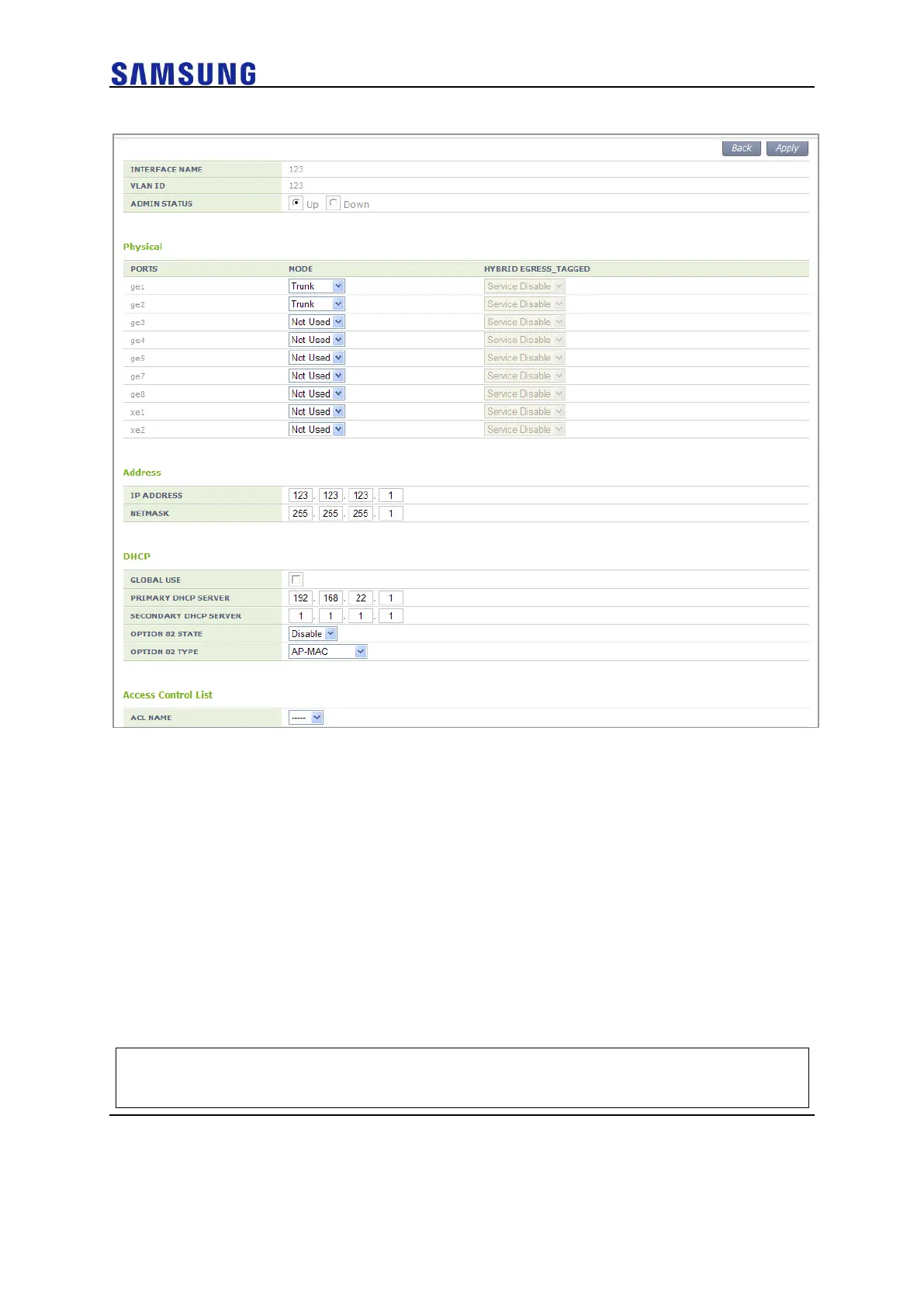
Figure 48. Interfaces Window (3)
[Deleting VLAN]
In the Interface initial window, click the <Delete> button to delete a selected VLAN.
The select VLAN cannot be deleted if it is being used in the system.
Managing Interface Group
To use WLAN and other services, it is necessary to configure an interface into an interface
group. Generally, interface is set based on VLAN-ID, but can be set based on secondary
IP address. In case of deleting VLAN-ID on interface group, the secondary IP address on
that VLAN will be automatically removed from its interface group.
Configuration using CLI
An example of entering into the group configuration mode of ifg_01 interface is shown
below.
WEC8500# configure terminal
WEC8500/configure# if-group ifg_01



 To Next Page