WEC8500/WEC8050 (APC) Operation Manual v10.1 203
©Samsung Electronics America
Several VLAN interfaces can be added to an interface group, and the
WLAN service is available only through the interface.
o if-group [INTERFACE_GROUP_NAME]
4 Configure a SSID. The SSID is an ID used to connect to each wireless
terminal to provide the WLAN service.
Make sure to configure a SSID to use the WLAN service.
o ssid [SSID_NAME]
5 Configure radio by selecting 2.4G, 5G or All (2.4G/5G).
o radio [Radio ID: 1: 5 GHz, 2: 2.4 GHz, 3: ALL]
6 Configure whether to apply the WLAN service.
WEC8500/configure/wlan 1# enable
To apply the various WLAN services to multiple wireless terminals, create
the WLAN service in a profile format. Once the WLAN service is started,
make each AP use the WLAN service by downloading the profile.
Configuration using Web UI
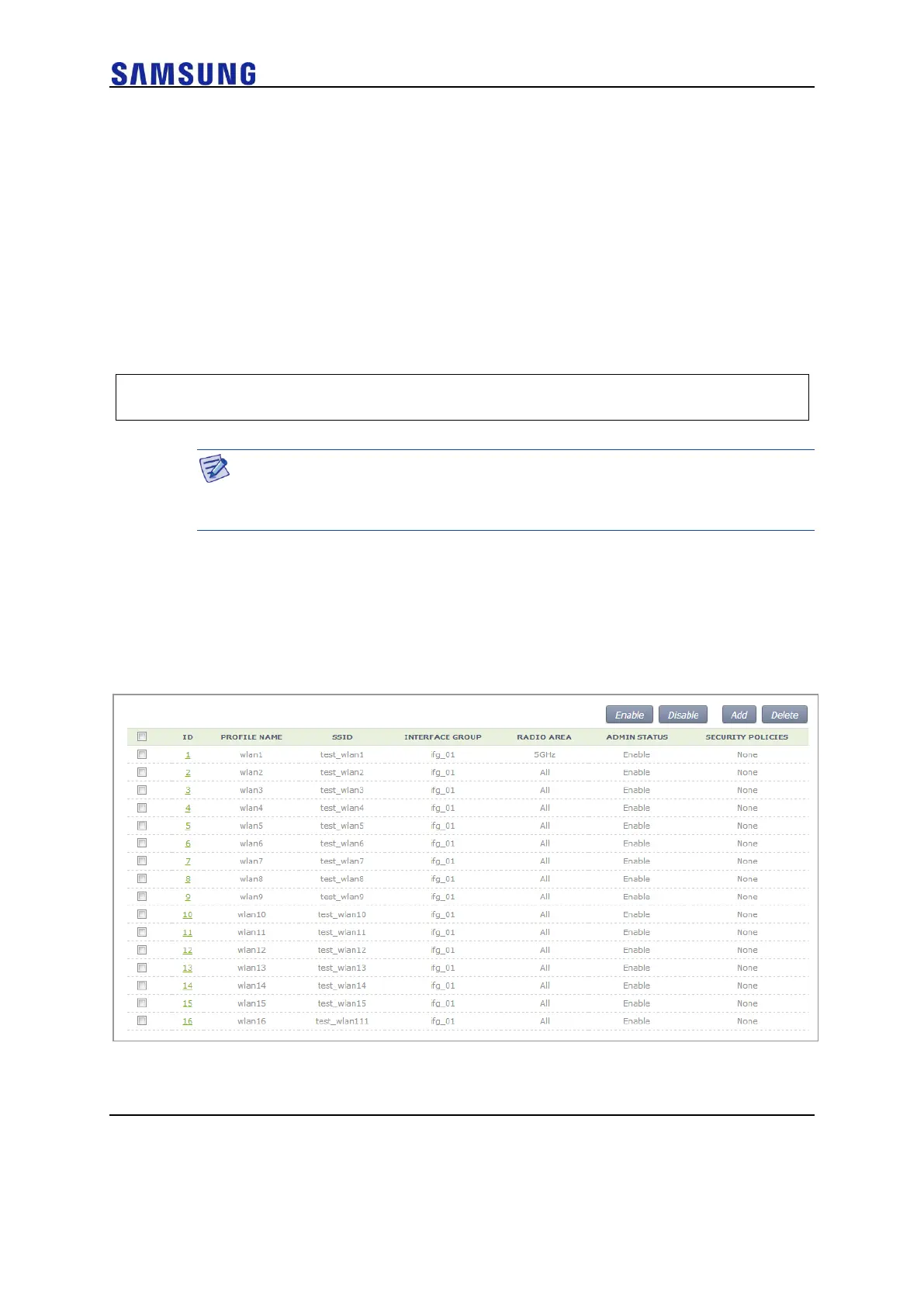
In the menu bar of <WEC Main window>, select <Configuration> and then select the
<WLANs> menu in the sub-menus. Select a WLAN ID to change in the WLANs screen
and go to the <General> tab. In the screen, you can use various functions such as adding
or deleting a WLAN.
Figure 141. WLAN Basic Configuration (1)



 To Next Page