WEC8500/WEC8050 (APC) Operation Manual v10.1 7
©Samsung Electronics America
• Separate the electrical wiring of a switch or related devices and the
electromagnetic area of network data line
• Cable or connector and safe connection without damaged cable sheath
The 1000 BASE-T standard does not support the forced mode.
The auto-negotiation function must be always used for 1000 BASE-T port or
trunk connection.
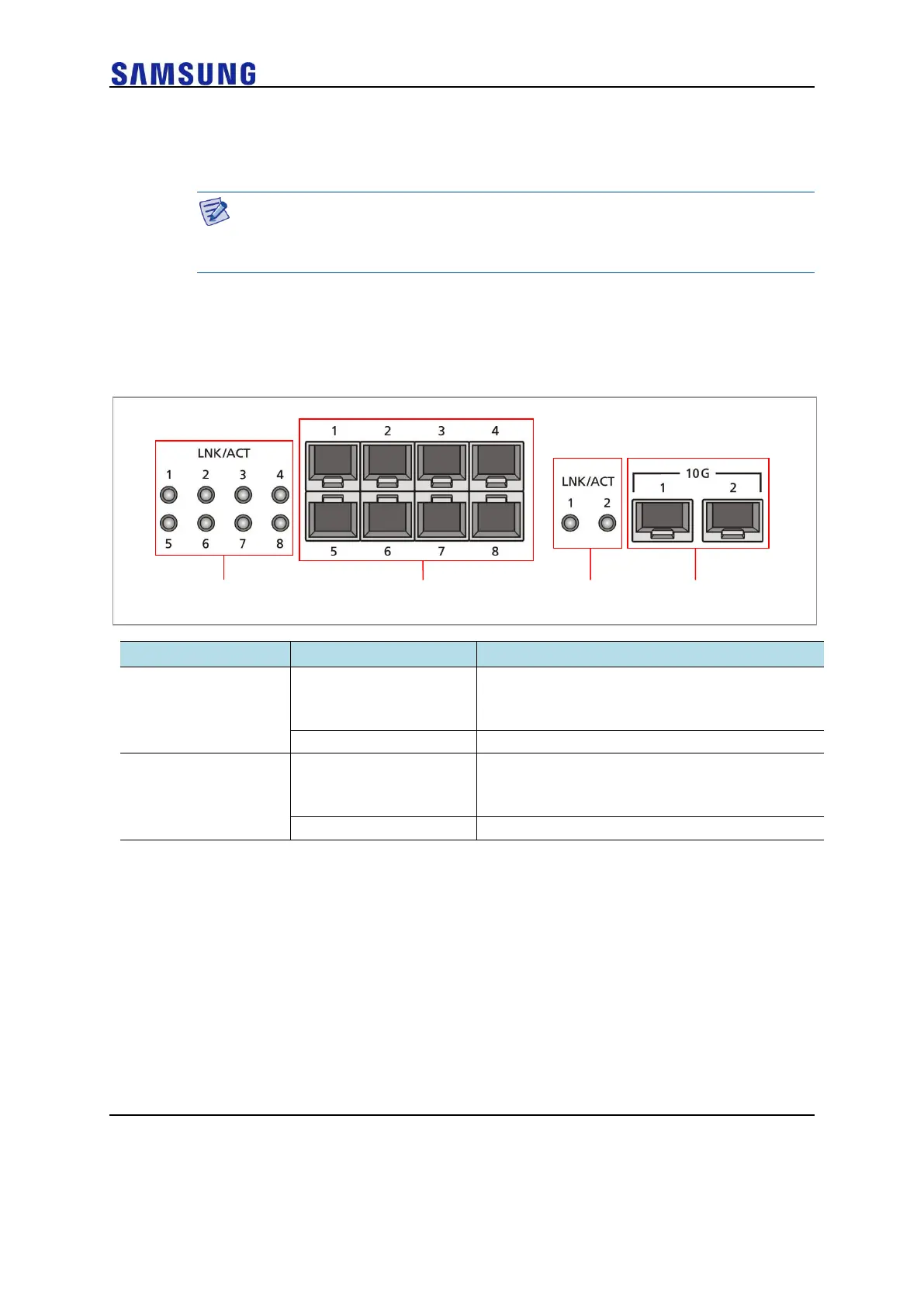
Optic Port
It provides two 10 GbE Optic ports and eight 1 GbE Optic ports and the operational status
of each port is displayed in LED.
Figure 6. Optic Port Configuration
LINK/ACT status of each port
• Turned on for link connection
• Blinking for data exchange
LINK/ACT status of each port
• Turned on for link connection
• Blinking for data exchange
USB Port (Host 2.0)
The WEC8500 provides a USB host port that supports the upgrade of WEC8500
operation software.
A typical USB memory stick is supported.



 To Next Page