4 Operator can check the configuration information by executing the ‘show
remote-ap-group summary’, ‘show wlan detail’, ‘show ap local-bridging
[AP_PROFILE_ NAME]’ command.
Configuration using Web UI
By referring to the ‘Configuring Remote AP Group’, add an AP to a remote AP group.
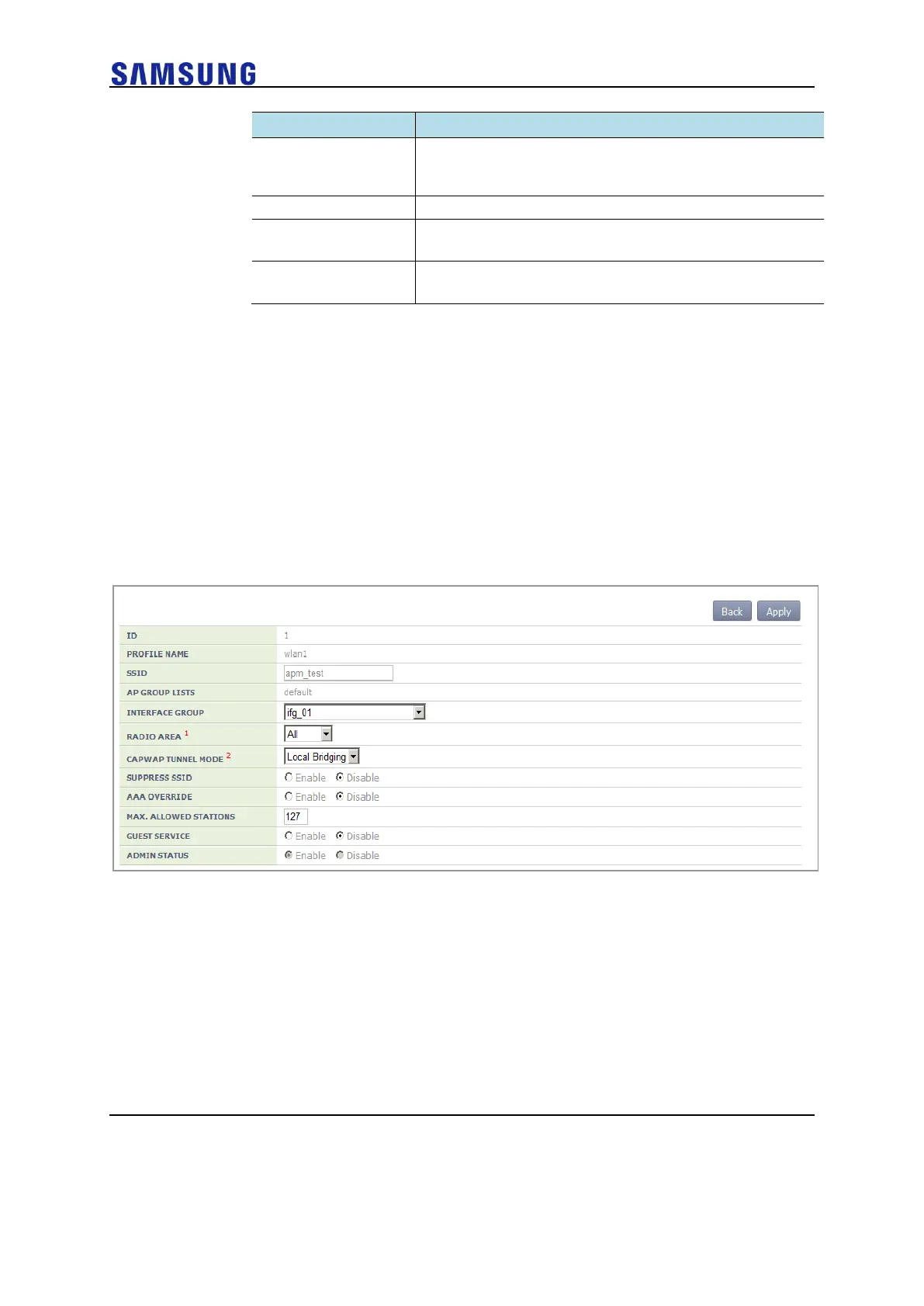
In the menu bar of <WEC Main window>, select <Configuration> and then select the
<WLANs> menu in the sub-menus. Select a WLAN ID to change in the WLANs screen
and go to the <General> tab. After changing the ‘CAPWAP TUNNEL MODE’ to ‘Local
Bridging’, click the <Apply> button.
Figure 151. Local Switching Configuration Window of WLAN
In the menu bar of <WEC Main window>, select <Configuration> and then select the
<Access Points> menu in the sub-menus. In the Access Points screen, select an AP to
change and go to the <Remote AP> tab.
Select the WLAN set with tunnelling and enter the split ACL before clicking the <Add>
button.



 To Next Page