WEC8500/WEC8050 (APC) Operation Manual v10.1 301
©Samsung Electronics America
WEC8500/configure/rrm/sleep-cell-detect# period_1st
5 PERIOD_2ND: Start and end times of sleeping cell detection start for
Specific Period 2.
(For a full day, set the start and end times as the same time.)
WEC8500/configure/rrm/sleep-cell-detect# period_2nd
6 PERIOD_ALL: Start and end times of sleeping cell detection for periods
other than Specific Periods 1 and 2.
WEC8500/configure/rrm/sleep-cell-detect# period_all
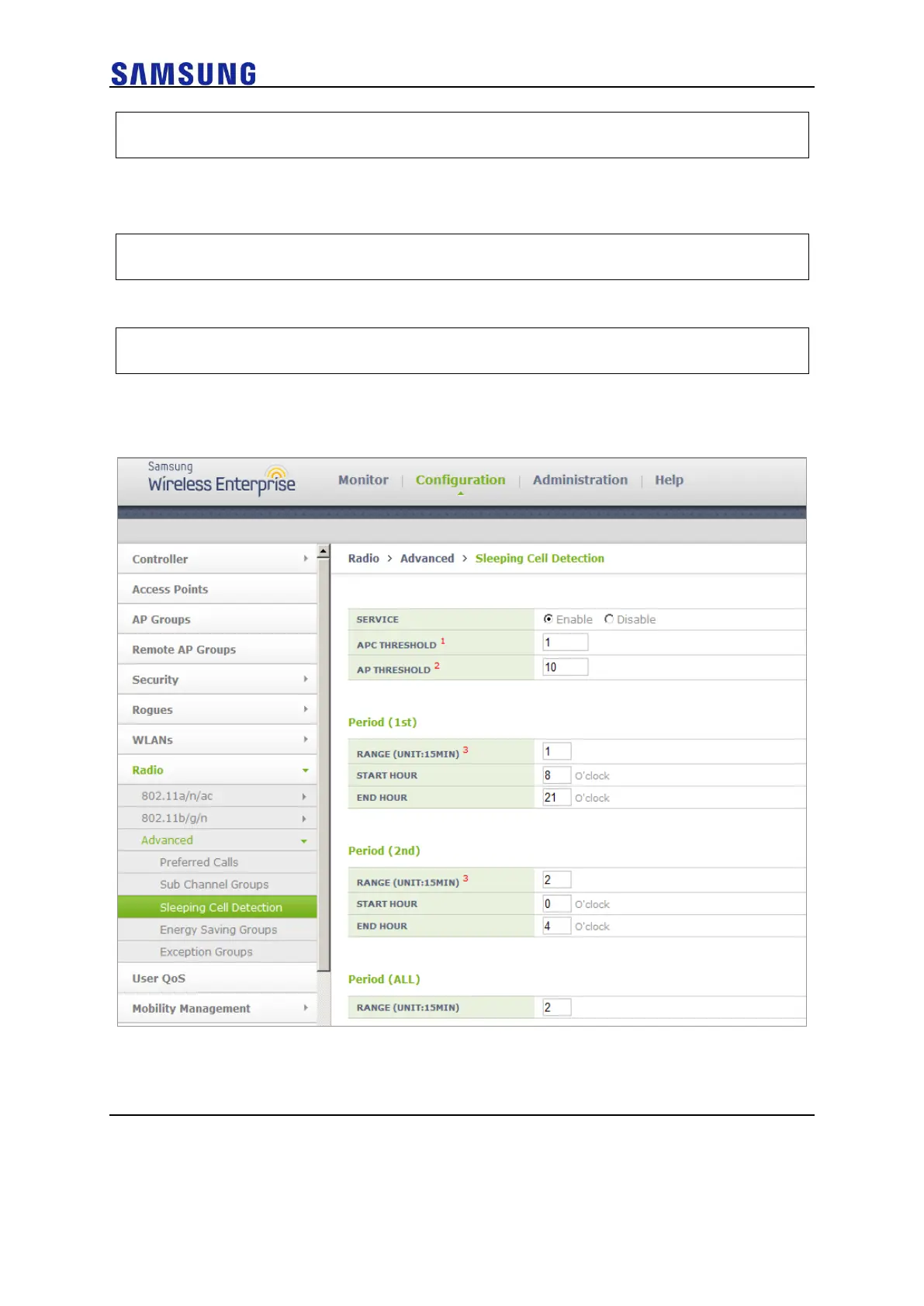
Configuration using Web UI
From the menu bar of <WEC Main Window>, select <Configuration> and then select
<Radio> <Advanced> <Sleeping Cell Detection> in the submenus.


 To Next Page
 Loading...




