WEC8500/WEC8050 (APC) Operation Manual v10.1 327
©Samsung Electronics America
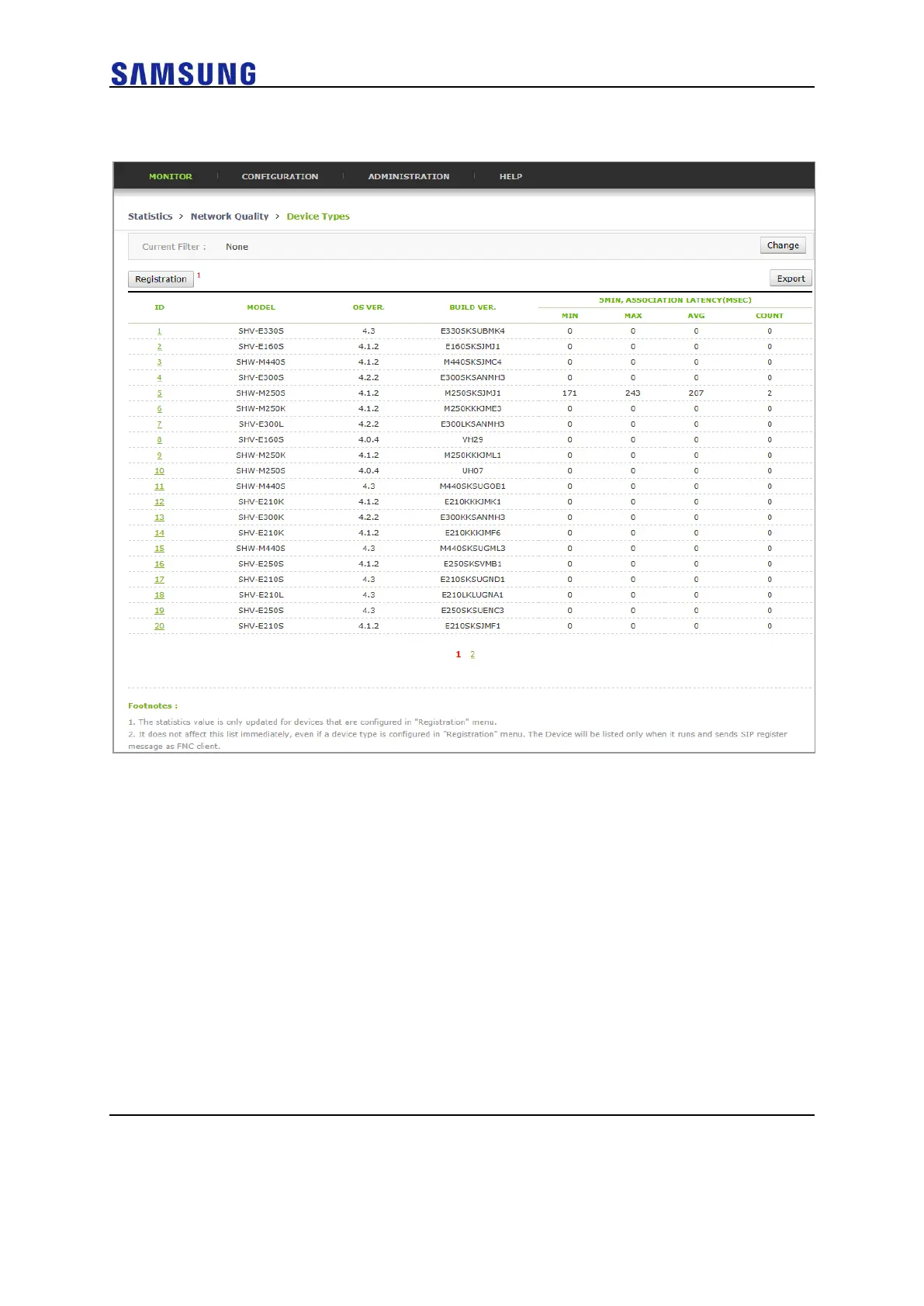
1 In the menu bar of <WEC Main window>, select <Statistics> and then
select the <Network Quality> <Device Types> menu in the sub-menus.
2 Configure the Registration screen in the top left corner, and enter a
model name and an OS version for the devices to monitor.



 To Next Page