A2537-002/01 February 2020 8-9 SEMCO Proprietary Information
8.4.7 Data Buffering
This parameter specifies how to package the data in preparation for transmission via Ethernet traffic. When
data buffering is set to Minimum Latency the receiver’s TM over IP feature will create its packets with a
sample interval of 5ms per packet. This results in a higher amount of overhead due to the increased
number of packets transmitted per second, but lower system latency. When data buffering is set to
Maximum Bandwidth, packets with a sample interval of 10ms per packet are created. This results in lower
overhead due to the decreased amount of packets per second, but higher system latency.
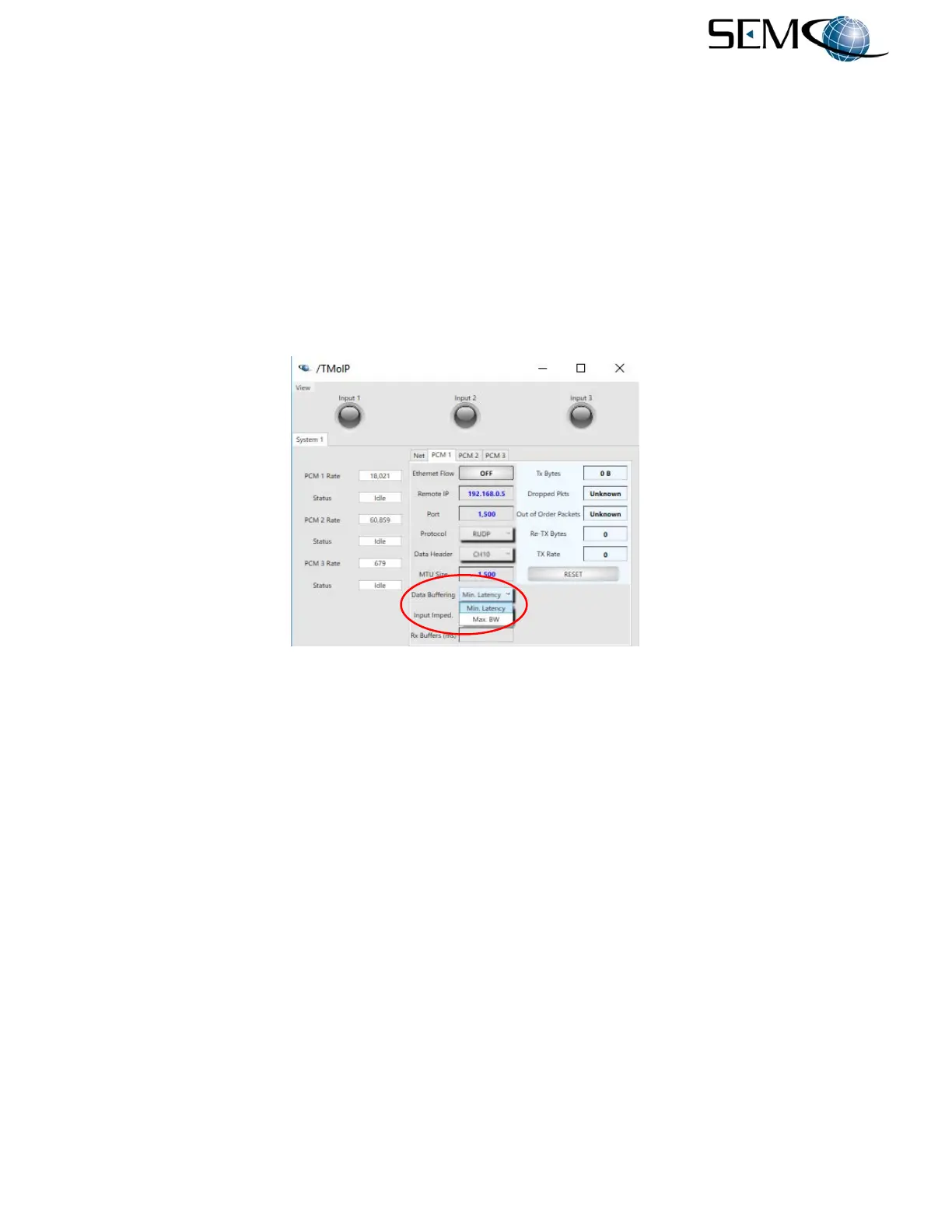
Data buffering selection using the remote GUI is shown in Figure 8-12. The user clicks on the arrow icon
next to the Data Buffering window, which accesses a pull-down window as shown. The user then selects
Minimum Latency or Maximum Bandwidth.
Figure 8-12
Data Buffering Selection on Remote GUI
8.4.8 MTU Size
The maximum transmission unit (MTU) is the maximum size of a single data unit of digital communications
that can be transmitted over a network. The MTU size is an inherent property of a physical network
interface and is usually measured in bytes. The MTU for Ethernet, for example, is 1500 bytes. This MTU
size applies to the data packet when it is received at a router or switch. However, when a router sends
the packet, it adds additional header information, thus increasing the size. If the packet is sent over multiple
routers, the packet may become too large to send to the next switch. In this case, the packet will fragment
into one 1500 packet and one containing the remaining bytes.
The default value of 1500 is sufficient for most users and network configurations. Consult with the IT
department before changing this parameter.
Entering MTU Size values using the remote GUI is shown in Figure 8-13. The user clicks on the MTU Size
window as shown, types in the MTU Size value and Enter on the keyboard.



 To Next Page