A2537-002/01 February 2020 4-10 SEMCO Proprietary Information
4.3.3 Remote GUI IF SAW Filter Selection
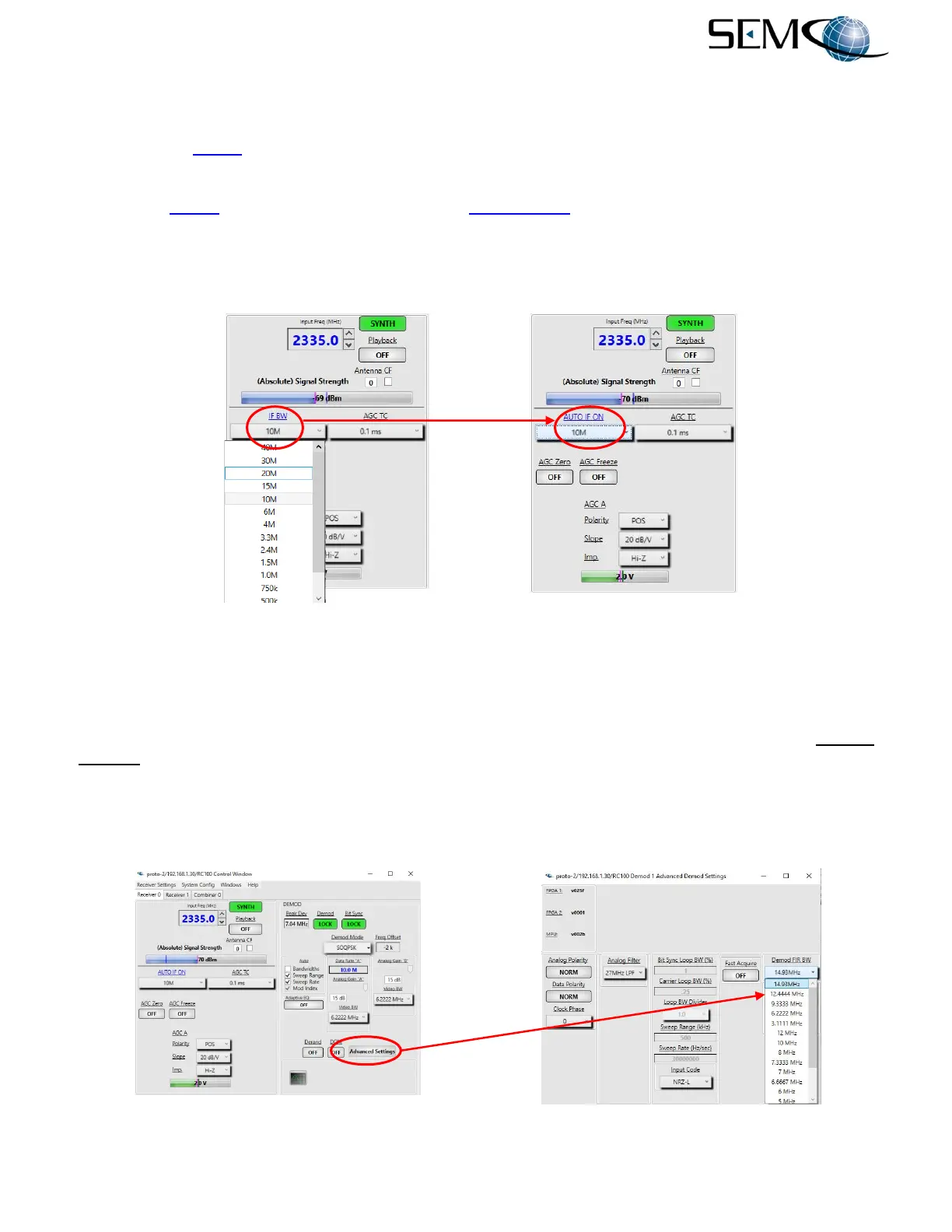
IF SAW filter bandwidth (IFBW) selection is a pull-down menu accessed by clicking on the arrow icon to
the right of the IF BW box (Figure 4-16). There are 14 IFBW selections ranging from 300 kHz to 40 MHz.
In addition to these IFBW value selections, there is also an Auto IF SAW Bandwidth selection as shown.
Clicking on IF BW enables this feature as shown (AUTO IF ON), and the IFBW box displays the IFBW
value that has been automatically selected as a function of demodulator mode and data rate.
The AUTO IF SAW Filter Bandwidth feature will always select the closest IF SAW filter value equal to or
greater than the recommended IRIG value for the data rate and demodulation mode selected.
Figure 4-16
IF SAW Filter Bandwidth Selection on Remote GUI
4.3.4 Remote GUI IF FIR Filter Selection
Figure 4-17 shows how to select IF FIR filter bandwidth value. IF FIR filter selection is a pull-down menu
accessed by clicking on Advanced Settings and then clicking on the arrow icon to the right of the Demod
FIR BW window as shown. A pull-down menu of 15 IF FIR filters is provided for selection. In addition, the
pull-down menu provides for Auto selection, which is an IF FIR filter auto-calculation and selection as a
function of demodulator mode and data rate. The Auto IF FIR Filter Bandwidth feature will always select
the closest IF FIR filter value equal to or greater than the recommended IRIG value for the data rate and
demod mode selected.
Figure 4-17
IF FIR Filter Bandwidth Selection on Remote GUI



 To Next Page