A2537-002/01 February 2020 2-16 SEMCO Proprietary Information
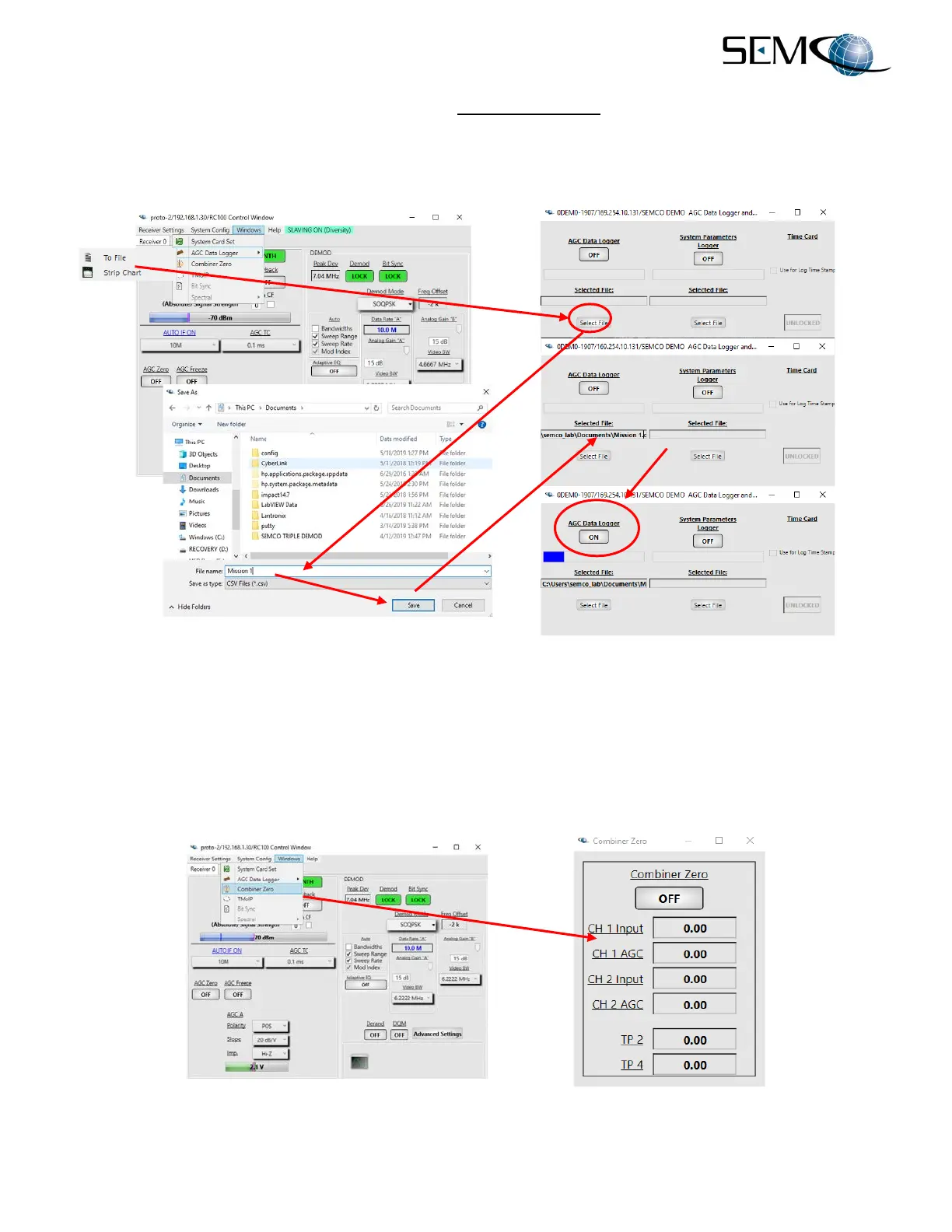
The user now clicks on the ON/OFF button below AGC Data Logger, which starts the AGC data logging.
The user clicks on this button again to stop AGC Data Logging.
System Parameters Logging is performed using the same setup sequence.
`
Figure 2-24
AGC Data/System Parameters Logging
The AGC Data/System Parameters Logging feature is not accessible using the front panel LCDs and
keypad.
Figure 2-25 shows the Combiner Zero feature, which allows the user to monitor the CH1 and CH2 AGC
voltage inputs to the Combiner. These voltages go to zero when the Combiner CH1 Zero and CH2 Zero
feature is enabled, and viewing this display confirms this zero function.
Figure 2-25
Combiner Zero Feature



 To Next Page