A2537-002/01 February 2020 8-11 SEMCO Proprietary Information
8.5 TM over IP Transmission
Once the user has established the required IP addresses and formatted the packetized information per
paragraphs 8.4.1 thru 8.4.9, the user commences with Ethernet transmission.
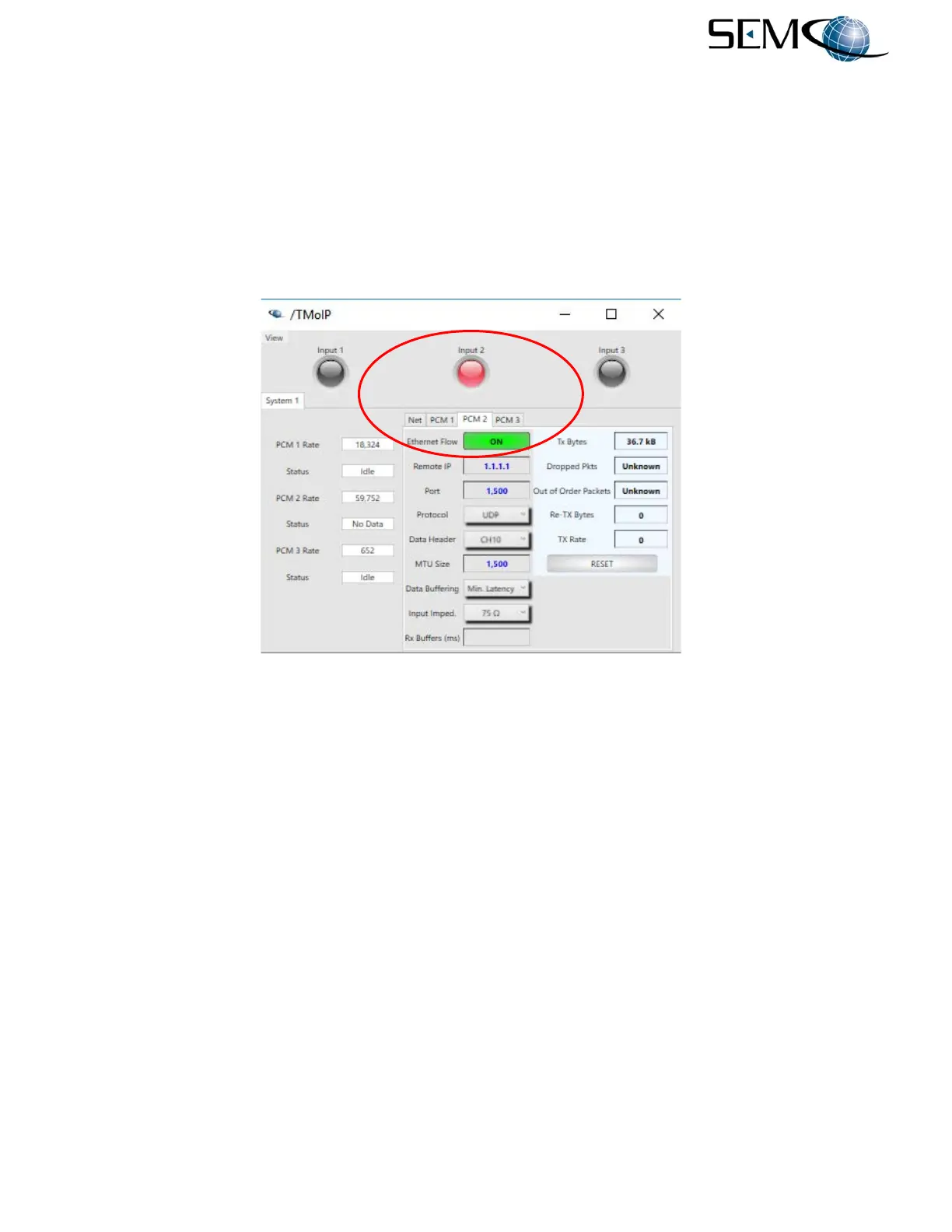
Figure 8-15 shows how to start transmission of packetized data via Ethernet using the remote GUI. The
user clicks on the Ethernet Flow box and the box turns GREEN ON, indicating that Data Transmission
has commenced. The Input 1, Input 2 and Input 3 indicators turn RED indicating Channel Transmission
(Input 2 shown as example).
Figure 8-15
TM over IP Transmission on Remote GUI



 To Next Page