A2537-002/01 February 2020 4-17 SEMCO Proprietary Information
4.5.5 Remote GUI AGC Output Impedance
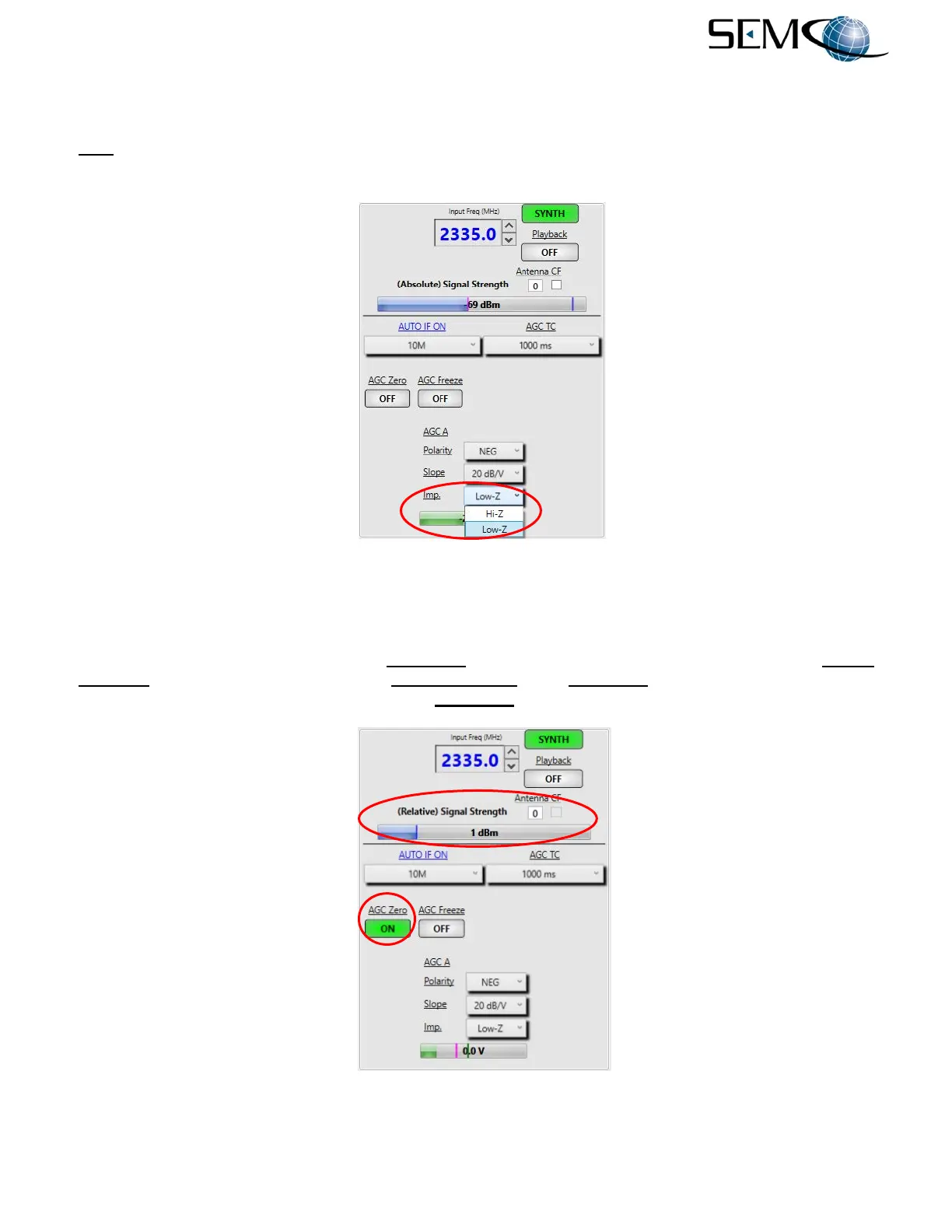
Figure 4-25 shows how to select AGC output impedance. The operator clicks on the arrow icon in the
Imp. box, which provides a pull-down menu (Hi-Z or Low-Z). This feature is used for connecting the AGC
output to devices with an input impedance of <5K ohms (Low-Z) or >5K ohms (High-Z).
Figure 4-25
AGC Output Impedance on Remote GUI
4.5.6 Remote GUI AGC Zero
The operator clicks on the window below AGC Zero, which turns ON (Figure 4-26). The (Absolute) Signal
Strength indicator changes to (Relative) Signal Strength when AGC Zero is enabled and the readout is
“0 dB” relative to the signal level present when AGC Zero is activated.
Figure 4-26
AGC Zero Feature on Remote GUI



 To Next Page