A2537-002/01 February 2020 2-17 SEMCO Proprietary Information
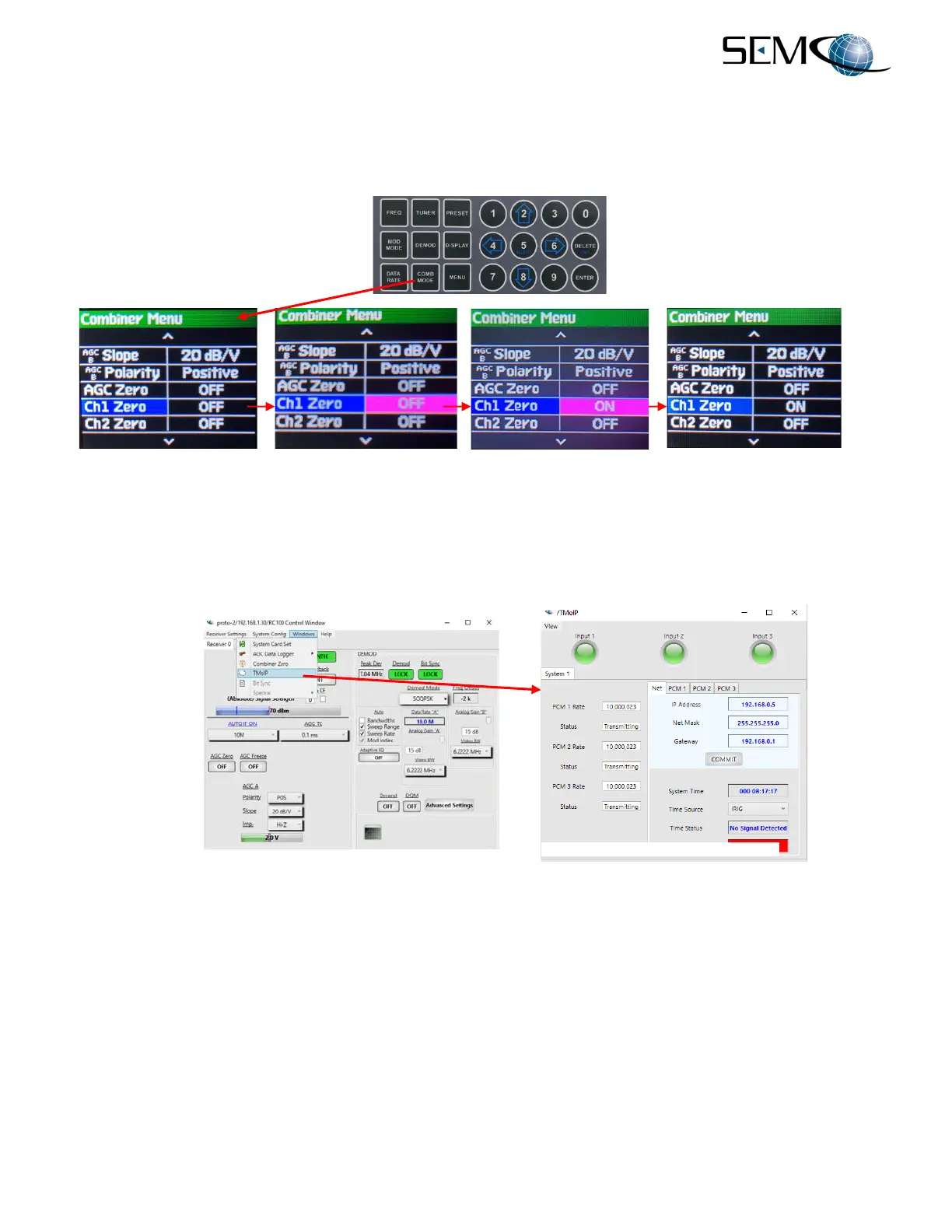
Figure 2-26 shows how to enable the Combiner Zero feature using the front panel LCDs and the keypad.
The user presses COMB MODE on the keypad, scrolls down to Ch1 Zero and presses ENTER. The user
then uses the DOWN (8) arrow to select ON or OFF and then presses ENTER. Once the desired selection
is made, DELETE (EXIT) is pressed to return the display to its original setting. The user repeats these
steps for Ch2 Zero.
Figure 2-26
Combiner Zero Feature on Front Panel/Keypad
Figure 2-27 shows how to enable the TM over IP (TMoIP) option, which is discussed in detail in Section
8.0. The enabling of the TMoIP feature using the front panel LCD displays and keypad will be addressed
in the next revision of this manual.
Figure 2-27
TM over IP Feature
The RC100C-2 also provides a Bit Synchronizer, Frame Synchronizer, BERT and PN Pattern Generator
option. The enabling of these features on the remote GUI as well as the front panel LCD displays and
keypad will be addressed in the next revision of this manual.
A Spectral Sweep display option is also available with the RC100C-2. The enabling of this feature on the
remote GUI as well as the front panel will be addressed in the next revision of this manual.
Figure 2-28 shows the Eye Pattern and Constellation Display feature. Clicking on the GUI Waveform
window as shown enables the Eye Pattern display. Clicking on the Constellation window as shown
enables the Constellation display.



 To Next Page