A2537-002/01 February 2020 2-12 SEMCO Proprietary Information
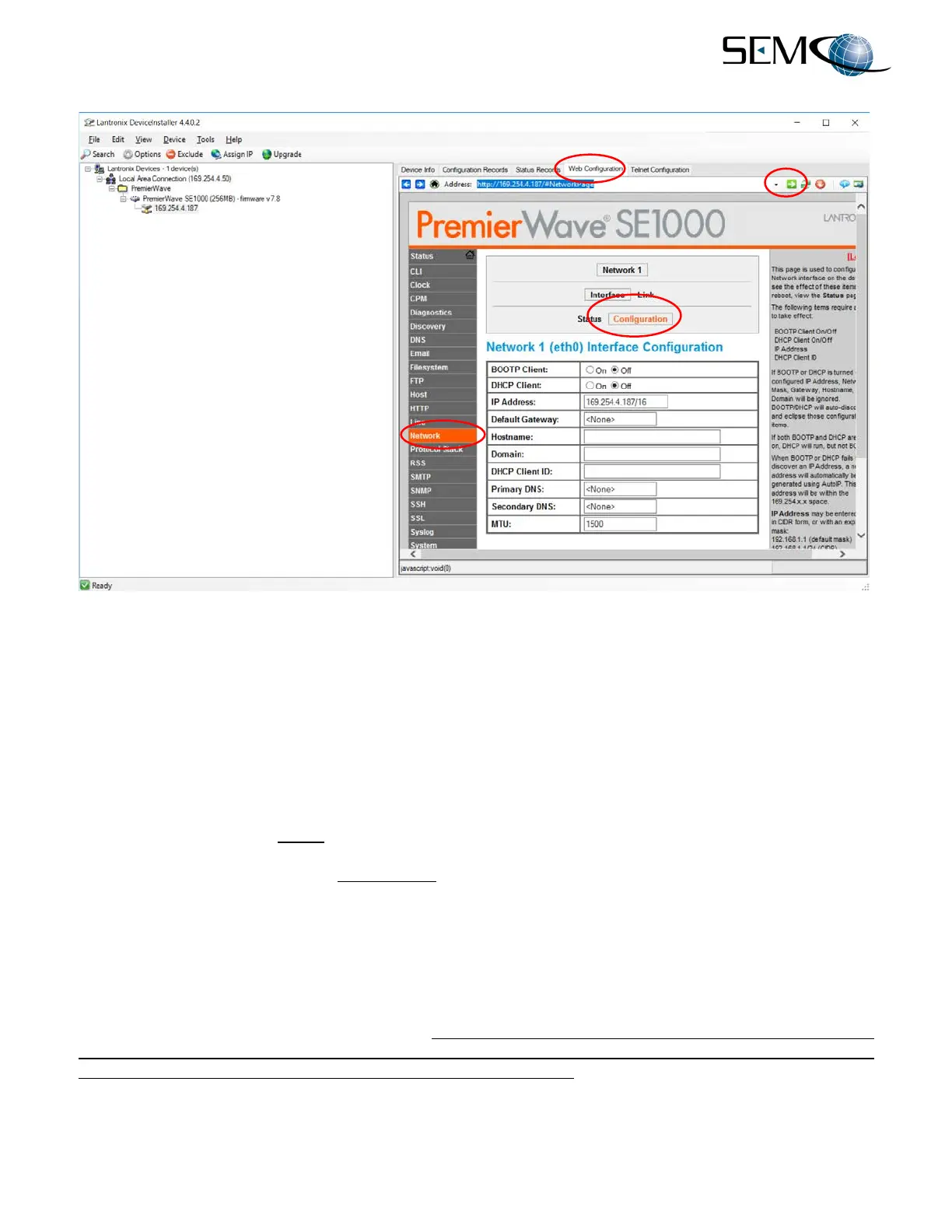
Figure 2-18
Changing a Receiver IP Address
2.5.2 System Naming Feature
As previously mentioned and described in paragraph 2.5, Step 4, the System ID on the SLTS Status
Window can be changed with an identifier that ties each receiver to its IP address. This System ID can
also be matched to the System Name, thereby providing a correlation to the receiver’s System ID, IP
Address and Name. This is particularly useful when there are several receivers on a network.
The System ID is changed in the Create System Connection Setup window, as shown in paragraph 2.4,
Step 4, and the receiver’s Name is changed as shown in Figure 2-19.
Referring to Figure 2-19, the user double-clicks on any information window in the SLTS Receiver Status
Window, which accesses the Receiver Control Window as shown. The user then clicks on System
Config and Naming Options in the Receiver Control Window Toolbar. This provides access to the
System Name window, and the user can now enter system names for the overall System Name, Channel
1, Channel 2 and Combiner 1.
In the Figure 2-19 example, the System Name (SEMCO DEMO) ties back to the System ID (0DEMO-1907)
and its IP Address. Channel 1, Channel 2 and Combiner 1 has been named LHCP, RHCP and LHCP-
RHCP, respectively. As previously described, typing in a numerical sequence (i.e., 0, 1, 2, 3 etc.) in the
System ID (i.e., 0DEMO-1907) ensures that all networked receivers will be listed in that order. Otherwise,
they will be listed in the order that they come on-line in a network.



 To Next Page