A2537-002/01 February 2020 4-1 SEMCO Proprietary Information
SECTION 4 – TELEMETRY RF RECEIVER OPERATION
This section provides a description and instructions for set-up, operation and status monitoring of the RF
Receiver portion of the RC100C-2 SEGR, including but not limited to RF Tuning and down-conversion, 70
MHz linear IF signal distribution, Signal Strength monitoring, IF Filtering, Automatic Frequency Control
(AFC), Amplitude Modulation (AM) and Automatic Gain Control (AGC) features.
SLTS remote program GUI and Front Panel displays and controls that are applicable to these features and
settings are described in subsequent paragraphs.
4.1 RF Frequency Settings
4.1.1 RF Frequency Settings Using Front Panel Controls
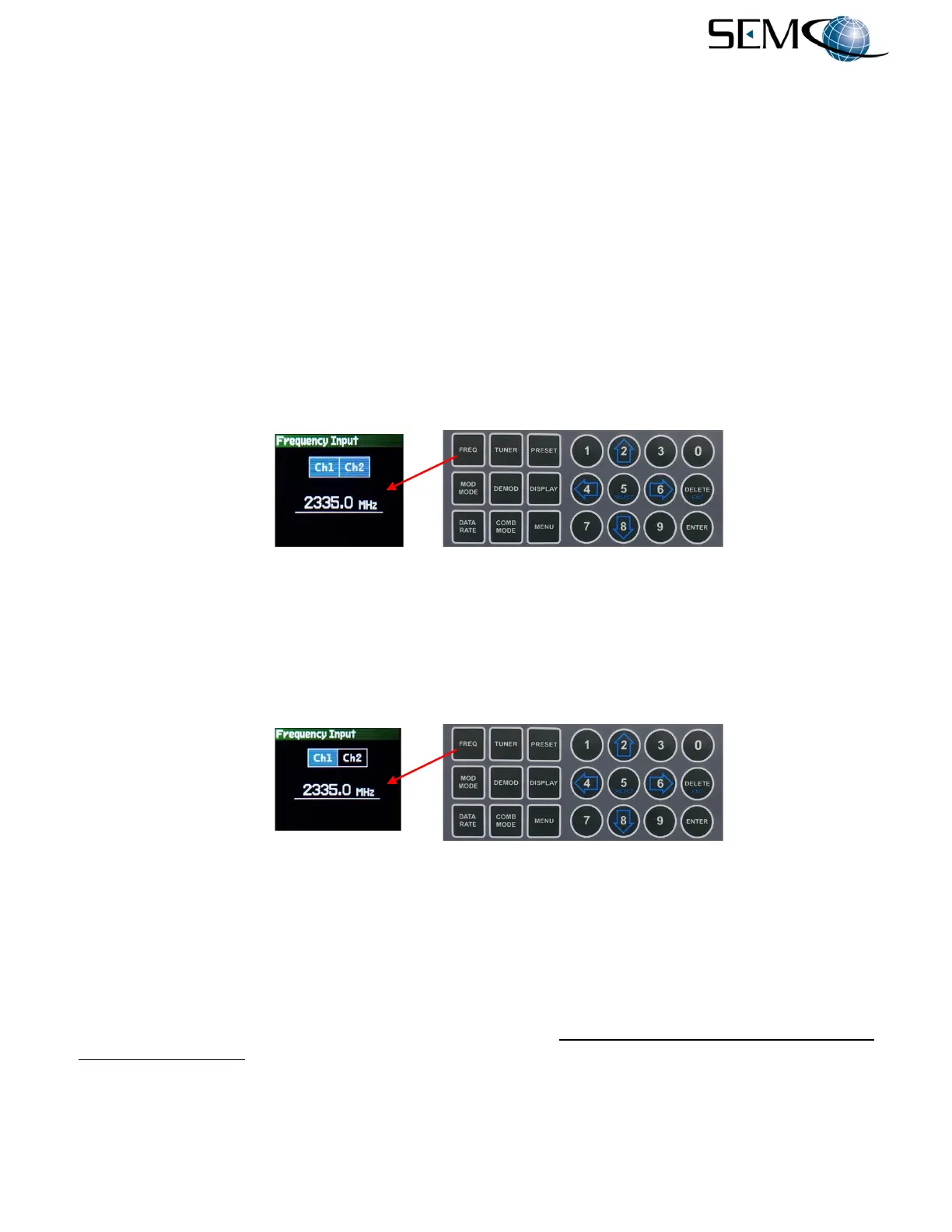
RF Frequency selection using the front panel displays and controls is shown in Figure 4-1. The operator
selects FREQ on the keypad, uses the numerical keypad to enter the desired frequency and then pushes
ENTER. The RF frequency of both CH1 and CH2 are changed.
Figure 4-1
RF Frequency Selection (Both CHs) Using Front Panel Displays and Keypad
To select only CH1 or CH2, the operator pushes FREQ again on the keypad for Ch1 (Figure 4-2), uses
the numerical keypad to enter the desired frequency and then pushes ENTER. The RF frequency of CH1
is changed. Pushing FREQ again allows the operator to change the frequency of CH2 (Ch2). Pushing
FREQ again exits the menu.
Figure 4-2
RF Frequency Selection (Single CH) Using Front Panel Displays and Keypad
The operator can also change the RF frequency from the RF Tuner Menu as shown in Figure 4-3. The
user pushes TUNER to display the Tuner Menu, uses the horizontal LEFT (4) and RIGHT (6) arrows to
change the Tuner Channel Indicator (<Ch1> or <Ch2>) displayed on the Tuner Menu strip (top of
display), uses the UP (2) and DOWN (8) arrows to highlight RF Freq. in blue, pushes ENTER to highlight
the numerical frequency value in bright magenta (frequency value goes to 0.0), uses the numerical
keypad to enter the desired frequency and then pushes ENTER. As an example, numerical entry for 2335.0
MHz should be 23350.
The user repeats this procedure for the second RF Tuner Channel and then presses DELETE (EXIT) to
return the display to its original setting.



 To Next Page