A2537-002/01 February 2020 2-14 SEMCO Proprietary Information
The Slaving feature provides for both Frequency and Diversity slaving of the receiver’s 3 channels.
Frequency slaving allows the user to slave all 3 Demodulator settings to each other. This facilitates
Demodulator set-ups in that the user only has to enter the settings for one Demodulator, and the other 2
Demodulators are automatically set up with these same settings. CH1 and CH2 RF Tuner settings are still
independently set in the Frequency Slaving mode.
Diversity slaving provides for this same capability as it applies to Demodulators and RF Tuners.
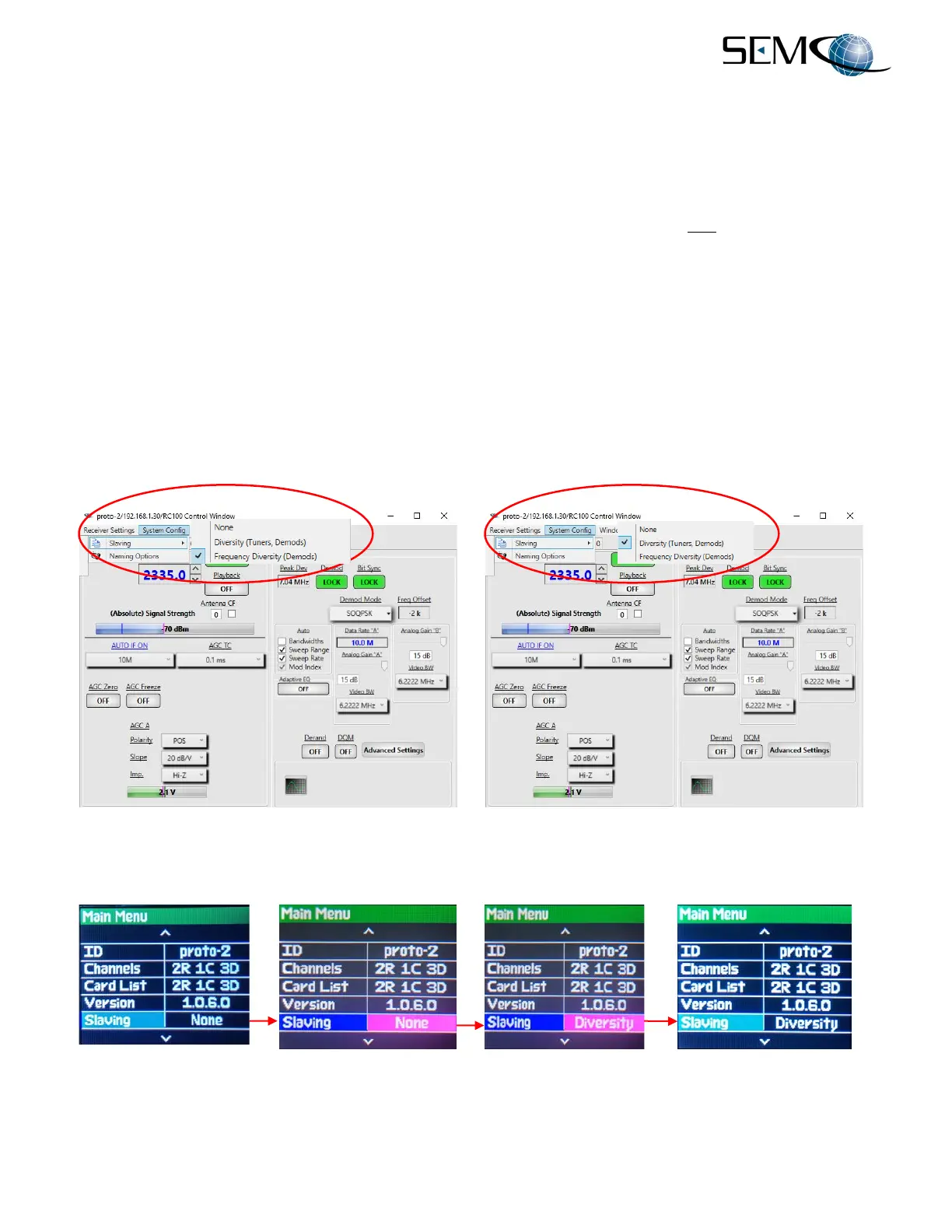
Figure 2-20 shows how to enable Frequency Slaving. The user clicks on System Config and then
Frequency Diversity (Demods), to activate the SLAVING ON (Freq Diversity) indication as shown.
Figure 2-20 also shows how to enable Diversity Slaving. The user clicks on System Config and then on
Diversity (Tuners, Demods), which activates the SLAVING ON (Diversity) indication as shown.
The Slaving feature using the front panel LCD displays and keypad is accessible using the MENU function
(Figure 2-21). The user presses MENU and then using the DOWN (8) arrow scrolls down to Slaving and
presses ENTER. Pressing ENTER again turns the selection box bright magenta. The user then uses the
DOWN (8) arrow to select None, Diversity or Frequency and presses ENTER again. Once the desired
selection is made, DELETE (EXIT) is pressed to return the display to its original setting.
Figure 2-20
Slaving Feature on Remote GUI
Figure 2-21
Slaving Feature on Front Panel



 To Next Page