A2537-002/01 February 2020 5-5 SEMCO Proprietary Information
5.1.6 Combiner Zero Feature
The Combiner Zero feature optimizes Combiner performance between CH1 and CH2 by zeroing the CH1
and CH2 AGC inputs to the combiner with no signal applied. The Combiner Zero feature is typically used
to balance the CH1 and CH2 noise floors for optimum combiner and mission performance.
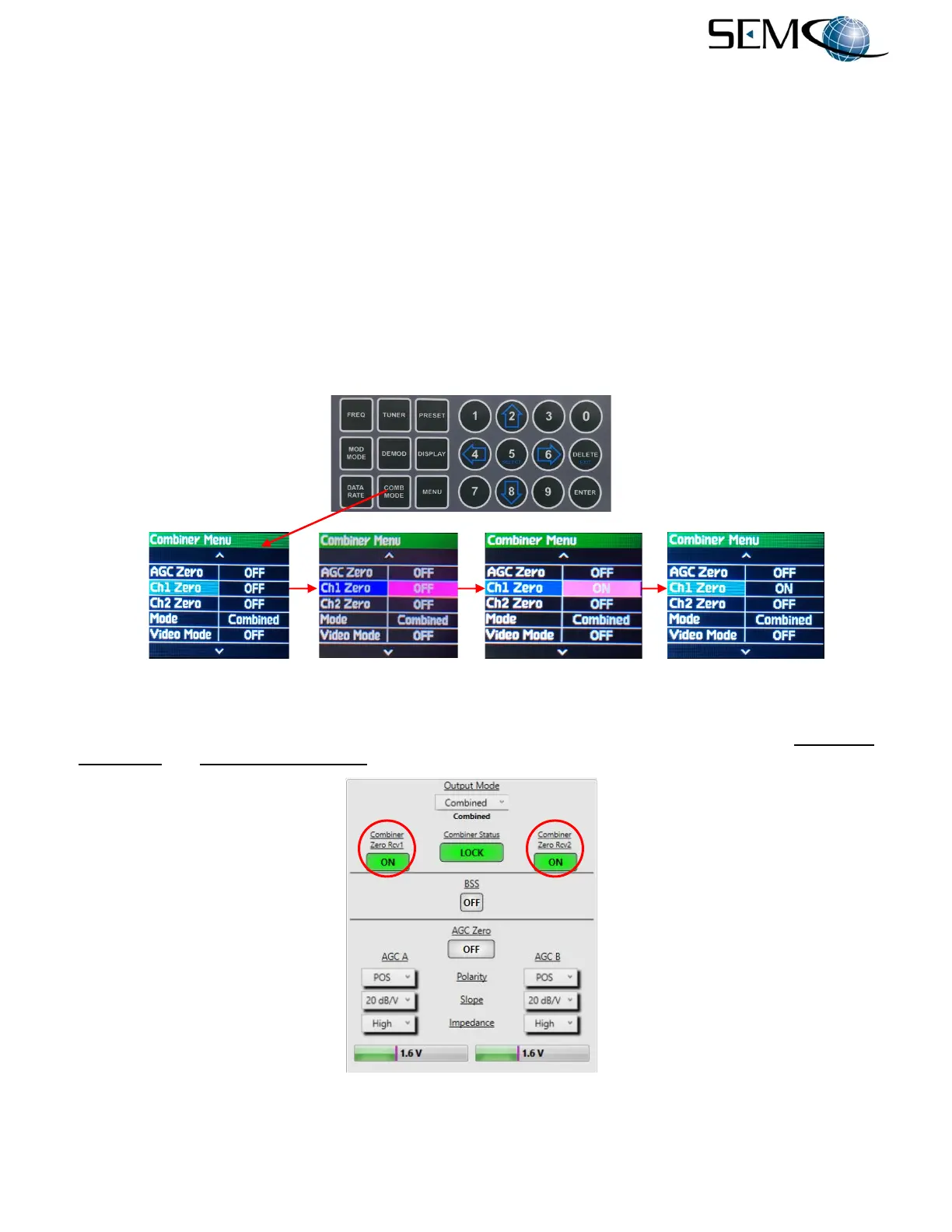
Figure 5-7 illustrates the steps for enabling both the CH1 and CH2 Combiner Zero feature using the front
panel displays and keyboard. The operator pushes the COMB MODE button to access the Combiner
Menu, uses the UP (2) and DOWN (8) arrows to scroll to Ch1 Zero in blue, and then pushes ENTER or
SELECT (5) to highlight the Ch1 Zero selection window in bright magenta. Using the UP (2) and DOWN
(8) arrows, the operator selects ON and then pushes ENTER or SELECT (5).
The operator uses the UP (2) and DOWN (8) arrows to scroll to Ch2 Zero in blue, and pushes ENTER or
SELECT (5) to highlight the Ch2 Zero selection window in bright magenta. Using the UP (2) and DOWN
(8) arrows, the operator selects ON and then pushes ENTER or SELECT (5).
Figure 5-7
Front Panel Combiner Zero Feature
Figure 5-8 shows the Combiner Zero Feature on the remote GUI. The user clicks on both the Combiner
Zero Rcv1 and Combiner Zero Rcv2 windows to activate this feature, which turns GREEN when ON.
Figure 5-8
Combiner Zero Feature on Remote GUI



 To Next Page