A2537-002/01 February 2020 6-27 SEMCO Proprietary Information
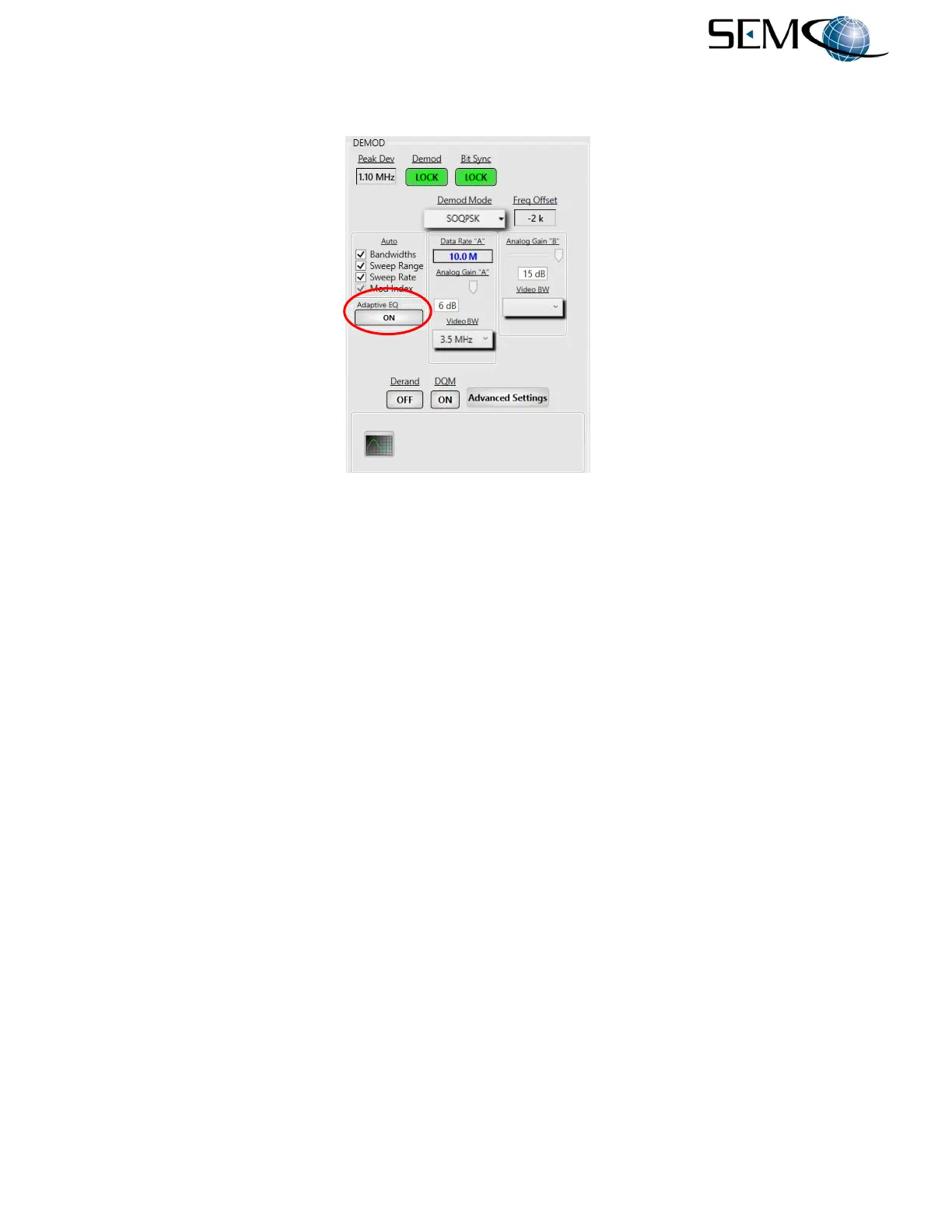
Figure 6-39 illustrates AE selection using the remote GUI. The user clicks on the Adaptive EQ window to
toggle ON as shown.
Figure 6-39
AE Selection on Remote GUI
6.8.8 Low Density Parity Check (LDPC) FEC
FEC is a way of adding additional information to a transmitted bit stream in order to decrease the required
signal-to-noise ratio to the receiver for a given bit error rate. Low Density Parity Check (LDPC) is a block
code, which is a block of information bits with parity added in order to correct for errors in the information
bits. The “Low-Density” parity check matrix contains mostly 0’s and relatively few 1’s.
There are six different LDPC codes with different coding rates (rate 1/2, 2/3, 4/5) and information block
sizes (1024 and 4096). In the trade between transmission channel characteristics, bandwidth efficiency,
coding gain, and block size, all three rates and block sizes 1024 and 4096 are applicable.
In addition, the receiver provides for a selectable CCSDS and IRIG de-randomizer.
LDPC is only used with SOQPSK-TG modulation.
Figure 6-40 illustrates how to select the SOQPSK-LDPC demodulation format, rate, block size and de-
randomizer. (Front Panel display is LDPC which, when selected is SOQPSK-LDPC)
The operator pushes the DEMOD MODE button to access the <Ch1> Demod Menu display, uses the UP
(2) and DOWN (8) arrows to scroll to Mode in blue, and then pushes ENTER or SELECT (5) to highlight
the Mode selection window in bright magenta. Using the UP (2) and DOWN (8) arrows, the operator
selects LDPC and then pushes ENTER or SELECT (5).
Using the horizontal LEFT (4) and RIGHT (6) arrows, the operator selects <Ch2> in the Demod Menu
header bar. The operator then pushes ENTER or SELECT (5) to highlight the Mode selection window in
bright magenta. Using the UP (2) and DOWN (8) arrows, the operator selects LDPC and then pushes
ENTER or SELECT (5). Using the horizontal LEFT (4) and RIGHT (6) arrows again, the operator selects
<Comb> in the Demod Menu header display bar and repeats the process for selecting Combiner LDPC.



 To Next Page