A2537-002/01 February 2020 6-22 SEMCO Proprietary Information
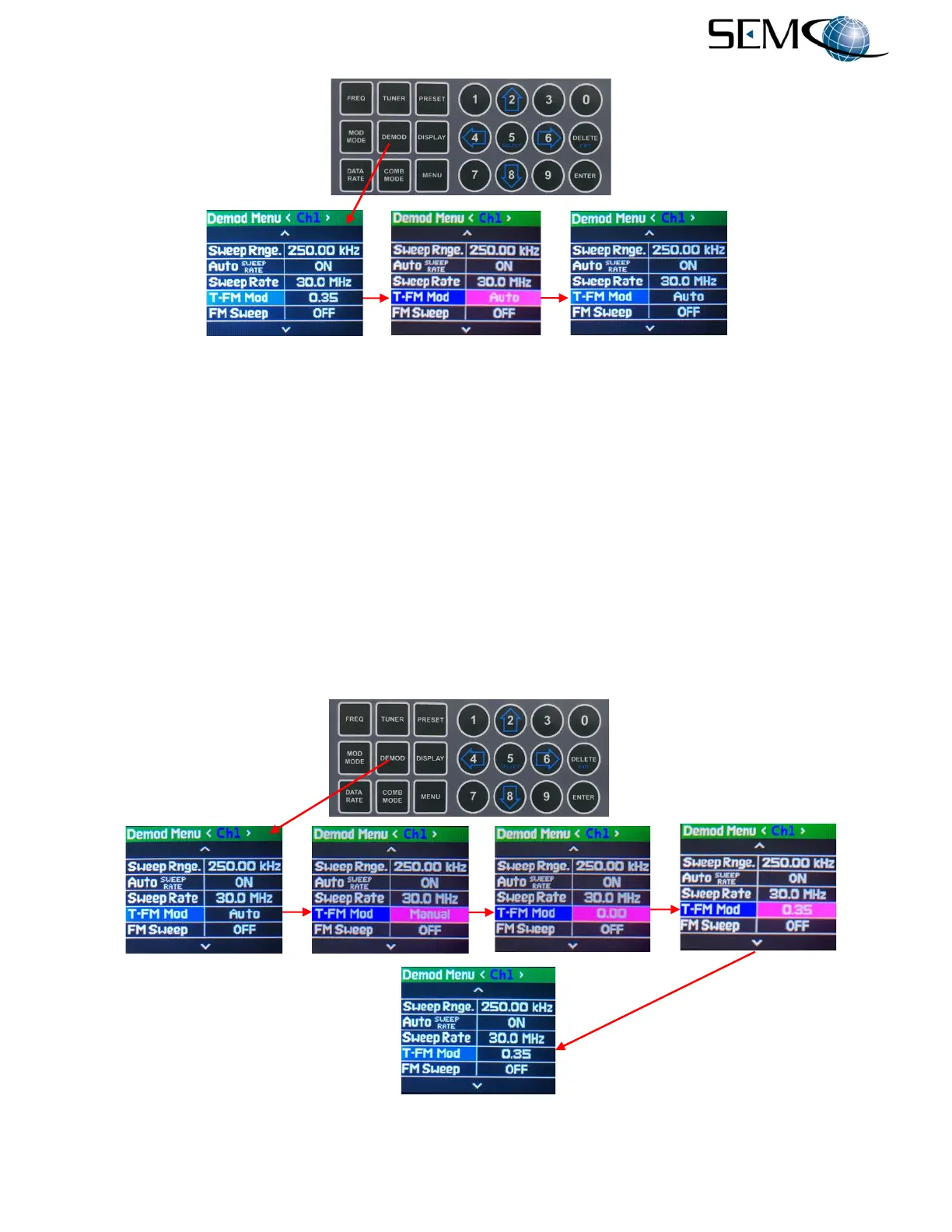
Figure 6-31
Front Panel Auto Modulation Index Settings
Figure 6-32 illustrates the steps for entering a Manual Modulation Indexing value between 0.3 and 0.4
(30% to 40% peak deviation).
The operator pushes the DEMOD button to enable the <Ch1> Demod Menu, uses the UP (2) and DOWN
(8) arrows to scroll to T-FM Mod in blue, and then pushes ENTER or SELECT (5) to highlight the selection
window in bright magenta. The operator then uses the UP (2) and DOWN (8) arrows to select Manual,
and pushes ENTER or SELECT (5). The bright magenta display indicates 0.00, the operator uses the
numerical keypad to enter a Mod Index value between 0.3 and 0.4 and then pushes ENTER or Select (5).
Using the horizontal LEFT (4) and RIGHT (6) arrows, the operator selects <Ch2> and pushes ENTER or
SELECT (5) to highlight the selection window in bright magenta. The operator then uses the UP (2) and
DOWN (8) arrows to select Manual and pushes ENTER or SELECT (5). The bright magenta display
then indicates 0.00, the operator uses the numerical keypad to enter a Mod Index value between 0.3 and
0.4 and then pushes ENTER or Select (5). The operator repeats these steps for <Comb>.
Figure 6-32
Front Panel Manual Modulation Index Settings



 To Next Page