A2537-002/01 February 2020 2-4 SEMCO Proprietary Information
The SLTS interface with the RC100C-2 embedded Linux ARM processor is designed for local operation
via RC100C-2 HDMI display/USB interface and/or remotely controlled via Ethernet.
SEMCO receivers contain a Low-Level Interface Software (LLIS), which provides a server interface to the
receiver hardware in both SEMCO Windows & Linux based platforms. The LLIS server provides a platform
that allows users to develop custom receiver remote software without needing technical knowledge of the
receiver hardware. As an example, the LLIS server is very similar to the USAF STRCI server described in
STRCI Version 4.2.
The STRCI JSON interface is an application layer to the LLIS server and resides on the internal remote
SBC. The JSON messages interface to the LLIS using a messages dictionary. This provides a low
overhead streamlined remote interface that leverages the existing receiver remote server.
2.4 System Boot and Shutdown
Start the RC100C-2 by depressing the red Power button located on the front panel. In approximately 45
seconds, the “auto-boot” process enables the front panel LCD displays previously shown in Figure 2-3.
Receiver Shutdown is accomplished by simply pressing the red Power Button on the front panel.
2.4.1 Navigating the Front Panel LCD Displays and Keypad
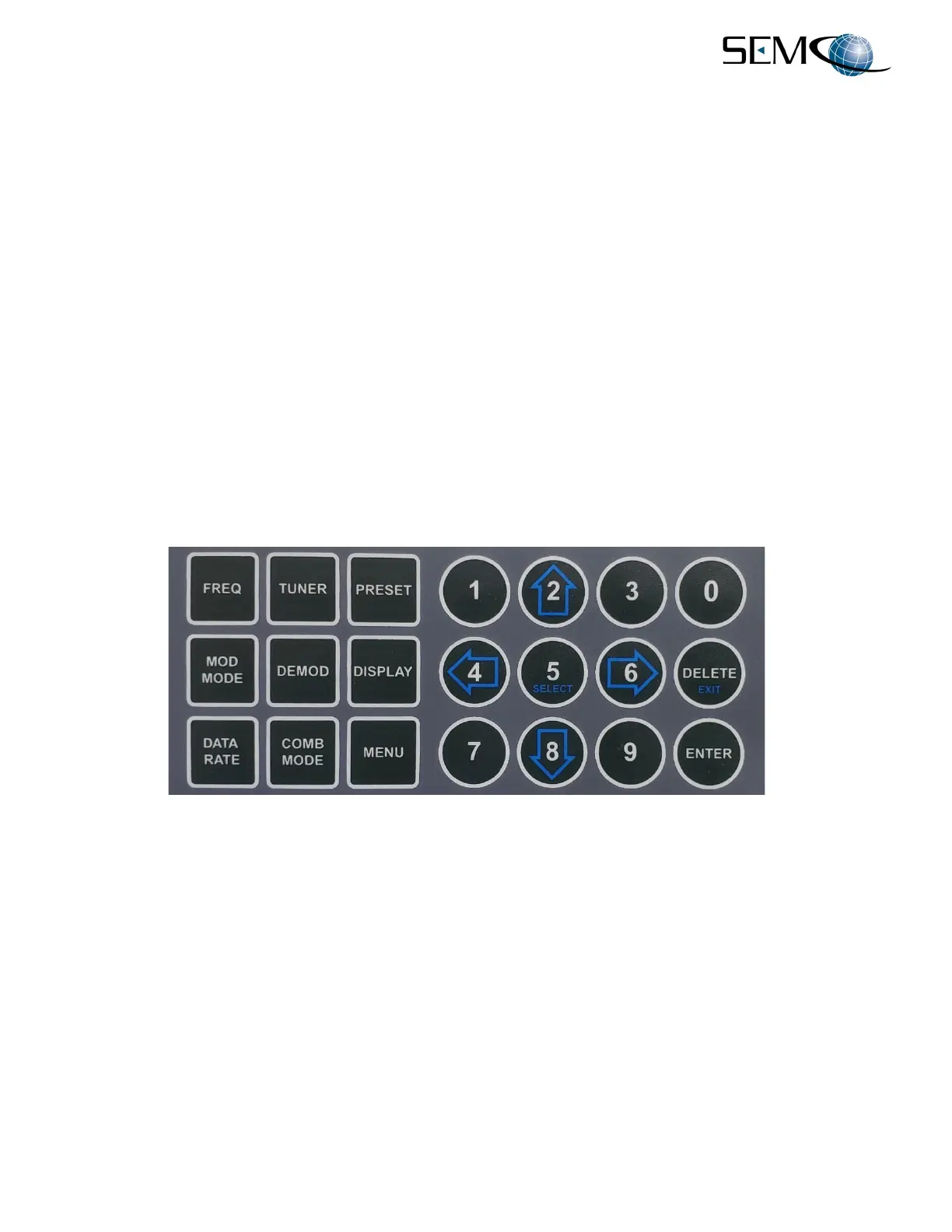
The front panel keypad is depicted in Figure 2-5.
Figure 2-5
Front Panel Keypad Controls
The square FUNCTION buttons are described as follows:
A. FREQ - Sets the frequency of both Tuners (default) or CH1 and CH2 individually
B. TUNER - Menu to set any parameter of an individual RF Tuner
C. PRESET - Menu to LOAD or STORE a PRESET
D. MOD MODE - Menu to select the demodulation mode of all (default) demodulators or individual CH1,
CH2, and Combiner demodulators
E. DEMOD - Menu to set any parameter of an individual channel demodulator



 To Next Page