A2537-002/01 February 2020 6-30 SEMCO Proprietary Information
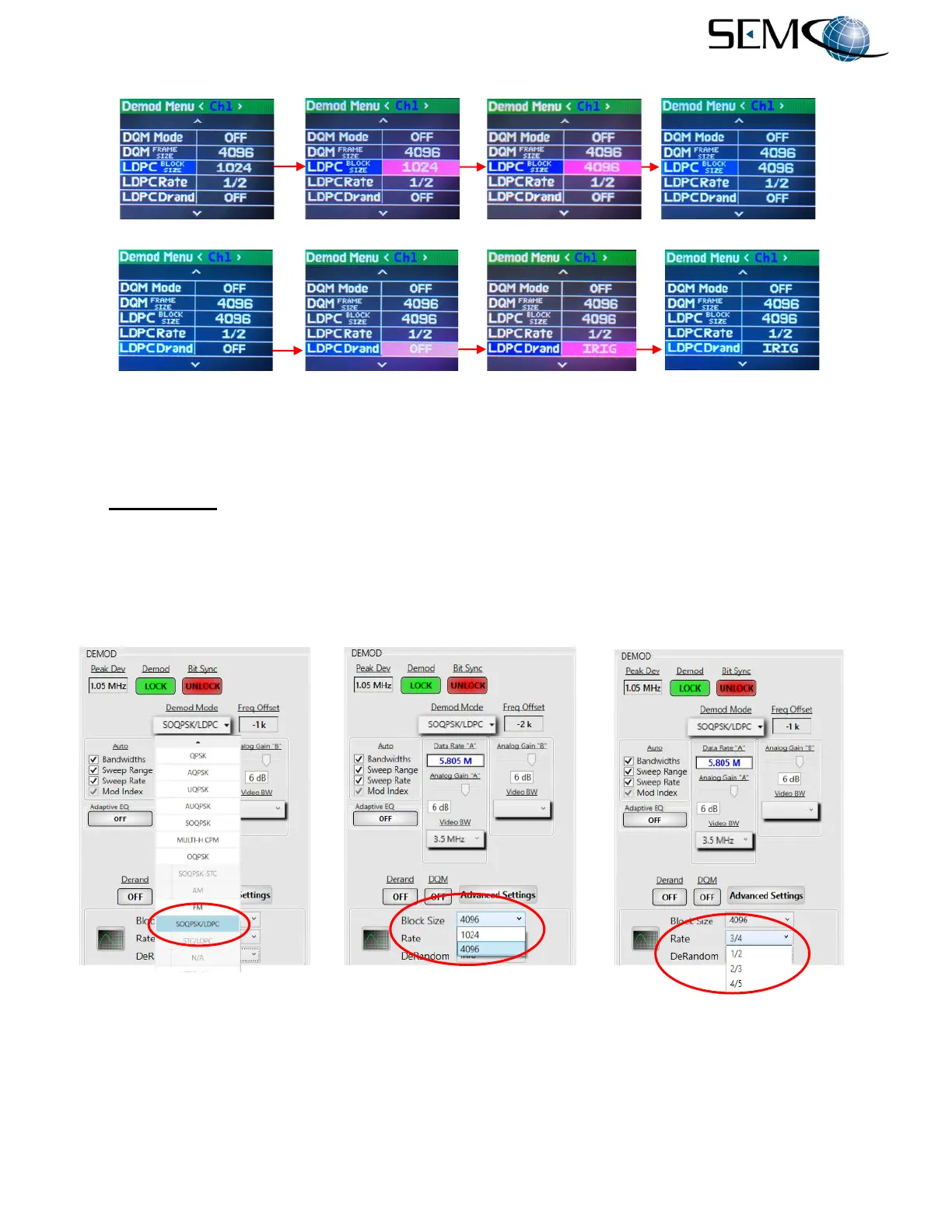
Figure 6-43 (continued)
Front Panel SOQPSK-LDPC Settings
Figure 6-44 illustrates SOQPSK-LDPC selection using the remote GUI. The user clicks on the arrow in
the Demod Mode window to access a pull-down menu as shown. The operator then scrolls down and
clicks on SOQPSK/LDPC.
The operator then clicks on the arrow in the Block Size window and selects either 1024 or 4096 from the
pull-down menu. LDPC Rate is selected by clicking on the arrow in the Rate window and selecting 4/5,
2/3 or 1/2 rate from the pull-down menu. The LDPC De-randomizer is selected by clicking on the arrow
in the DeRandom window and selecting Off, CCSDS or IRIG from the pull-down menu.
Figure 6-44
SOQPSK-LDPC Settings on Remote GUI
-----------------------------------SOQPSK-LDPC Block Size Selection--------------------------------------------
--------------------------------SOQPSK-LDPC De-randomizer Selection------------------------------------------
LDPC Block Size Selection



 To Next Page