A2537-002/01 February 2020 6-21 SEMCO Proprietary Information
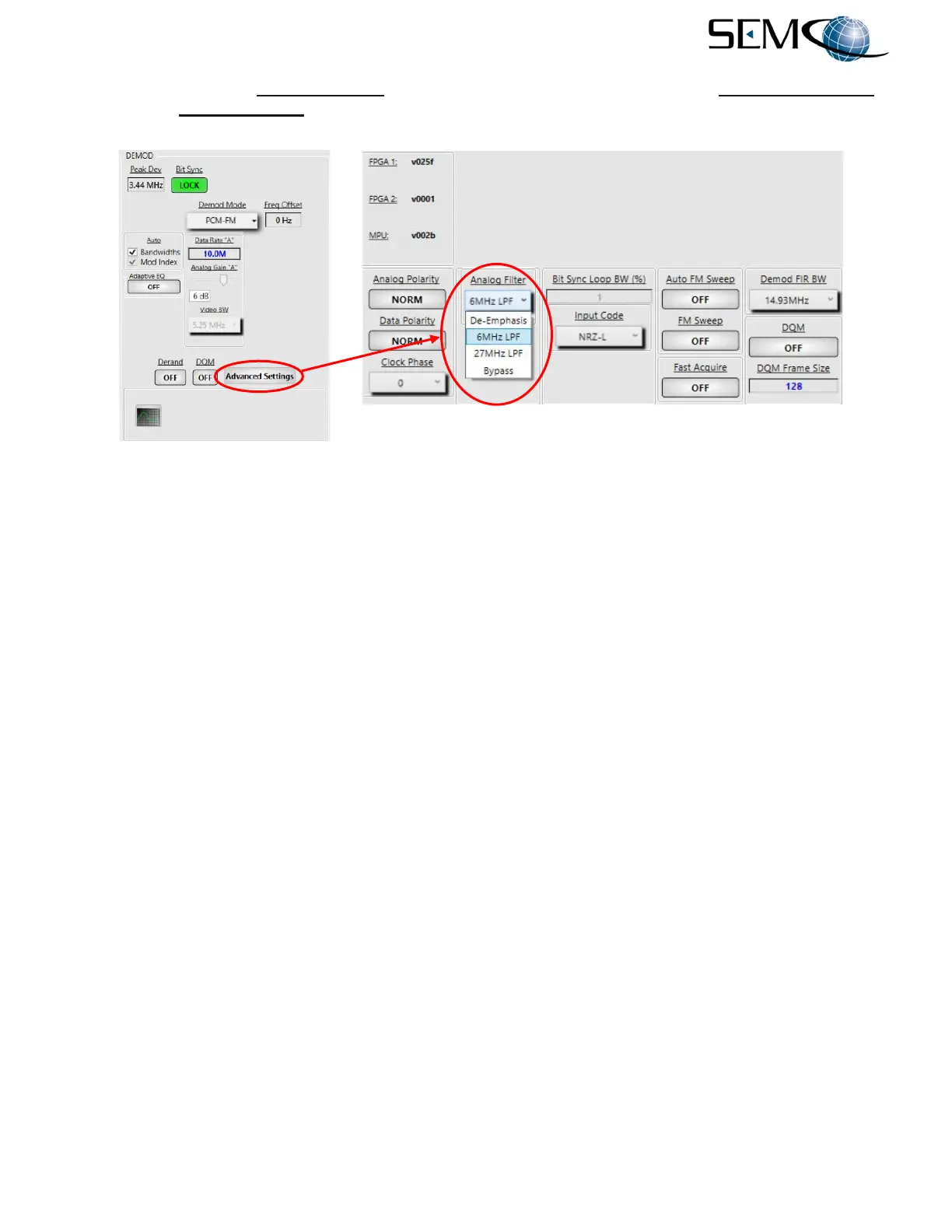
Figure 6-30 shows the Low Pass Filter using the remote GUI. The user clicks on Advanced Settings
and then the Low Pass Filter window to toggle ON as shown.
Figure 6-30
Video De-Emphasis and Low Pass Filter Settings on Remote GUI
6.8.5 Modulation Indexing
Applicable to the Trellis FM demodulator format, transmitter deviation is defined as 35% peak deviation.
Modulation Indexing provides for signal acquisition and lock when confronted with transmitter deviation
that is drifting between 30% and 40% peak deviation. When in Auto, the receiver compensates for this
drift. Manual allows the user to enter a fixed value between 0.3 (30% peak deviation) and 0.4 (40% peak
deviation).
Manual Mod Indexing is normally used when the transmitter peak deviation is a known and fixed value
between 0.3 and 0.4.
Figure 6-31 shows how to enable either Auto or Manual Modulation Indexing using the Front Panel
LCDs and Keypad.
For Auto Modulation Indexing, the operator pushes the DEMOD button to enable the <Ch1> Demod Menu
display, uses the UP (2) and DOWN (8) arrows to scroll to T-FM Mod in blue, and then pushes ENTER or
SELECT (5) to highlight the selection window in bright magenta. The selection window indicates Auto,
and the operator pushes ENTER or SELECT (5).
Using the horizontal LEFT (4) and RIGHT (6) arrows, the operator selects <Ch2> and pushes ENTER or
SELECT (5) to highlight the selection window in bright magenta. The selection window indicates Auto,
and the operator then pushes ENTER or SELECT (5). The operator repeats these steps for <Comb>.



 To Next Page