A2537-002/01 February 2020 6-5 SEMCO Proprietary Information
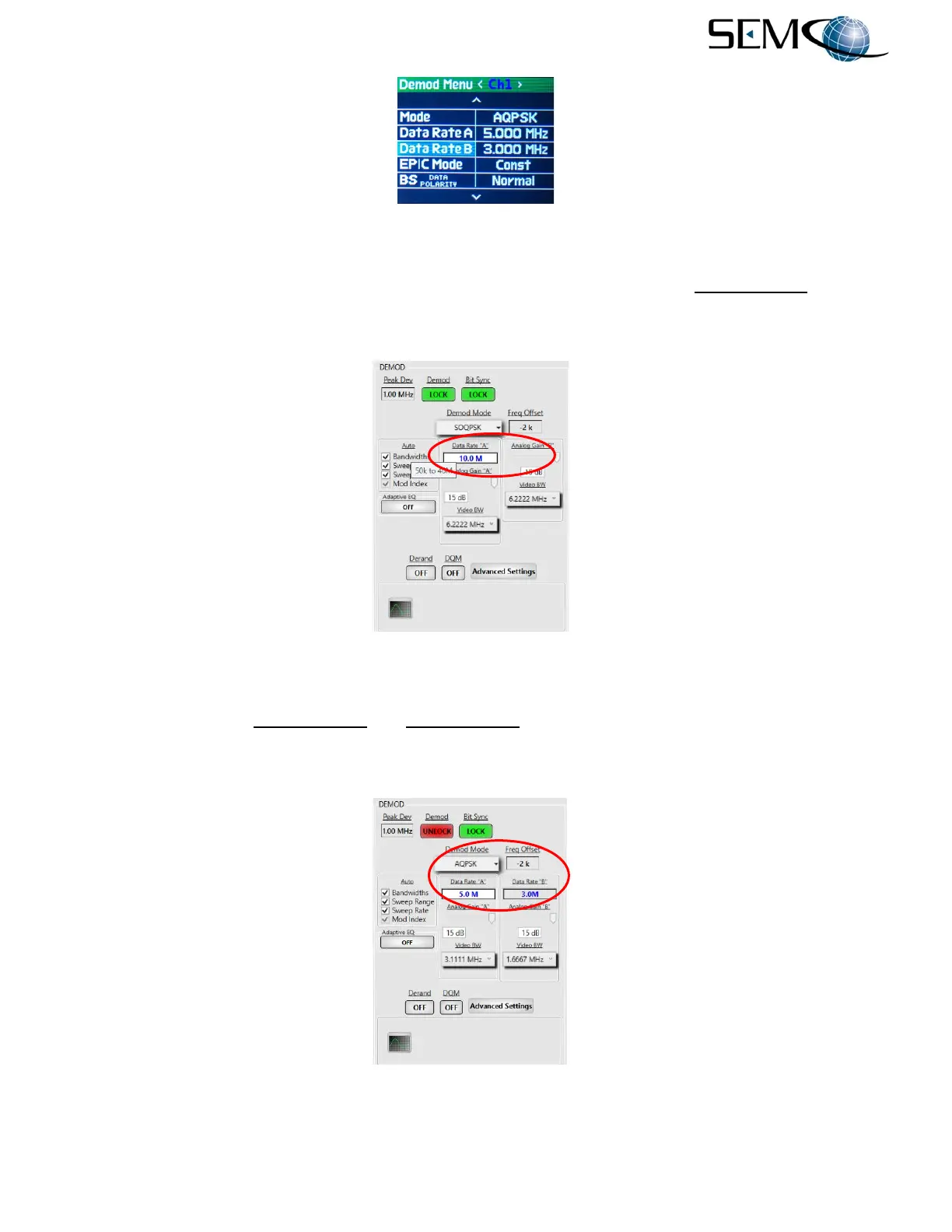
Figure 6-8
I and Q Data Rate Entry on Front Panel
Data Rate entry on the remote GUI is shown in Figure 6-9. The user clicks on the Data Rate “A” window,
types in the desired data rate and then hits Enter on the keyboard. Placing the cursor over the Data Rate
box provides an indication of the data rate range for the selected demodulator mode.
Figure 6-9
Data Rate Entry on Remote GUI
Figure 6-10 shows the Data Rate “A” and Data Rate “B” window that appears on the remote GUI when
either the AQPSK or AUQPSK demodulator format is selected. This allows the user to type in desired
different (“Asynchronous”) data rates for the I and Q data streams.
Figure 6-10
I and Q Data Rate Entry on Remote GUI



 To Next Page