A2537-002/01 February 2020 6-8 SEMCO Proprietary Information
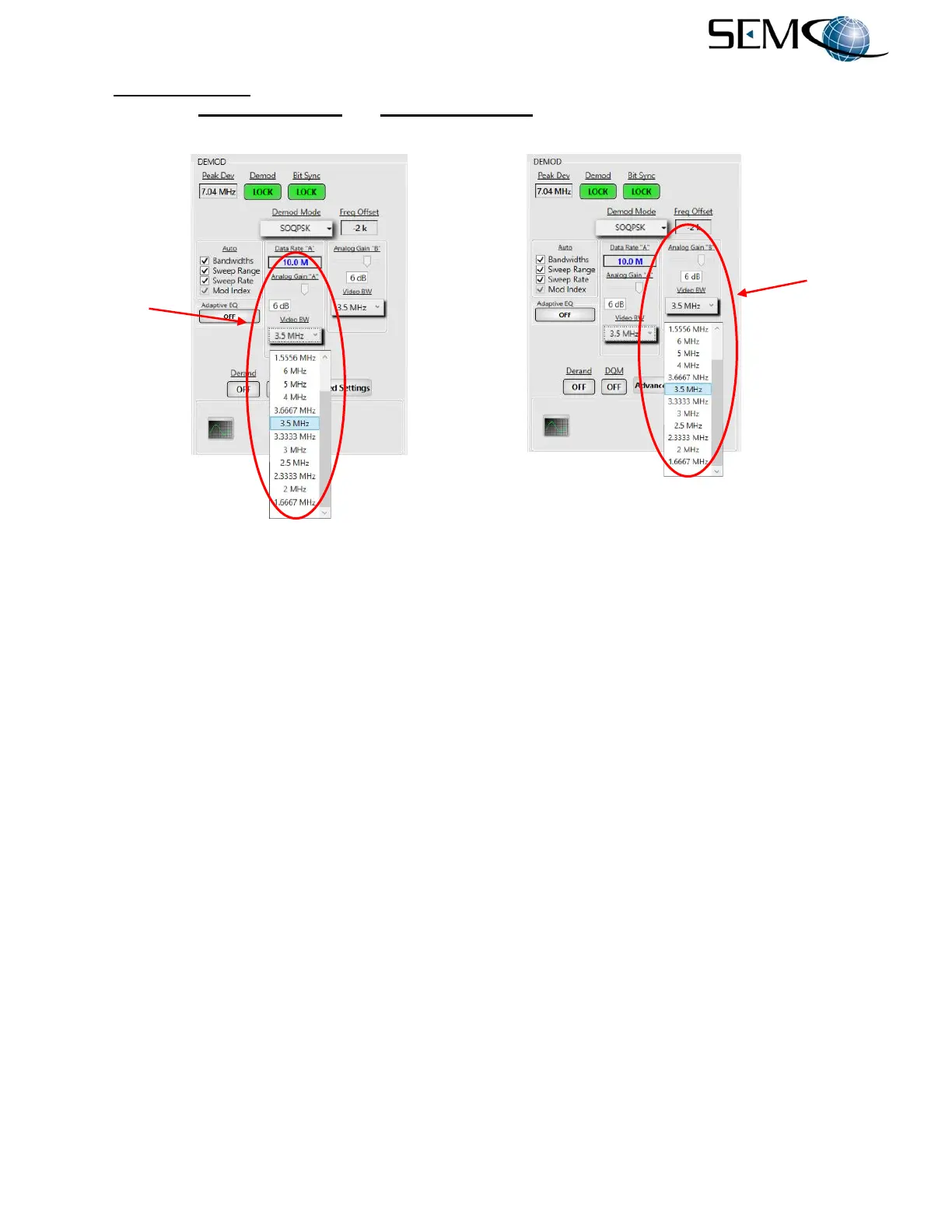
The Analog Gain “A” function applies to FM, Trellis FM, PM, BPSK and Multi-h CPM analog baseband
video outputs. Analog Gain “A” and Analog Gain “B” are enabled for QPSK, AQPSK, UQPSK,
A/U/QPSK and SOQPSK analog I and Q baseband video outputs.
Figure 6-13
Video FIR Filter Bandwidth and Gain Selection on Remote GUI
6.6 Embedded Bit Synchronizer Features
The embedded bit synchronizer provides for the following settings:
A. Input Code
B. De-Randomizer
C. Clock Phase
D. Data I/Q Interleaving
6.6.1 Input Code and De-Randomizer
The demodulator’s embedded bit synchronizer has a standard IRIG 15-bit de-randomizer feature. The de-
randomizer accepts NRZ-L/M/S and Bi-Phase L/M/S inputs and converts the output to NRZ-L format.
Figure 6-14 illustrates the steps for enabling the embedded bit sync de-randomizer.
The operator pushes the DEMOD MODE button to access the <Ch1> Demod Menu display, uses the UP
(2) and DOWN (8) arrows to scroll to BS DE-RANDOMIZER in blue, and then pushes ENTER or SELECT
(5) to highlight the selection window in bright magenta. The operator then uses the UP (2) and DOWN
(8) arrows to select ON and pushes ENTER or SELECT (5).
Using the horizontal LEFT (4) and RIGHT (6) arrows, the operator selects <Ch2> in the Demod Menu
header display bar, pushes ENTER or SELECT (5) to highlight the selection window in bright magenta,
uses the UP (2) and DOWN (8) arrows to select ON and then pushes ENTER or SELECT (5).
Using the horizontal LEFT (4) and RIGHT (6) arrows again, the operator selects <Comb> in the Demod
Menu header display bar, pushes ENTER or SELECT (5) to highlight the selection window in bright
magenta, uses the UP (2) and DOWN (8) arrows to select ON and then pushes ENTER or SELECT (5).
Video A
FIR Filters
and Gain
Control
Video B
FIR Filters
and Gain
Control



 To Next Page