Cirklon Sequencer User Manual
To save the current position of a track value, on the track values page, press the SAVE key.
Normally on the TRACK page, SAVE is used to save the current scene.
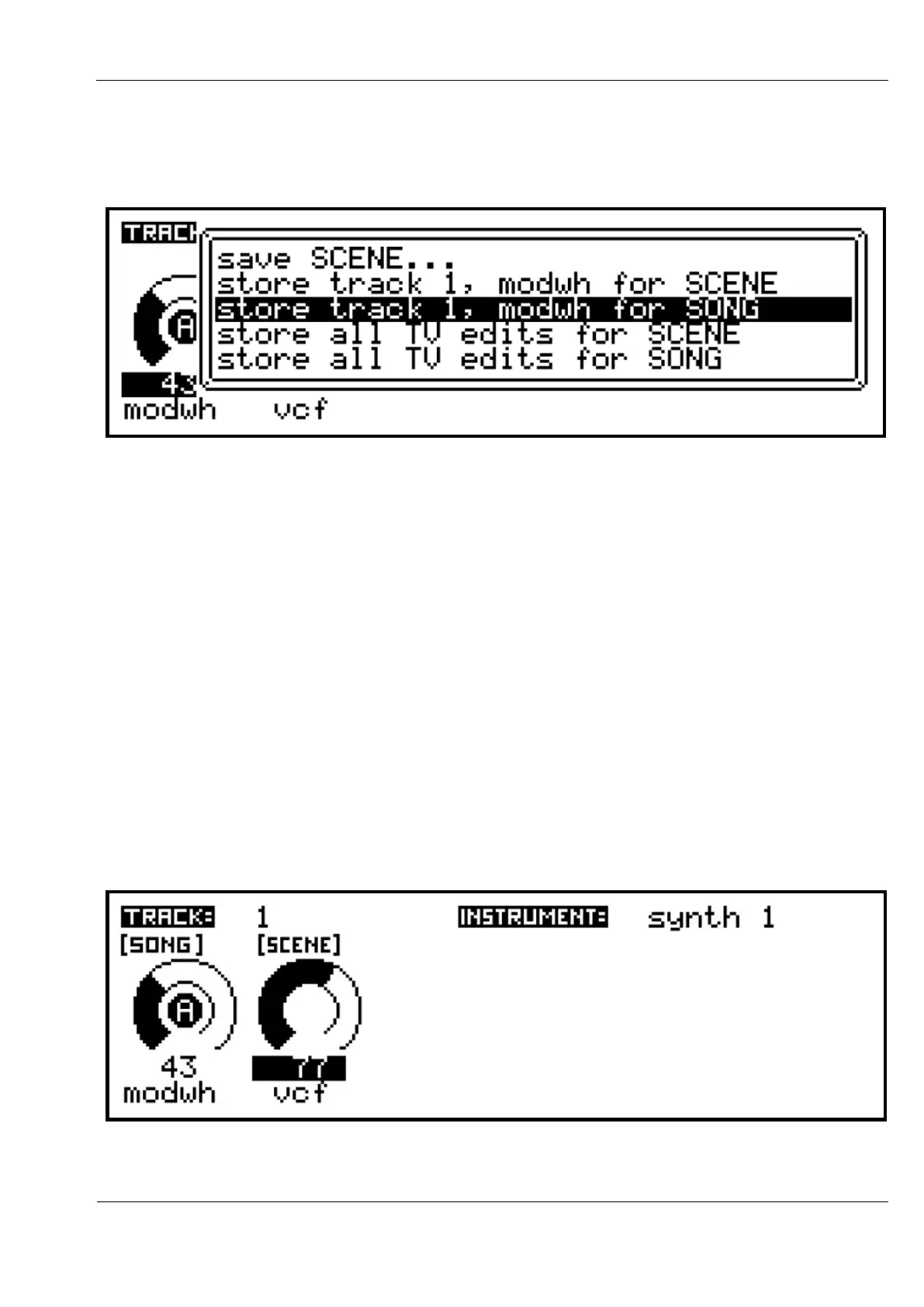
On the track values page, SAVE brings up a list of five options:
Use the VALUE encoder to select the option you want. The first, “save SCENE…” gives
access to the normal scene save function.
The next two options show the current edit track number and track value name or label, and
let you store the value for the SONG or SCENE.
The final two options let you store all edited track values across all tracks, at the SONG or
SCENE level.
Values saved at the SONG level are stored permanently as soon as you select a SONG option.
For the SCENE level, you must also make sure to save the SCENE itself to make the stored
value permanent, unless you have the scene auto-save option enabled.
Once a value has been saved, a new label will appear above it.
Here, for example, the current “modwh” (CC #1) value has been saved at the SONG level,
and the “vcf” (CC #2) value at the SCENE:



 To Next Page