Cirklon Sequencer User Manual
4. Using Scenes
Now that we have instruments assigned to tracks, and have created and edited some patterns
to play on those instruments, we can look at how to assemble groups of patterns into a longer
piece of music, using SCENEs.
Remember that the patterns themselves are not part of a scene - scenes are simply a record of
which patterns are to be played by each track, the initial active/muted status for each track,
and a number of other scene-level values.
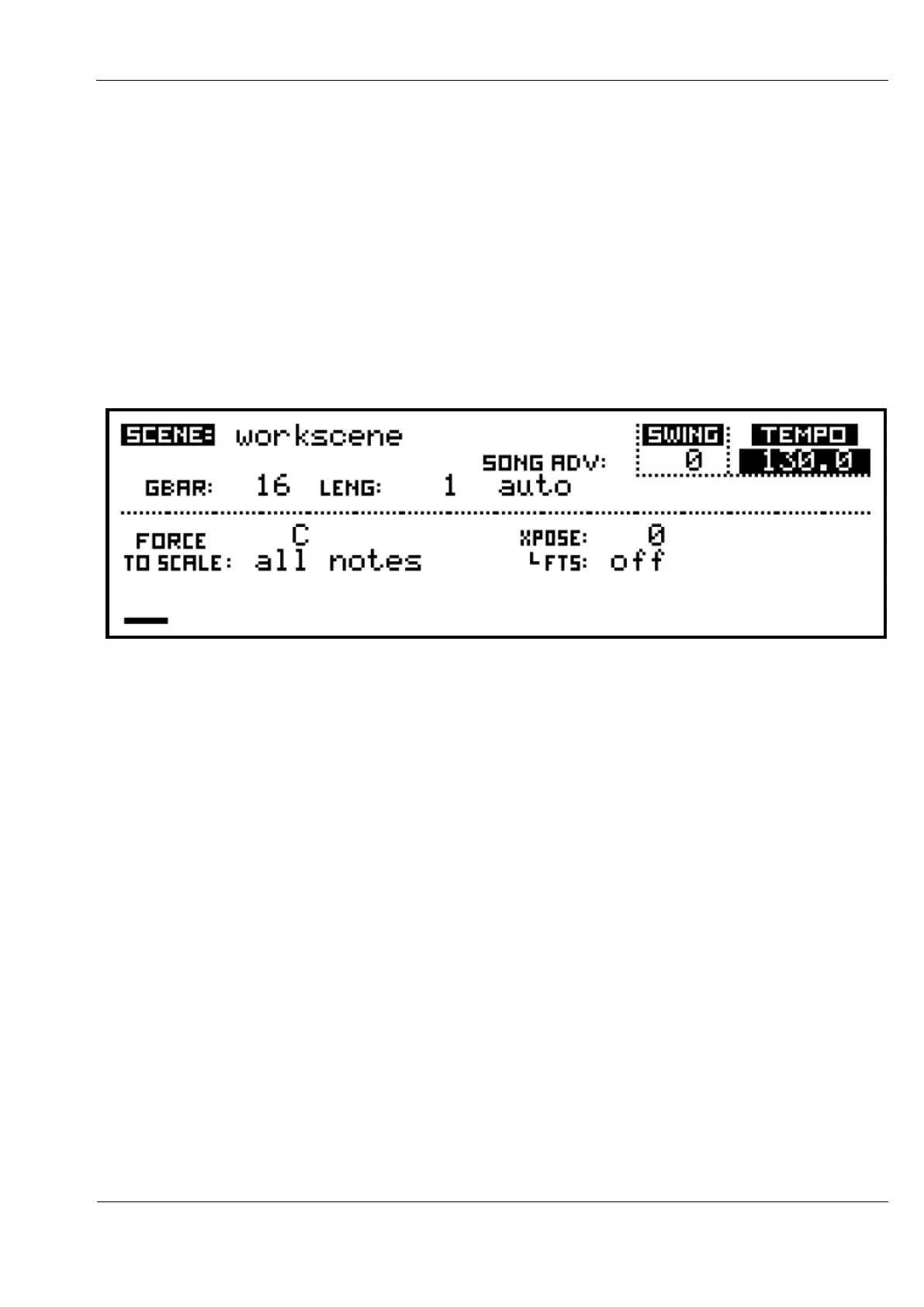
The main scene values are viewed and edited on the SCENE page:
The VALUE encoder is used for selection and editing of these values just as on the song page.
The top line of the display shows the scene name.
In this case, we are looking at the workscene.
The workscene is a temporary holding area for the values and pattern assignments that make
up a scene.
You begin each new song in the workscene, since there will not yet be any saved scenes.
As you save the workscene to real scenes, you will remain in the workscene.
Each save will store the current state of the workscene as a new scene at the end of the scene
list.
This allows you to build a song from a sequence of scenes by gradually adding or changing
patterns on some of the tracks, while leaving other tracks unchanged, without messing
around with a lot of scene save-as operations.
Once you are working with a stored scene, you will be able to change the name here, but the
workscene cannot be renamed.



 To Next Page