Cirklon Sequencer User Manual
The note accumulator value is added to the note on every step, so each pass of the four steps
rises in pitch by 1 semitone compared to the last pass.
Eventually, a limit is reached, at which point the note accumulator value is reset to zero.
But the pattern continues as before.
Now change the value for aux A on step 1 to 12
Your pattern of 4 notes will now rise by an octave on each pass, and you’ll find that the
accumulator is reset when it reaches 3 octaves of transposition – but that is only a default
setting.
Accumulator Configuration
To give you more control over the things they can do, each of the accumulators has some
configuration settings.
These settings let you:
limit the maximum value an accumulator can reach
tell it how to behave when it reaches that value
tell it how to behave when adding the accumulator value to one of the pattern values
gives a result that is out of range for that value
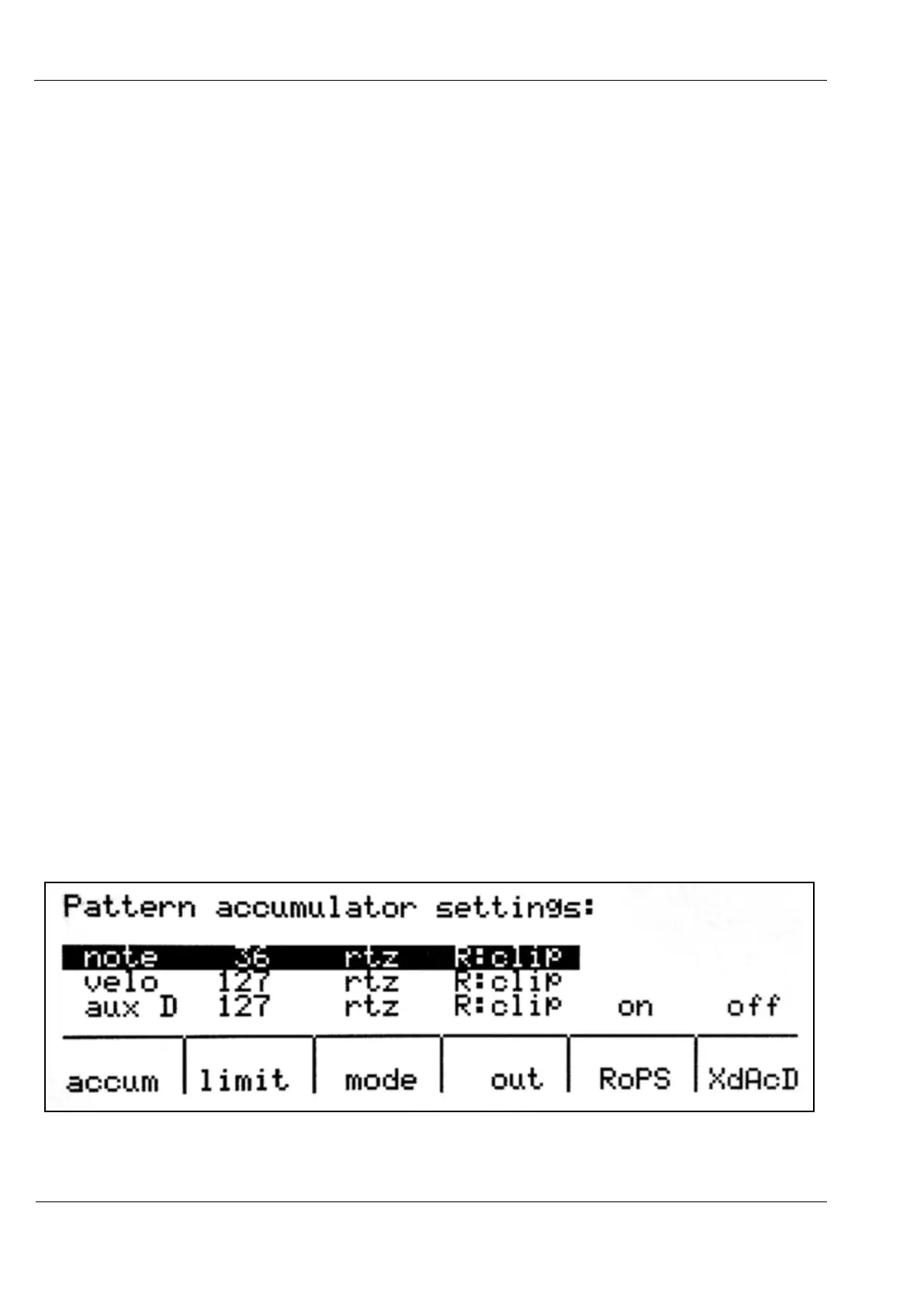
The accumulator configuration page is accessed from the pattern edit menu.
Press the MENU key, then encoder 11, under the “accum conf” label.
This should present you with a display that looks like this:
Encoder 6, labelled “accum”, is used to select which accumulators settings are to be edited.



 To Next Page