Cirklon Sequencer User Manual
Fill Patterns
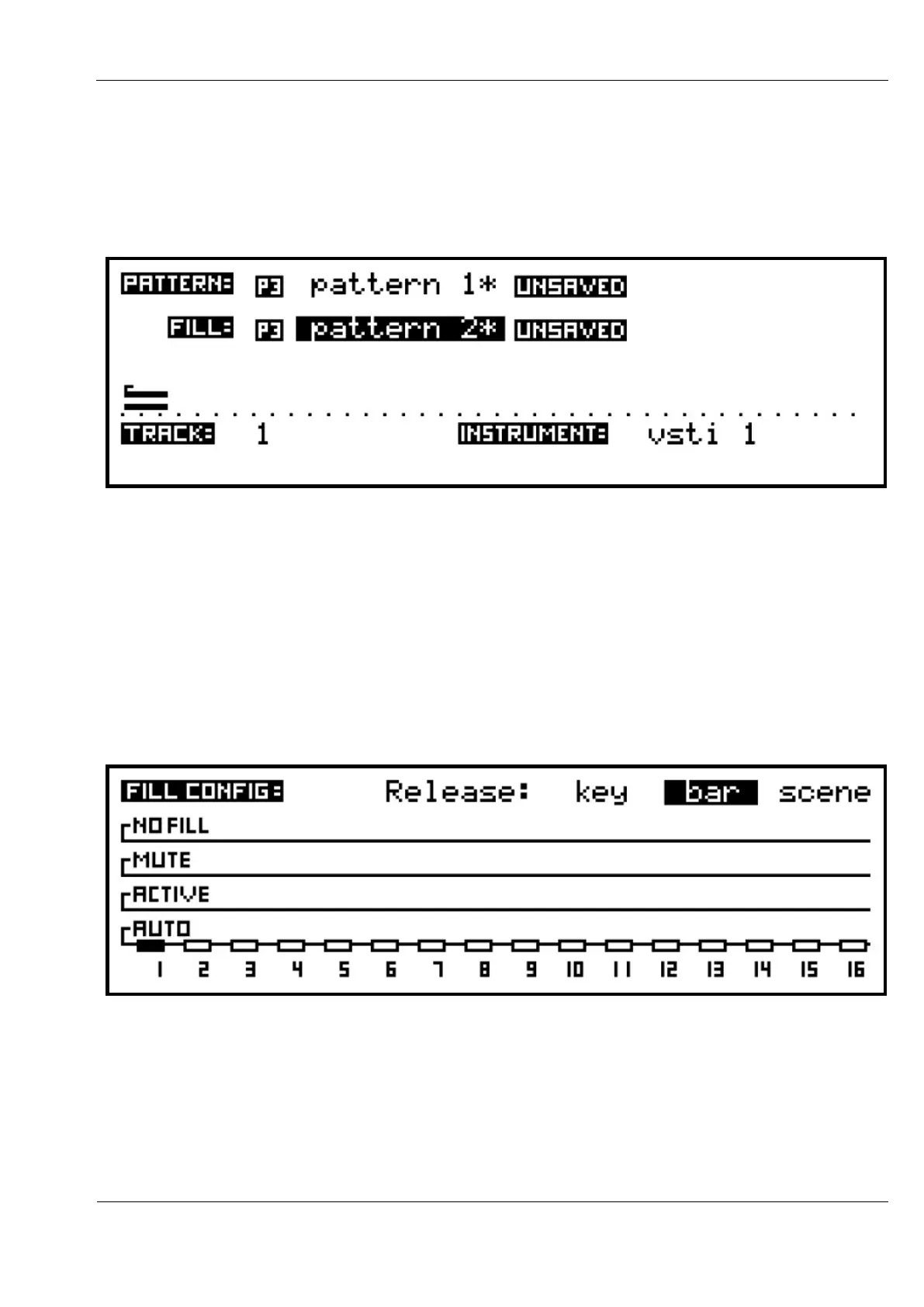
In addition to the main pattern, you may optionally assign a fill pattern to each track.
Fill patterns are selected in the same way as the main pattern, from the same pattern list, by
selecting the FILL: field.
Any track assigned a fill pattern will switch to playing that pattern during a fill-in.
A fill-in can be manually triggered while in play mode using the FILL key. Once triggered,
the FILL key will light until the fill-in completes, or turn off immediately if there are no tracks
with a fill pattern assigned. Fills will trigger continuously if you hold the FILL key.
There are options to control how each track behaves during a fill-in, and when the fill-in
should finish. These options are set on the fill config page, which is accessed by holding the
SHIFT key then pressing FILL. The fill config page looks like this:
The track numbers for each track in the current bank are shown along the bottom of the
display, with a block above.
Tracks which have a fill pattern assigned will have a filled-in block, as shown here for track 1.
The vertical position of each block on the four lines, labelled auto, active, mute or no fill shows
the fill mode for that track. Change the mode by turning the encoder above each track key.
The behaviour for each mode is as follows:



 To Next Page