Cirklon Sequencer User Manual
Note that for a CK pattern, changing the last step value will alter the overall length of the
pattern, and how the pattern is divided into bars for editing.
However, the note events will retain their absolute start position within the pattern.
This differs from a P3 pattern, where each bar always holds 16 steps, but some steps are
passed over during playback when the last step value is less than 16.
View and Signature Timebase
The time duration of each bar of a CK pattern is equal to the number of steps per bar (as
determined by the last step function above), multiplied by the duration of each step, as
determined by the timebase setting.
By default, a new pattern will contain bars of 16 steps of 16
th
notes – equivalent to a 4/4 time
signature.
It can be useful when editing a pattern to change the timebase setting to “zoom” into parts of
the pattern to add more rapid notes.
In order that changing the timebase in this way does not cause an immediate change in the
length of a bar, and therefore the whole pattern, CK patterns have two separate timebase
values, the view timebase and the signature timebase.
The view timebase determines the time represented by each step in the grid for editing.
The signature timebase, along with the last step value, determines the duration of each whole
bar of the pattern, and therefore the overall length of the pattern.
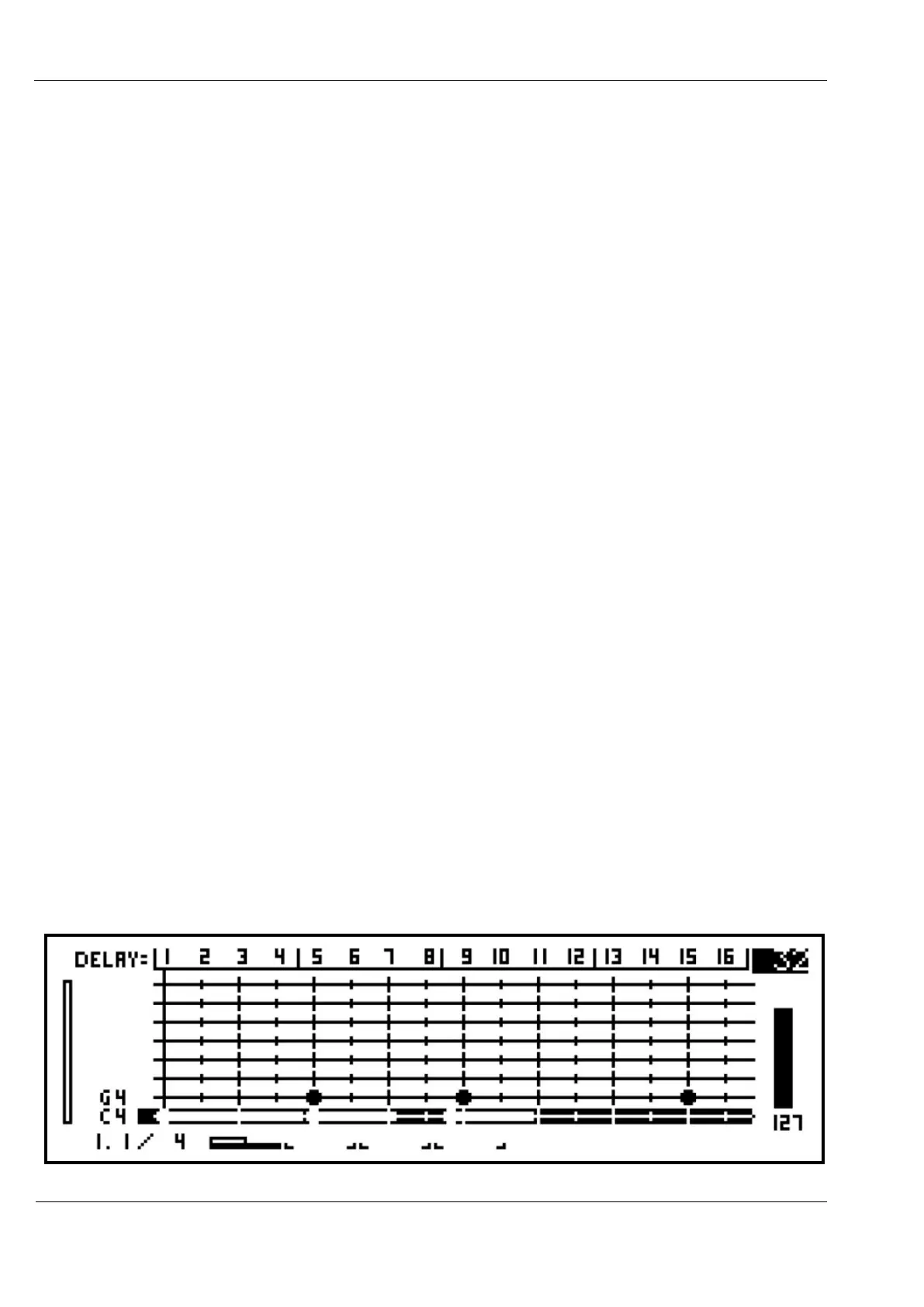
The view timebase always appears in the top right corner of the display.
You can select any of the timebase values available in P3 patterns by turning the VALUE
encoder.
Let’s look at what happens if you change the view timebase for our example pattern from 16
to 32, by turning the VALUE encoder one step clockwise:



 To Next Page