Cirklon Sequencer User Manual
To confirm the re-loading of SYX data, press encoders 6 & 7 together.
The chosen file will be read into memory, all the songs and configuration data reloaded, and
you will be returned to the first SONG in memory.
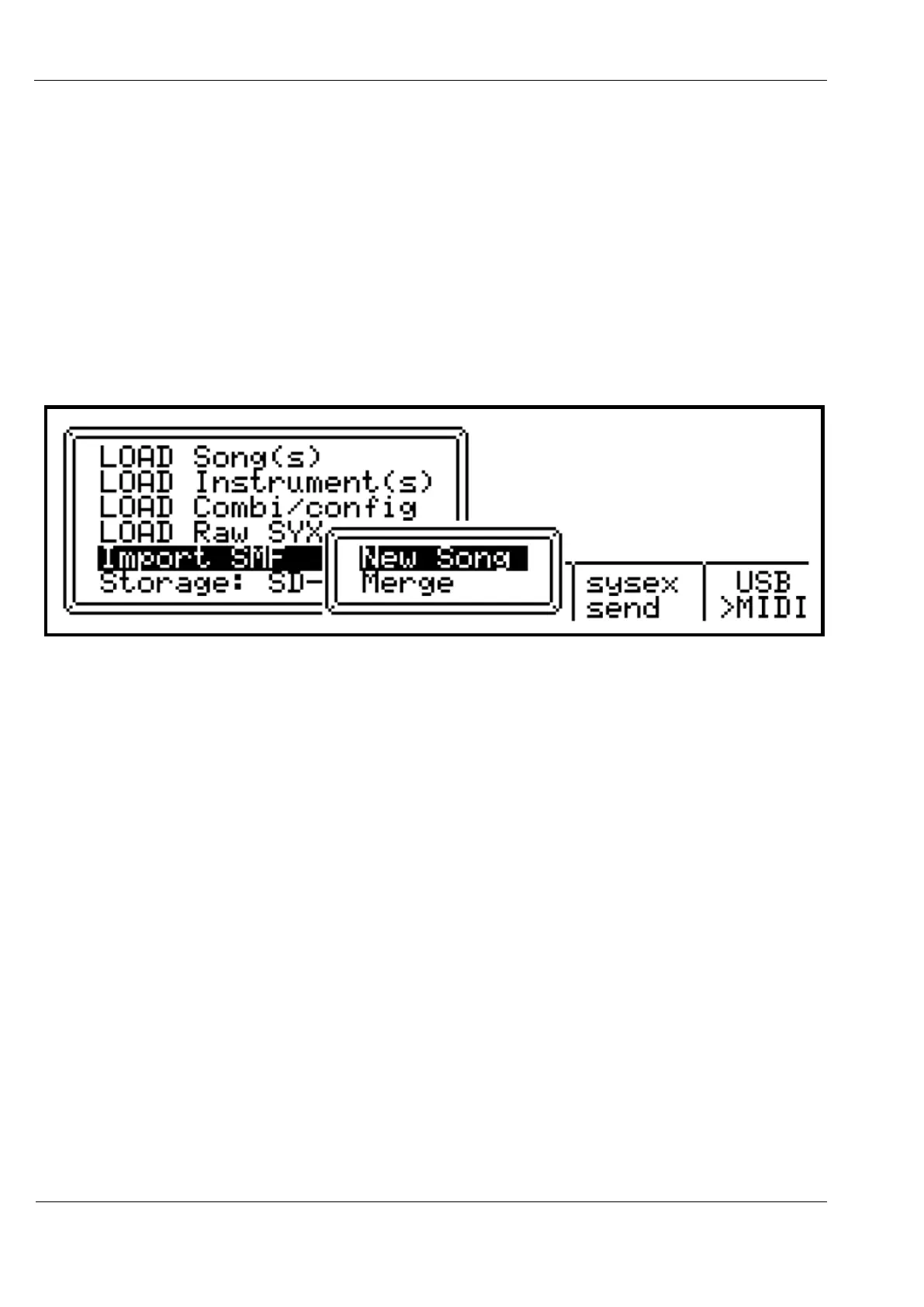
Import SMF
This option allows you to import the contents of a standard MIDI file, with the .MID
extension.
When selecting this option, you must then choose whether to merge the data into the existing
song, or create a new song:
Each track in the MIDI file will be converted to a CK type pattern.
Note that instruments will not be assigned to the tracks in a new song – you will need to
manually assign appropriate instruments for the patterns being imported.
MIDI Sysex
Due to the amount of data that can be stored in Cirklon’s memory, sysex backup can be a
time-consuming process. The use of flash storage is strongly recommended.
If you must use sysex, dumps can be sent and received either via MIDI port 1, or USB MIDI
port 1.
Switch between serial or USB MIDI by pressing encoder 11 at the main Card/Sysex menu.
The arrow indicates the current selection.
With suitable connections made to the device that is to receive a sysex dump, and the device
waiting for the dump to arrive, press encoder 10, “sysex send” to start the dump.
The process for receiving and saving the dump will depend greatly on the target device, so is
not described here.



 To Next Page