Cirklon Sequencer User Manual
Bar Copy
To copy the contents of one full pattern bar to another bar in the pattern, first ensure the bar
you wish to copy is selected as the current bar, either by pressing the step key or encoder, or
turning the BAR encoder.
Hold the COPY key, then press the step key for the bar you wish to copy the current bar into.
The current bar selection will remain on the source bar.
You can confirm the bar was copied by selecting the destination bar, and switching back to
step edit mode by pressing the ROW or BAR encoders. All step values and flags will match
the source bar.
Bar Extend and Copy
You can simultaneously increase the bar length of a pattern and copy the current bar into all
new bars added using the extend and copy function.
This operation is performed by holding COPY, then pressing a step key to select a destination
bar which is beyond the current last bar of the pattern.
The bar length will be increased, and any new bars added will be copies of the current bar
within the previous pattern length.
Bar Values
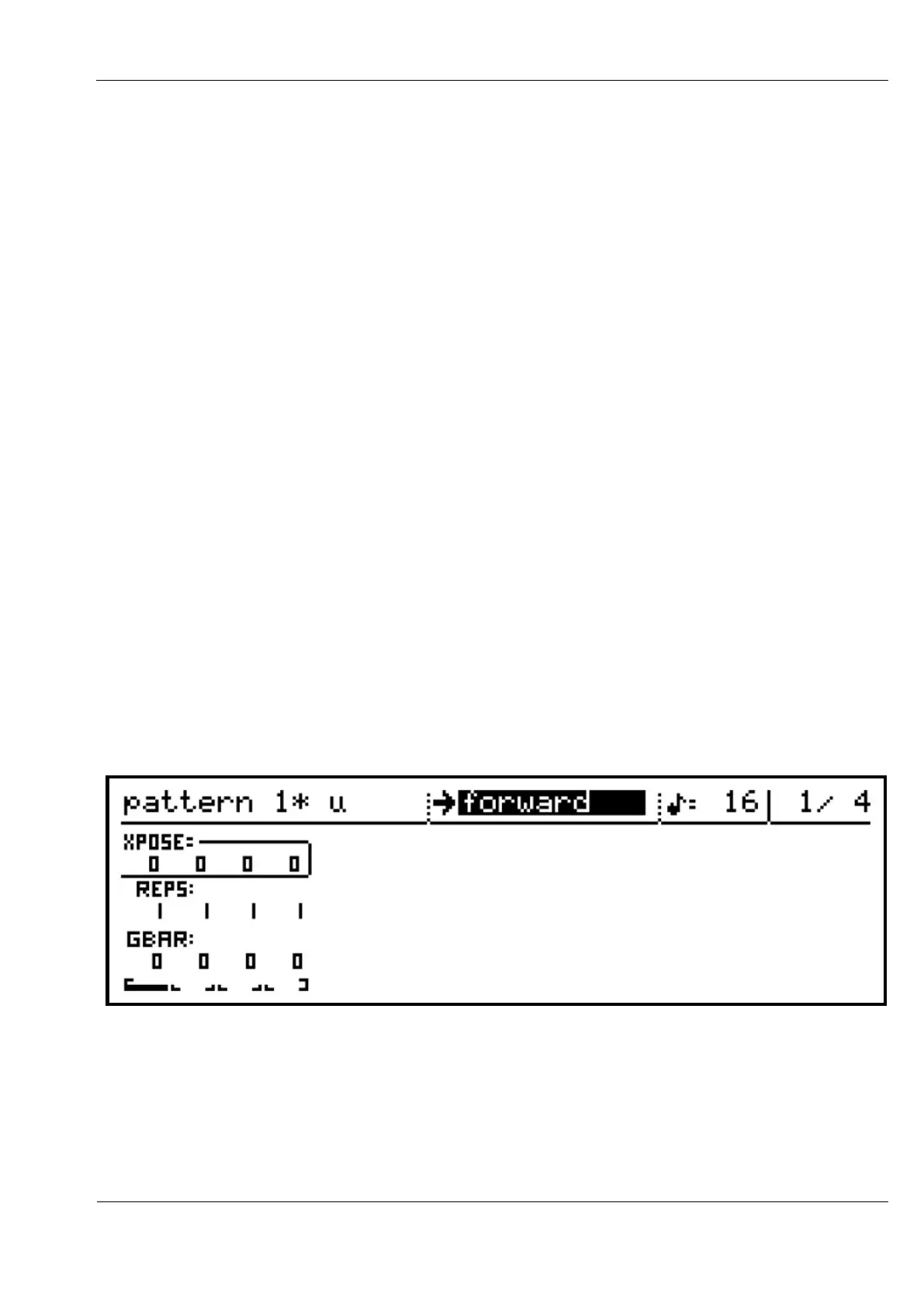
Lets look more closely at the bar edit display:
There are three rows of values in the lower part of the display, labelled XPOSE, REPS and
GBAR, with one of each value for every bar in the pattern.
These values are edited using the step encoders for each bar number.
You can select which row of values to edit by turning the ROW encoder.



 To Next Page