Cirklon Sequencer User Manual
Slope Edit
The second multiple-step editing function is slope edit.
This option allows you to adjust the first or last value in a range of steps such that the step
values in between follow a straight line between the first and last values.
To use slope edit, hold the step encoder for the first or last step in the range of values you
wish to edit. Then, adjust the step encoder at the other end of the range.
This is best done in row view, so you can easily see the effect.
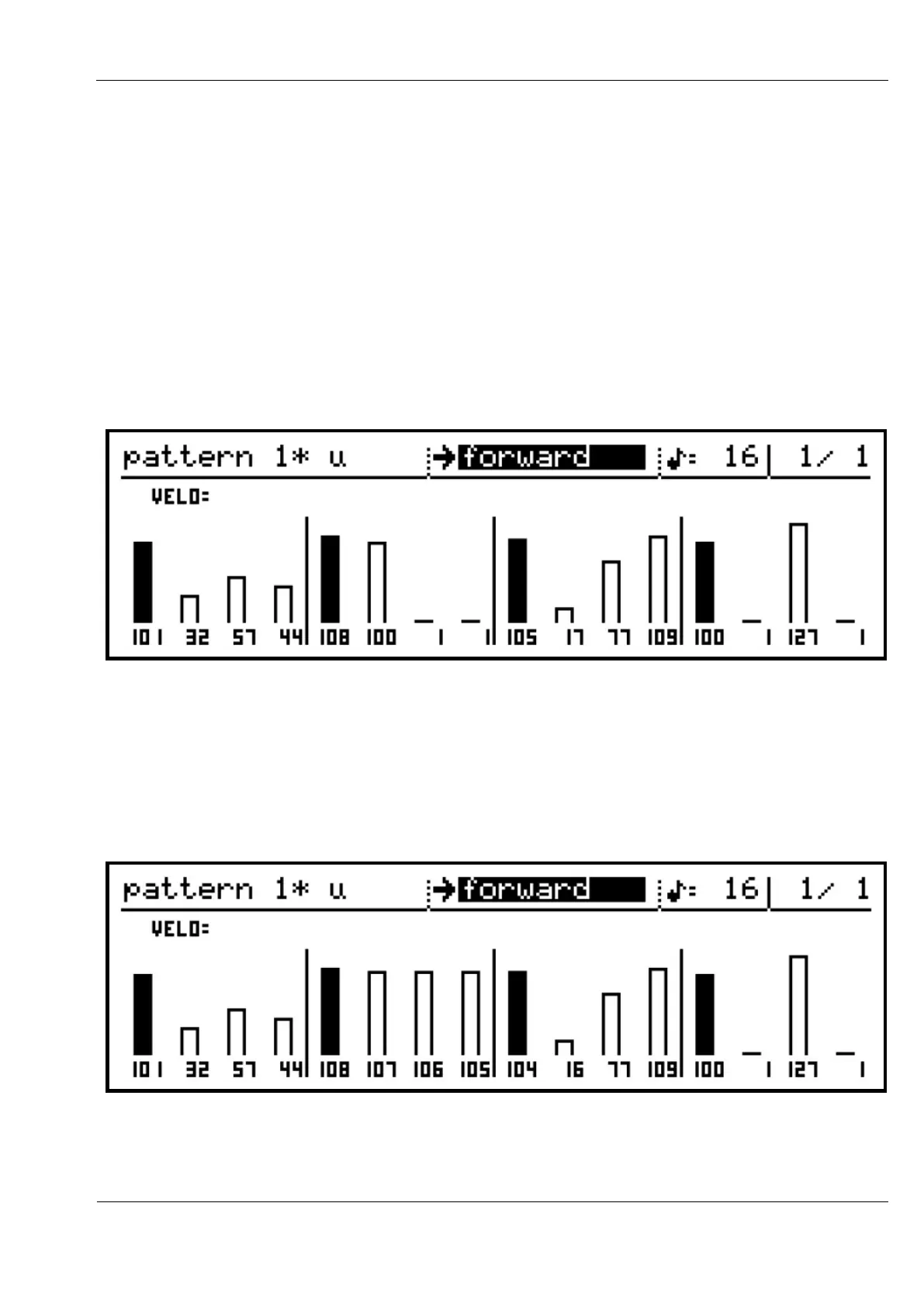
For example, here is a pattern with varying velocity values:
If you were to hold the encoder for step 5 (which has a value of 108), then turn the step
encoder for step 9 (which has a value of 105) down by one, step 9 will have a new value of
104.
However, since step 5 was held, all the values between step 5 and step 9 will form a straight
line:
As there are 4 steps from step 5 to step 9, and a difference of 4 between the first and last step
values, each new value changes by 1 from step to step.



 To Next Page