Cirklon Sequencer User Manual
Track Muting and Status
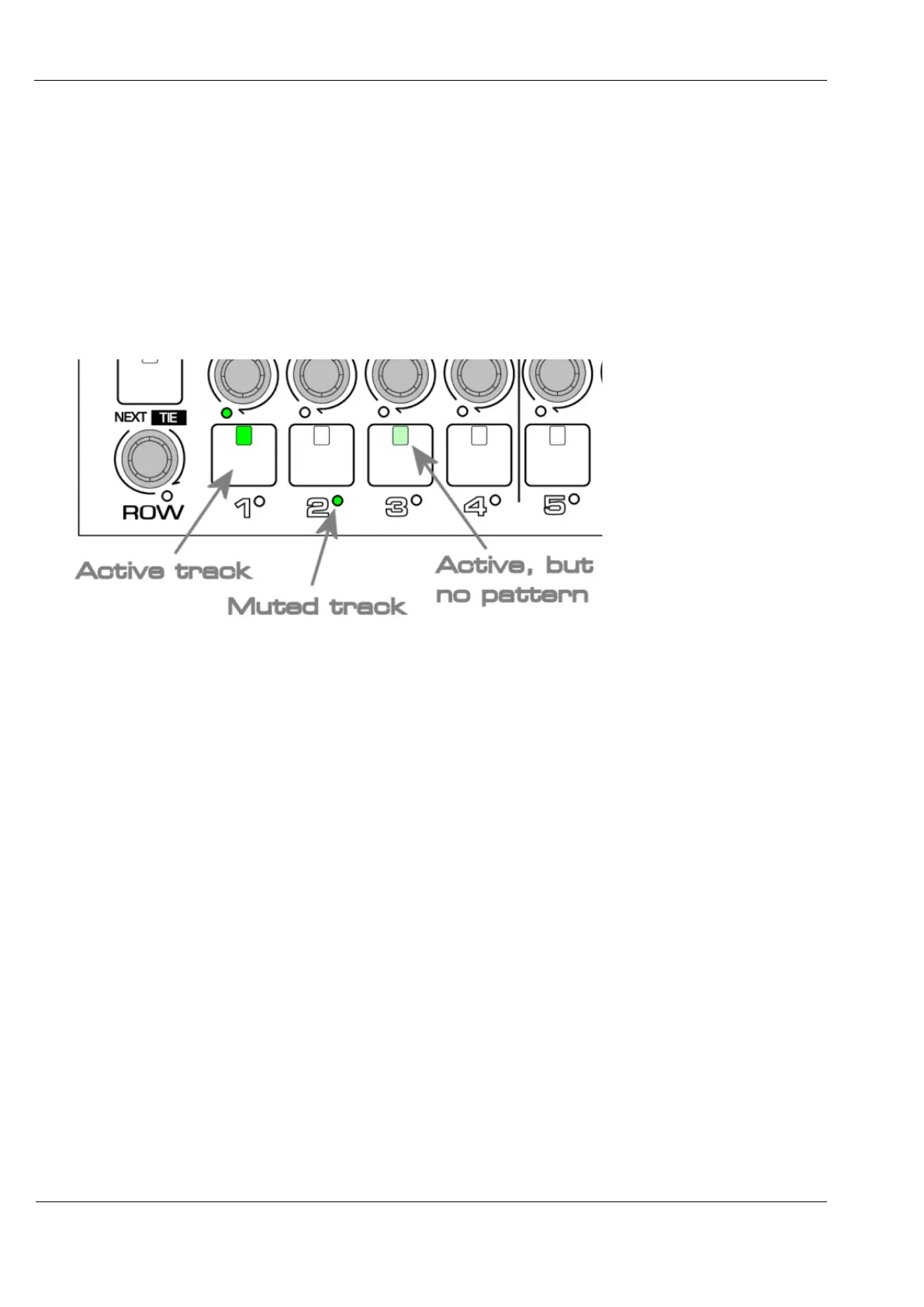
The track keys are used to control the active/muted status of each track.
A pattern assigned to a track will not play unless the track is active, with the key LED on.
If a pattern is assigned to a track which has been muted, the LED below the track key will
light green to show the track is in use.
If a track has been set active, but no pattern is assigned, nothing will play, so the key LED will
be lit at half brightness.
It is possible to “arm” a muted track, so that it will become active at the next global bar loop.
Do this by holding the SHIFT key as you press the track key for the track to be unmuted.
The LED below the track key will be amber until the track becomes active.
The SHIFT + <track key> function will not mute an active track unless a user configuration
option for this is enabled – see the later section on user config.
Changing Song Values
Changes to the main values on each of the play pages are made using the VALUE encoder.
The selected value is shown with an inverse or highlighted background.



 To Next Page