Cirklon Sequencer User Manual
The Scene List
In order to view all the scenes in a song, or to manually recall a scene other than the next
scene in the song, you must use the scene list.
The scene list is accessed from the SCENE page by pressing the SCENE key.
If you are not on the SCENE page, two presses of SCENE will take you to the scene list.
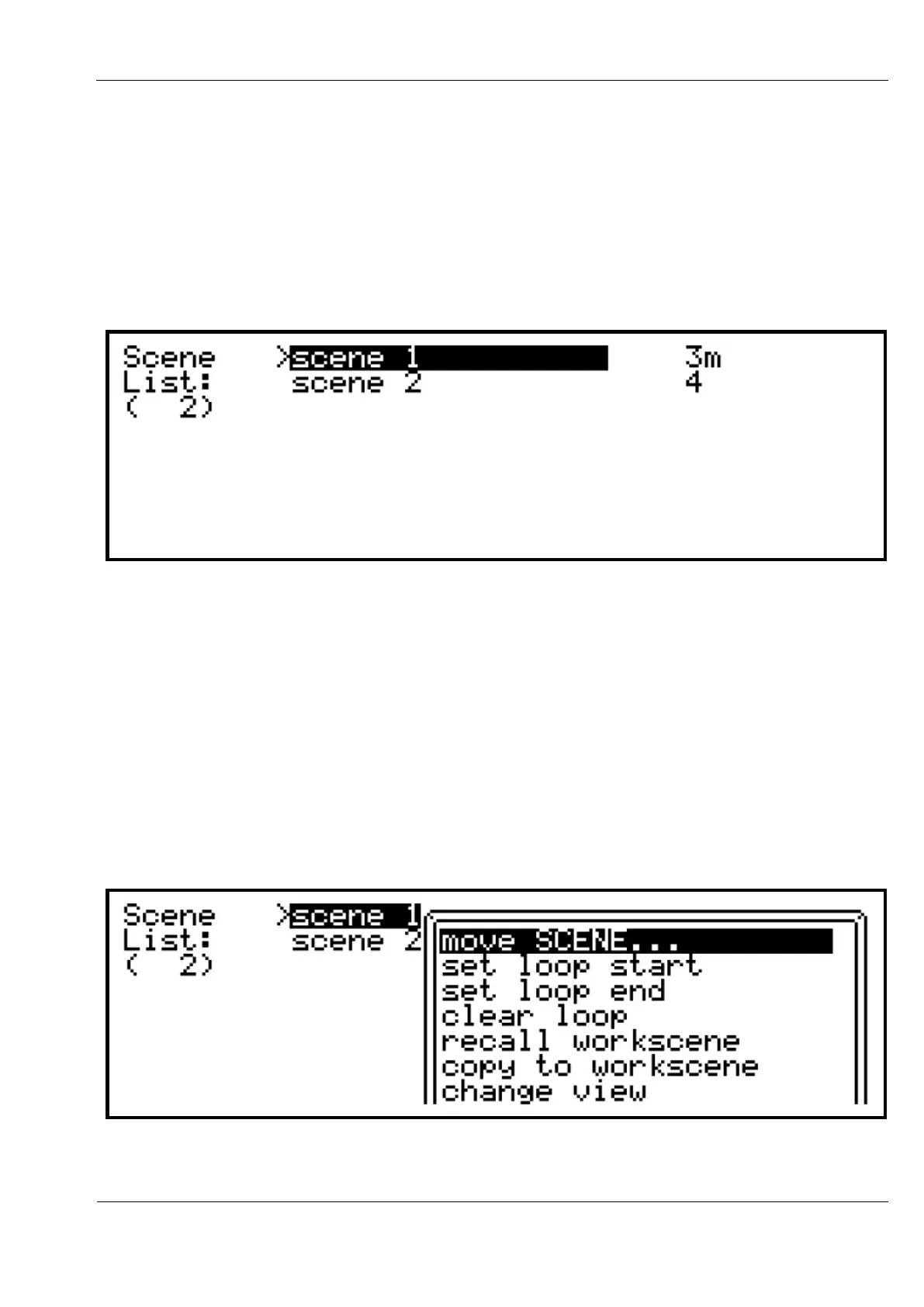
This list shows our example song, with two scenes.
The number to the right of the scene name shows the length of the scene, except for the scene
currently playing. For the current scene, the value counts down, to show how many bars will
play before the scene loops (or advances, if song mode is enabled). A scene set to manual
advance will show a letter ‘m’ next to the length/count number.
Using the VALUE encoder, you can scroll to any scene on the song, then press to recall that
scene on the next global bar loop, or immediately if Cirklon is stopped.
The arrow just before the scene name indicates the current scene playing.
The scene list provides some other scene operations, accessed by pressing the MENU key:



 To Next Page