Cirklon Sequencer User Manual
The number indicator also changes range to suit.
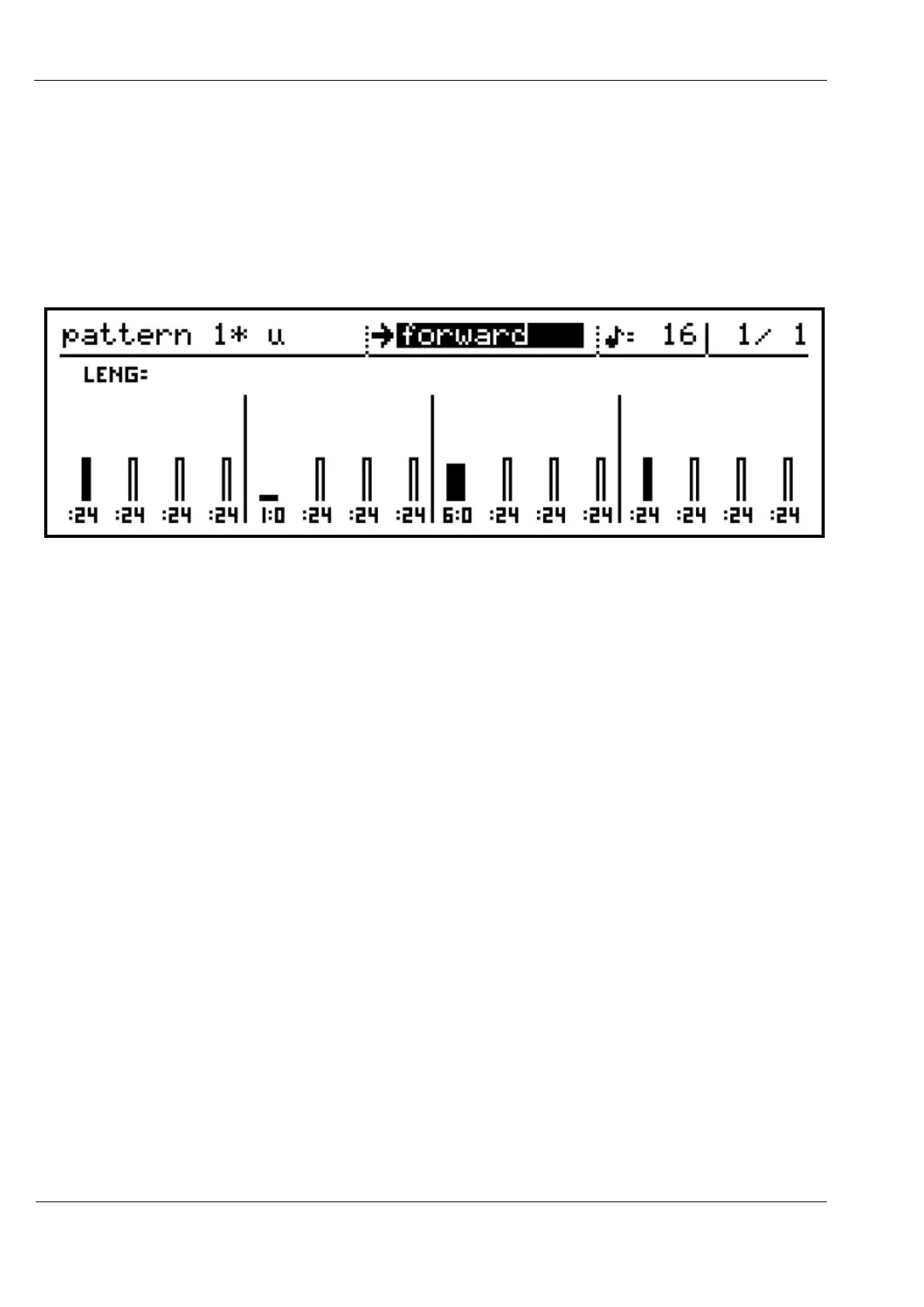
In this example, step 1 has a length of 24/48ths of a step, shown as :24
Step 5 has a length of 1 whole step, shown as 1:0
Step 9 has a length of 6 and ¼ steps, shown as 6:1 – once the length is beyond one step, it
increments in quarters, rather than 48ths of a step.
The bars for a length of less than 1 step are narrower than the normal bars.
In addition to the normal range of length values, there is also a special “hold” setting.
This means that the note should be held until the start of the next active step in the pattern.
Set the length on a step to hold by holding SHIFT as you turn an encoder to edit the length
value. The value will appear as “hold” in step view, and a full size bar with a value of :00 in
the row view.
Turn the step encoder without the shift key to return the step to the last numeric length value.
Editing Multiple Steps
Pattern edit has a couple of labour-saving features for times when you want to change the
values on a number of steps by the same amount, or want to create a rising or falling ramp in
consecutive values, but don’t want to go through every step making individual adjustments.
These are the gang and slope edit functions.
Gang
Gang mode is enabled in pattern edit using the GANG key, just above the BAR encoder.
The gang function allows you to link a number of pattern steps together, so that any
adjustment made using the encoder for one of the ganged steps will affect all ganged steps
equally.



 To Next Page