Cirklon Sequencer User Manual
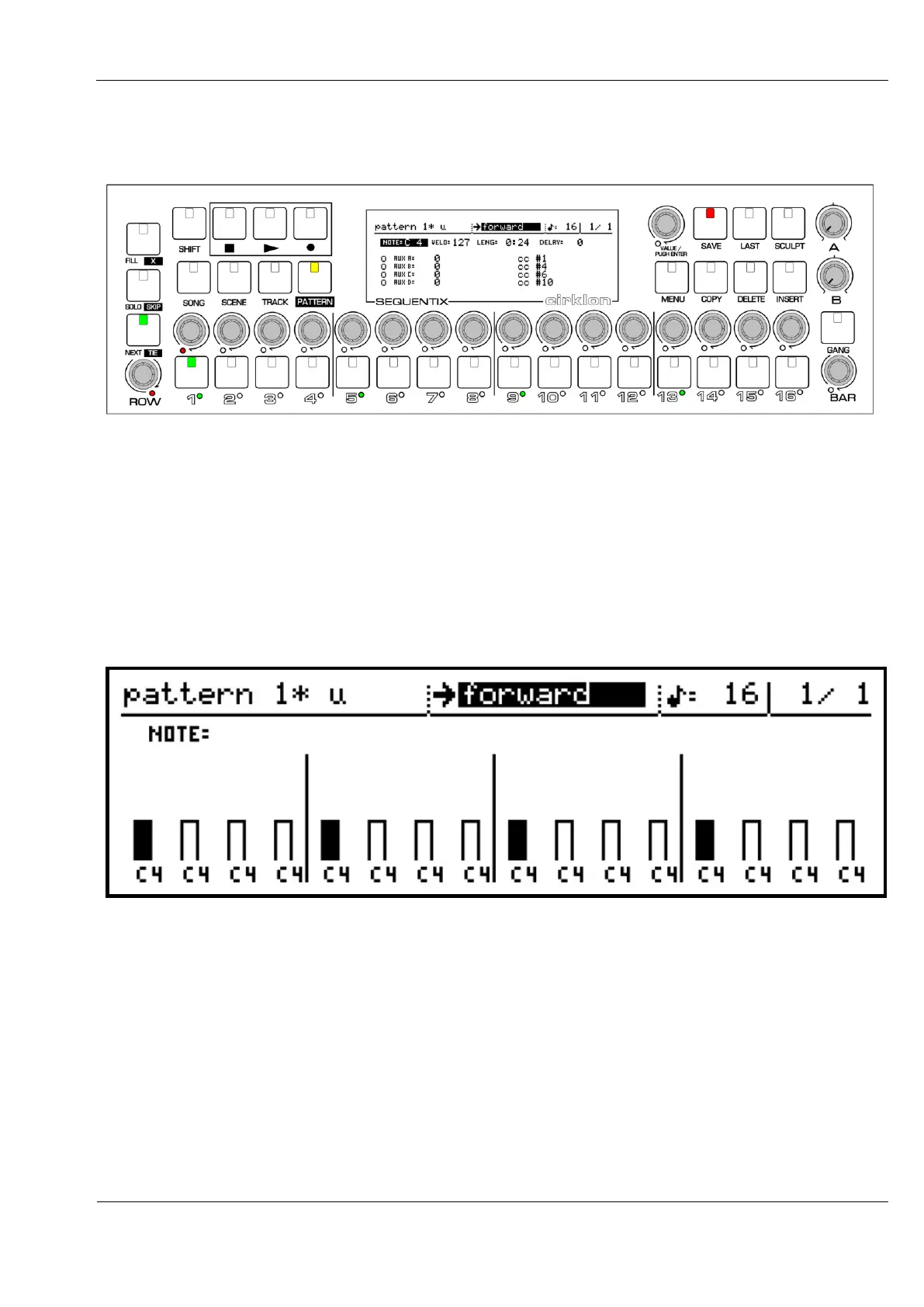
In the example above, if you press the TIE key, then set the tie flag on step 1 only, the panel
should look like this:
The TIE key is lit to show the step keys are assigned to the tie flags.
The LEDs under the steps show the gate flags.
Step 1 is lit to show tie is active on that step only.
While the step view shows every value for single step, the row view shows the current row
values for every step in the current bar.
Press the ROW encoder, or the PATTERN key, to switch to the row view:
Pressing ROW once more will switch back to the step view.
In the row view, the 16 bars for note, velocity, length or delay will be filled in if the gate flag
for the step is active – as can be seen for the active steps 1, 4, 9 and 13.
On the aux rows, the bars will be filled on each step that the aux is enabled.
The appearance of the bars is slightly altered for the length values.
Since the length value can cover a wide range, from fractions of a step up to whole numbers,
the width of the bars is used to indicate whether the length is one or more steps long.



 To Next Page