Cirklon Sequencer User Manual
11. CK Event List Edit
Since drum grid edit is optimised for creation and editing of percussion patterns, and does
not include the means to edit other event types than notes, a low-level event list view is
provided.
You can jump straight to event list edit by holding SHIFT as you press the PATTERN key to
edit a CK pattern. Once in CK pattern edit, you can switch back and forth between drum grid
and event list edit by pressing the PATTERN key.
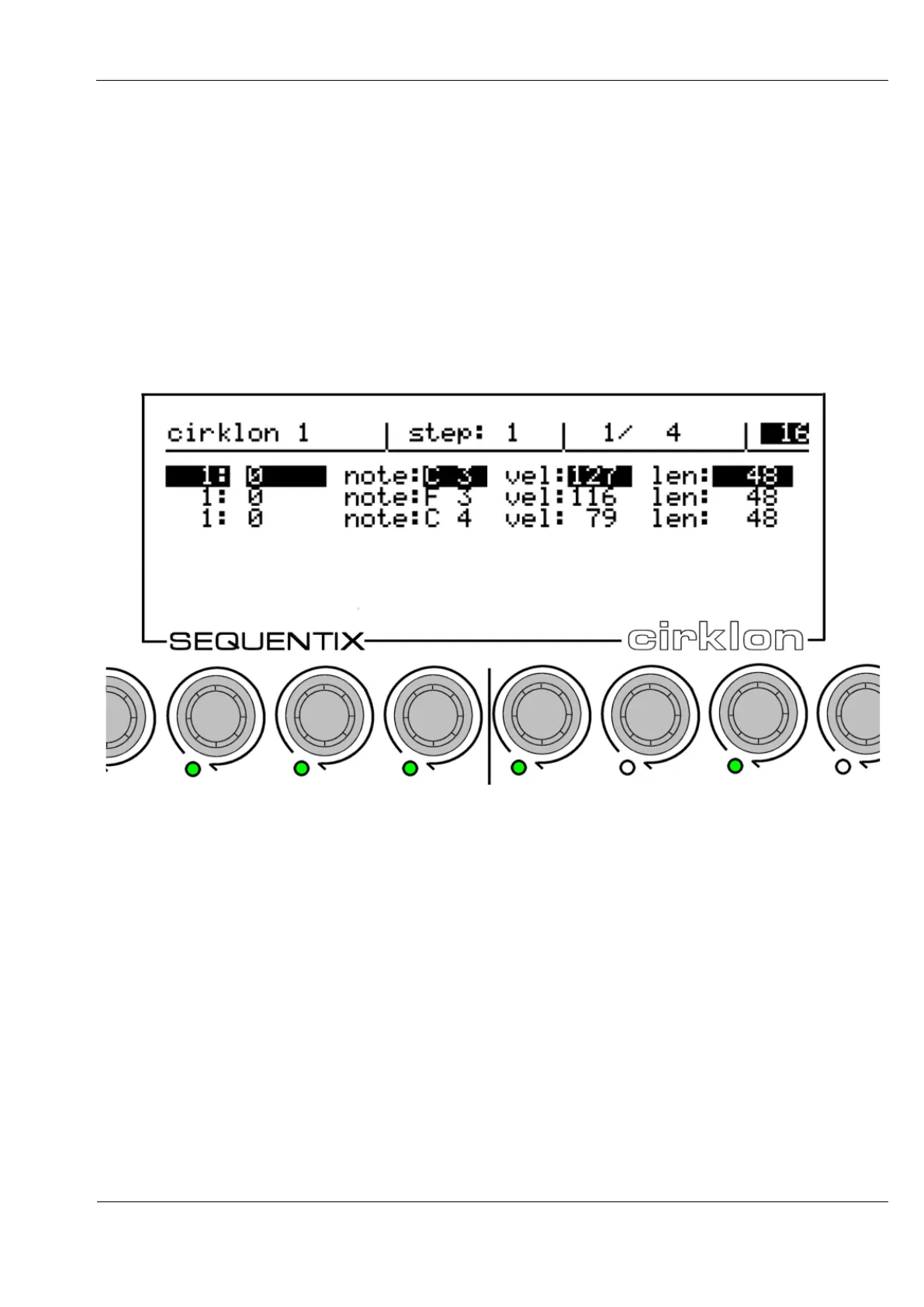
A typical view in event list edit may look like this:
The top line of the display shows the current pattern name, step view position, bar position
and bar length, and the view timebase setting.
Event values are edited using the encoders below each of the values shown on the display.
The first two values for all events are the step position and delay value (ticks offset from the
step), edited using encoders 6 and 7.
The range of the delay value depends on the view timebase setting.
For example, timebase 16 has a step period of 48 ticks, so the tick offset can be -23 to + 24.
Unlike in grid view, if the delay value is edited beyond the limits of the current step, the step
value will change, and the step view position will follow such that the same event continues
to be selected for editing in its new step location. You can freely move an event around in the
pattern by editing its step or tick values.
The other lit encoders edit the remaining event values.



 To Next Page