Cirklon Sequencer User Manual
Saving Patterns
A newly created pattern will not be lost when you exit from pattern edit mode.
However, saving a pattern allows you to protect the pattern so that further edits can always
be undone, restoring the pattern to the state it was in at the time of saving.
You can also save an edited version of a pattern as a new pattern, leaving the original pattern
as it was before the recent changes were made.
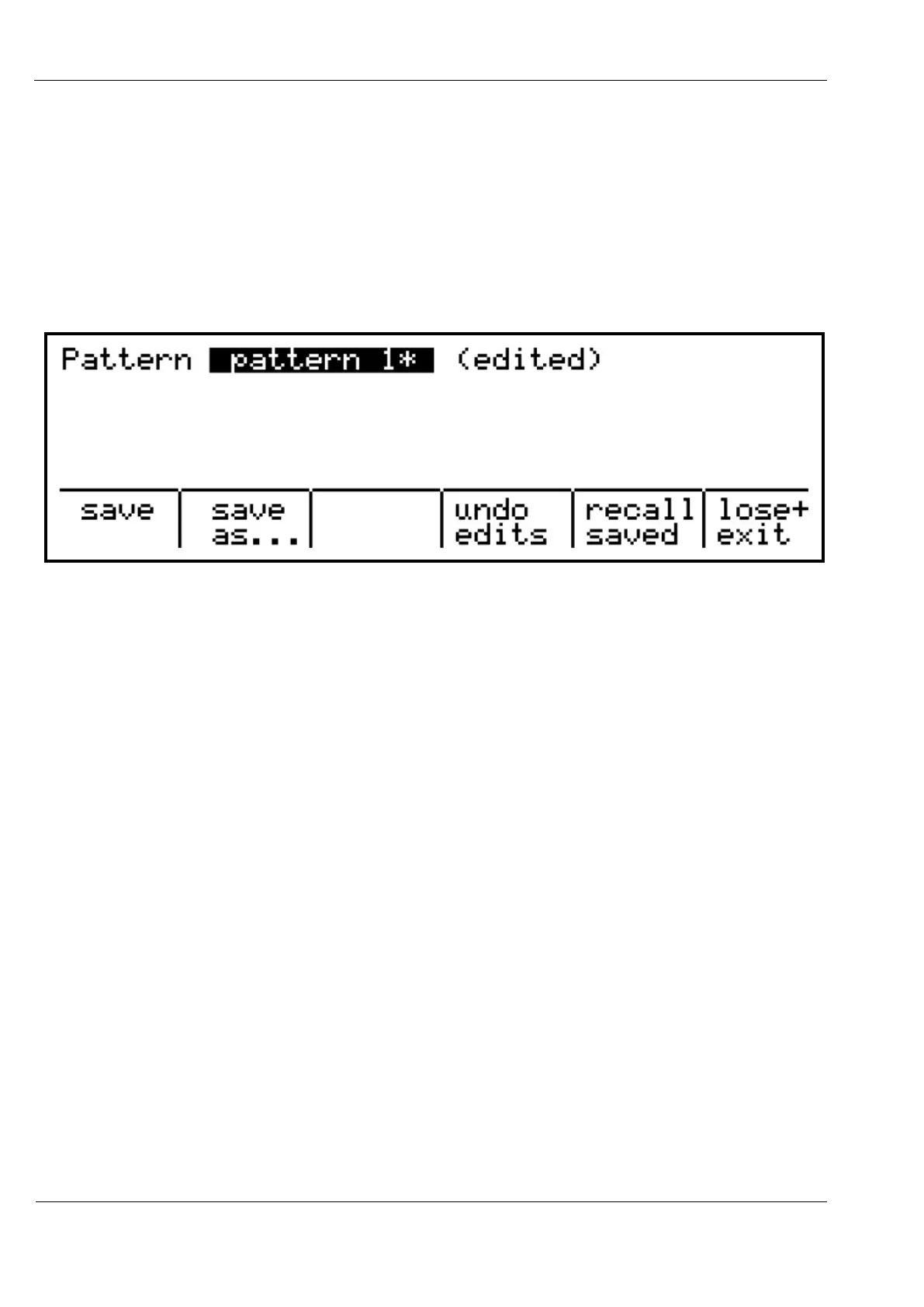
The pattern save menu can be accessed in pattern edit by pressing the SAVE key:
Depending on the state of your pattern, not all of these options will appear.
It is always possible to undo changes made to a pattern since you most recently entered
pattern edit mode.
For a pattern which has been saved, there is also a second of level of undo, which allows you
to reverse any changes made since the point at which the pattern was saved.
A newly created pattern will be unsaved
In this case, the save menu will only show the choices of “save” and “save as...”.
The “save” option will mark the pattern as saved.
“save as...” will prompt for a new pattern name, and create a copy of the pattern under this
new name, also marking this new pattern as saved.
After you make changes to a pattern which has previously been edited, you will see the
“undo edits” option.
This option undoes only the changes made to the pattern since you most recently entered
pattern edit. This option will appear for saved or unsaved patterns.
If you edit a saved pattern, the “recall saved” option appears.
This option reverses all changes made to the pattern since it was saved.
Finally, the “lose+ exit” option will undo the most recent changes to a pattern, end exit from
pattern edit mode. This will be equivalent to “undo edits” if there have been changes made



 To Next Page