Cirklon Sequencer User Manual
3. Pattern Edit
With an empty pattern created and assigned to the track, we need to edit the pattern to get
some notes playing. Switch to pattern edit by pressing the PATTERN key.
Normally the pattern assigned to the current edit track will be edited.
However if the FILL field is selected on the track page, the fill pattern assigned to the edit
track will be edited instead.
As a shortcut to create a pattern, if you press the PATTERN key on a track with no pattern
assigned, a new P3 pattern will be created and assigned as you enter pattern edit.
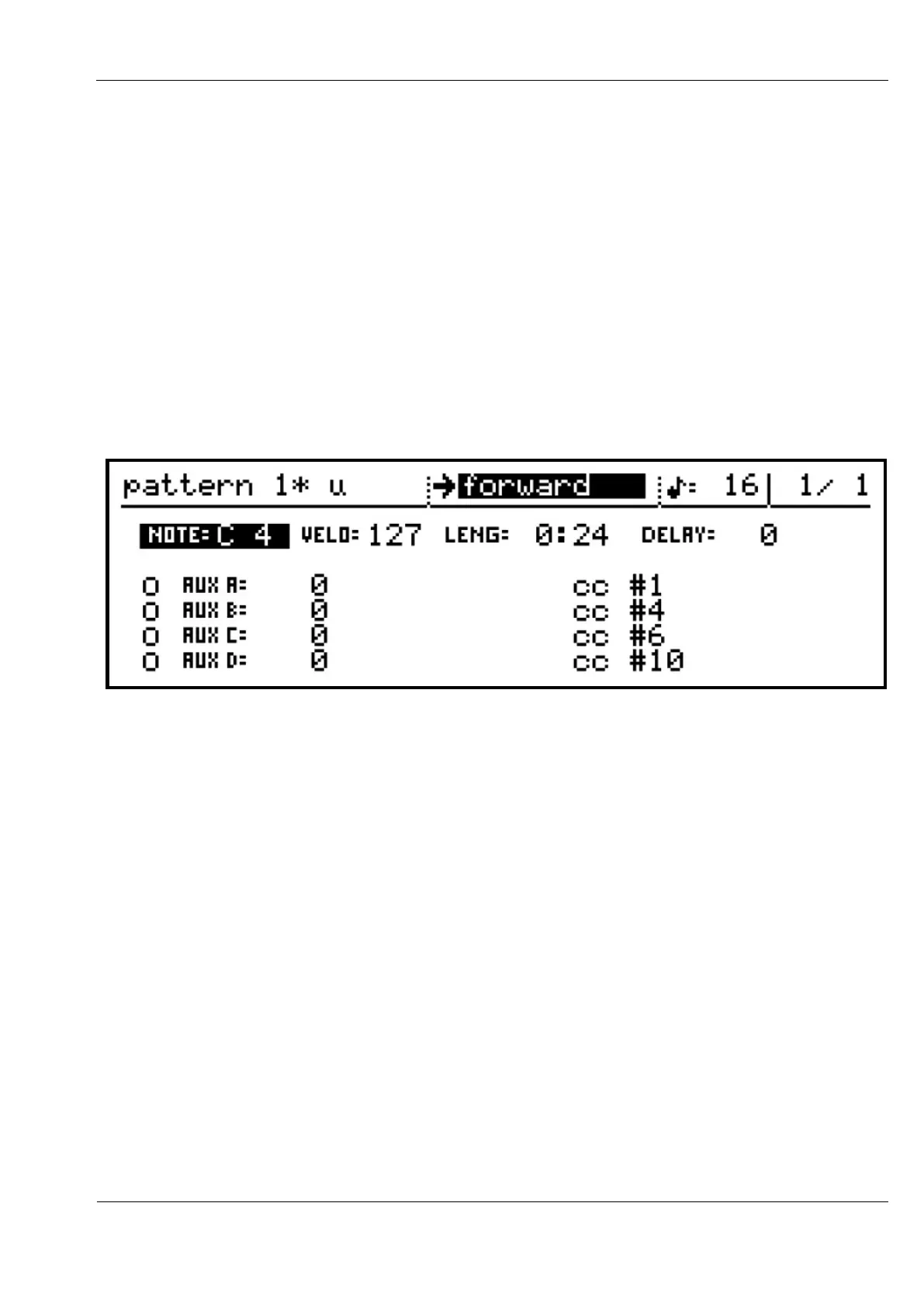
At first, the edit page for a new P3 pattern will look like this:
The top line of this view shows:
- the pattern name
- the current direction
- the timebase setting (duration of each step as a division of the master tempo)
- the current bar number and bar length of the pattern
The lower part of the display shows all the current values for a single step of the pattern
This is the step view.



 To Next Page