Cirklon Sequencer User Manual
P3 Record
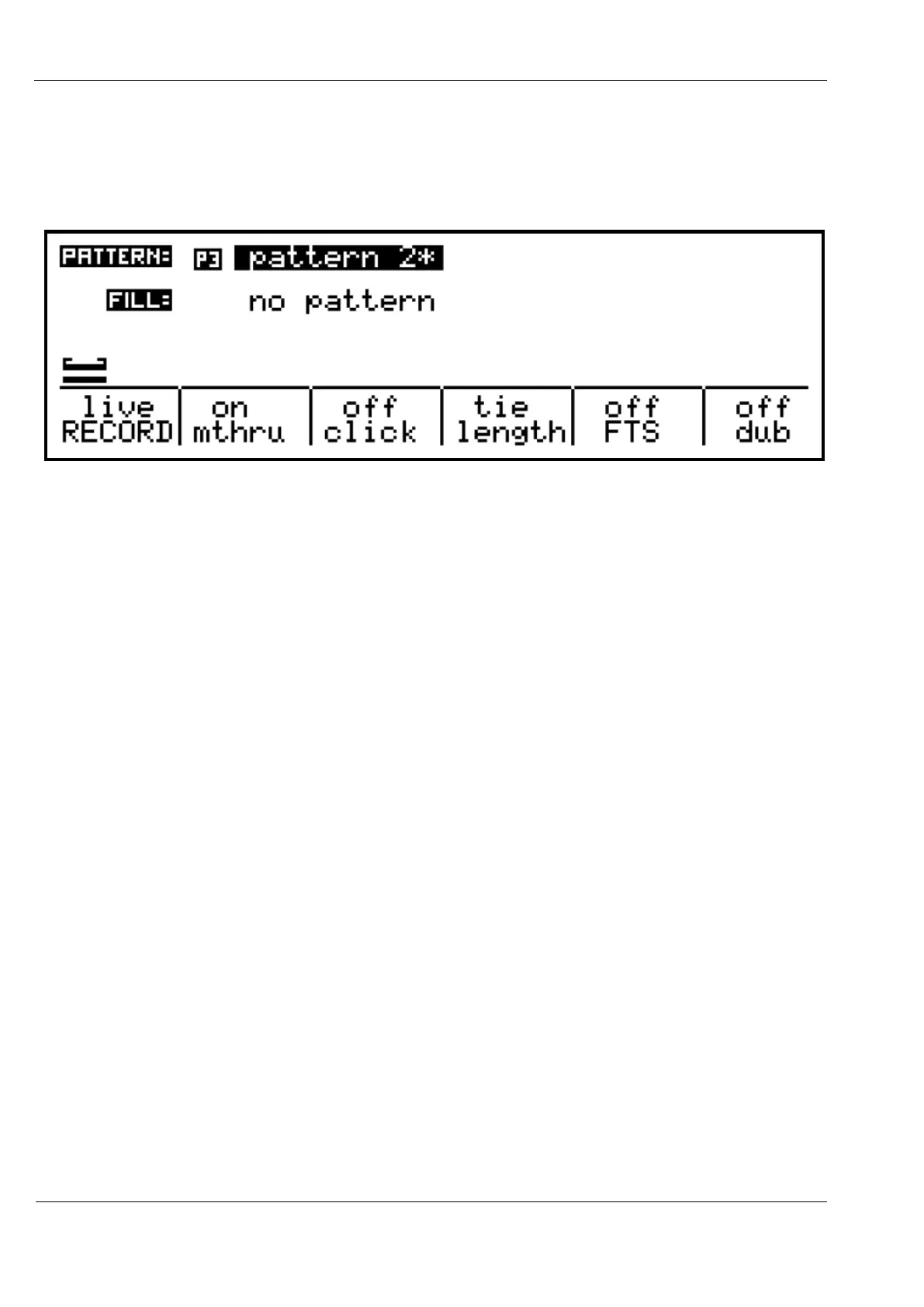
The record menu options for P3 patterns are as shown:
The “RECORD”, “mthru” and “click” options are the same as for CK recording.
The “length” option allows you to choose how notes which are held for longer than one step
of the pattern are handled.
There are three options here, off, tie and long.
off - holding a single note over multiple steps will record a repeating pattern of
single notes on every step, and overlapped notes will be recorded with a gap between them.
tie - when a note is held over more than one pattern step, each step it passes will be
set to that note, with the tie flag turned on. On playback, this will give you a continuous note
across the recorded steps. If a new note overlaps the previous note, the previous step will
have the tie setting turned on so the notes also overlap on playback.
long - when a note is held over more than one pattern step, the note value is
written only to the current step when the note is first played, but the length value will be
increased for as long as the note is held, or until the starting step loops back round.
The “dub” option changes the way notes will be recorded into a pattern which already has
notes active on some steps. It can be set to off, note or gaps.
off - existing notes are ignored and will be over-written
note - the gate flags are left unchanged, but the note and velocity values in each step
are over-written by any note held on the MIDI master keyboard.



 To Next Page